Magento 2 Popular Search Terms: Top and Related Searches as a Landing Page
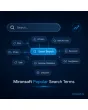
SKU: RELATEDSEARCHTERMS1
- landing page with the most popular search terms per store view
- related suggestions when a search returns nothing
- block, rename or add terms manually
- Alpine.js output in Hyvä, no extra JavaScript
Einmaliger Kauf · inkl. 12 Monate Updates · zzgl. MwSt.
Magento 2 Popular Search Terms: turn customer searches into navigation
Every search tells you what customers expect to find. With the Mironsoft Magento 2 popular search terms module, the queries that are really searched often appear as a curated landing page, as a block below the search field and as suggestions when a search comes up empty. You stay in control, because every term can be blocked, renamed or added by hand. The output runs on Alpine.js in the Hyvä theme.
Landing page
A dedicated page shows Magento 2 popular search terms as a list or cloud; each term leads to the results page.
Related suggestions
With too few results, similar terms appear so that a search does not end in a dead end.
Curation
Offensive, wrong or irrelevant terms are blocked with one click, others are renamed to something friendlier.
Own terms
Seasonal topics are added by hand, and you decide where a term leads, for example to a category.
Thresholds
Only terms with a minimum number of searches and at least one result are displayed.
Per store view
Every language and every shop has its own lists, blocks and texts.
Why you should show Magento 2 popular search terms
Internal search is the most honest wish list your customers write. Magento stores search queries but barely uses them by default: they sit in an admin table and stay invisible to visitors. Yet a selection of popular terms helps undecided customers who do not know what to search for, and it gives you entry pages for search engines.
Anyone who displays Magento 2 popular search terms gains navigation without extra menu work. The list updates itself from live operation, and you intervene only where a term does not fit your brand. Related suggestions also catch typos and technical words that the catalog names differently.
Magento 2 Popular Search Terms on a dedicated landing page
The landing page shows Magento 2 popular search terms of recent weeks, sorted by frequency or alphabetically. Every term is an ordinary link to the results page, with no JavaScript required. The page is indexable, has its own title and meta description per store view, and you can add an introduction and grouping by first letter. The result is a page that visitors and search engines both use.
- Sorting by frequency or alphabet
- Title, meta description and introduction per store view
- Ordinary links, indexable, no extra JavaScript
Magento 2 Popular Search Terms as suggestions when a search finds nothing
When a search returns no or only few results, the module shows related terms below the message. Relatedness comes from shared word parts, from your manual assignments and from terms customers searched one after another in the same session. The block can also appear below the search field or in a category. It does not replace the search, it complements it.
- Word parts, manual assignment and session sequence as sources
- Output on empty results, below the search field or in categories
- Only terms with at least one result
Curate Magento 2 popular search terms: block, rename, add
Not every term in Magento 2 popular search terms belongs on a public page. In the admin you see all candidates in a table with frequency and result count and block single terms or whole word lists. Spelling variants are merged into one term, and you decide whether a term leads to the search, a category or a CMS page. Blocked terms appear neither on the landing page nor in the suggestions.
- Blocklist with word lists and single terms
- Merge spelling variants and rename
- Target per term: search, category or CMS page
Thresholds, period and cache for Magento 2 Popular Search Terms
You decide how many terms appear, how often a term must have been searched and which period counts. The output is cached, and a cron run refreshes the list at an interval you set. No personal data is displayed, because only the terms themselves appear. Whether single terms are sensitive under data protection law is for the shop owner to decide.
- Number, minimum frequency and period configurable
- Cache with cron refresh at the chosen interval
- No personal data in the output
Where Magento 2 popular search terms pay off in daily shop work
Typical situations in which popular searches do more than another menu item.
Large catalogs
With thousands of products visitors do not know where to start. Popular searches offer an entry without rebuilding the menu.
Technical terms and synonyms
Customers search for the word they know. Related suggestions lead to the products the catalog names differently.
Seasonal campaigns
You add terms such as barbecue accessories or back to school by hand and send them to the matching category.
Search engine entry points
The landing page links many results pages internally and gives search engines a curated overview.
Magento 2 Popular Search Terms: without and with the module
The difference to the default search statistics in the admin.
| Topic | Without the module | With Mironsoft Popular Search Terms |
|---|---|---|
| Visibility | Search queries visible only in the admin | Public landing page and storefront blocks |
| Empty search | Message without alternatives | Related suggestions with result count |
| Control | All terms or none | Block, rename, merge |
| Timeliness | Evaluate manually | Automatic from live operation, via cron |
| Multilingual | Shared statistics | Own list per store view |
How we set up Magento 2 popular search terms for you
The process after your order.
Briefing
You tell us the store views, the desired page URL and whether the landing page should be indexed.
Installation
We install the module so that you can show Magento 2 popular search terms, and place the blocks on the search page and in categories.
First curation
Together we review the existing search terms and set up a blocklist and thresholds.
Testing
We check empty searches, special characters, very long terms and the output in all languages.
Handover
Your team gets an introduction to the table for blocking and renaming.
Differences to SearchSuite, SEO Suite and landing pages
Mironsoft SearchSuite delivers the search itself, with OpenSearch, autocomplete and a results page. The SEO Suite takes care of meta data and markup, the landing page module of freely designed target pages. Whoever wants Magento 2 popular search terms needs something else: using the search queries as a curated page and as suggestions.
The modules can be combined. The output uses Alpine.js in the Hyvä theme, without jQuery and without an additional library.
No download, personal setup instead
Popular Search Terms is not listed here as a ready-made download file for self-installation. The purchase is a service commission: we get in touch after the purchase, install the module in your shop and agree on page, blocklist and thresholds together with you.
Frequently asked questions
Everything important about the landing page, suggestions, blocking and how the purchase works.
How can I show popular search terms in Magento 2?
How can I show related search terms in Magento 2 on empty results?
How can I block terms from Magento 2 popular search terms?
Can I rename or merge terms?
How current is the list?
Can Google index the landing page?
Are there terms per language?
Do Magento 2 popular search terms work with Hyvä?
How does this differ from SearchSuite?
Can I download and install the module myself?
Recently Viewed Products

Magento 2 Popular Search Terms – Mironsoft