Magento 2 Order Timeline for Admin and Customer
SKU: ORDERTIMELINE1
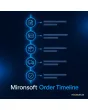
- all events of an order in one timeline
- payment, invoice, shipment, credit memo and notes
- customer view in the account with custom wording
- interface for custom events from third-party systems
Einmaliger Kauf · inkl. 12 Monate Updates · zzgl. MwSt.
Magento 2 Order Timeline: every event of an order in one timeline
With the Magento 2 Order Timeline from Mironsoft, admins and customers see the story of an order as a timeline: order received, payment captured, invoice created, parcel handed over, credit memo booked. By default this information is spread over comments, invoices, shipments and tabs. The timeline gathers it in one place, with date, time and user. The customer view runs on Alpine.js in the Hyvä theme.
Chronological timeline
All events in one list, newest or oldest first, with date, time and trigger.
Many event types
Order, payment, invoice, shipment, credit memo, status change, comments and emails.
Internal or public
Every event type is marked internal or visible to customers. Internal notes stay in the admin.
Customer view
In the account customers see a history with your wording, phrased per store view.
Notes and colours
The team adds manual entries with colour and icon, such as callback agreed.
Why merchants want a Magento 2 order timeline
Anyone who has to clarify an order clicks through comments, invoices, shipments and credit memos. That costs time with every enquiry. Customers also write to ask where their goods are, although all information has long been available. Merchants therefore look for a Magento 2 order timeline, an order history view or a status history.
The Magento 2 order timeline turns scattered data into a story. Support answers questions at a glance, and customers see in their account what has happened. That relieves the inbox and builds trust.
Magento 2 order timeline in the admin: one block instead of ten clicks
In the order view a block with the timeline appears. Every event shows icon, title, time, user and a link to the document, for example to the invoice or shipment. A filter shows or hides event types. Late processing stands out because pauses between steps become visible.
- Icon, title, time, user and link to the document
- Filter by event type
- Ascending or descending order
Show the Magento 2 order timeline to customers in their account
In the customer account a history appears below the order with the events you release. You write the wording per store view, such as your order has been paid or your parcel is on its way. A link to tracking appears once a tracking number exists. The display uses Alpine.js and Tailwind and loads no additional JavaScript.
- Only released event types visible
- Custom wording per store view
- Tracking link on shipment events
Add notes and events from third-party systems
Staff add notes with colour and icon in the admin. External systems such as warehouse, ERP or carrier send events through the REST interface, for example picking started or goods in customs. Every event carries a type, a text and a visibility. The module recognises duplicate messages by an external identifier.
- Manual notes with colour and icon
- REST interface with type, text and visibility
- Duplicate protection through an external identifier
Settings for the Magento 2 order timeline
Under Stores > Configuration you choose which event types are recorded, which ones customers see and how long events are kept. A cron removes old entries after the set period. The ACL separates reading, writing notes and configuration. For orders that were placed before the setup, the module rebuilds the timeline from existing documents.
- Choice of recorded event types
- Retention in days with cron cleanup
- Rebuild of the timeline for older orders
Where the Magento 2 order timeline helps in everyday retail
Everyday situations in which a Magento 2 order timeline saves time.
Support requests
A customer asks about an order. Support reads the Magento 2 order timeline and replies without searching three tabs.
Self-service
Customers check in their account whether payment and shipping are recorded instead of writing an email.
Process review
Management sees from time gaps where orders get stuck.
Shift handover
When a colleague takes over a case, they read the story of the order in a minute.
Magento 2 Order Timeline: without and with the module
How it differs from scattered tabs and comments.
| Topic | Without the module | With Mironsoft Order Timeline |
|---|---|---|
| Overview | Comments, documents and tabs separate | One timeline with all events |
| Customer information | Status text and emails only | History in the account with custom wording |
| External steps | Not visible | Events via REST from warehouse and ERP |
| Notes | Free-text comment only | Note with colour, icon and visibility |
| Enquiries | Many clicks and emails | Answer at a glance |
How we set up the Magento 2 Order Timeline for you
The process after you place your order.
Briefing
We clarify which events are recorded and which ones customers should see.
Installation
We install the module, set up the Magento 2 order timeline for your store views and integrate the timeline into admin and account.
Texts and connection
We write the customer wording and, if needed, connect warehouse or ERP to the interface.
Testing
We test orders with partial shipment, cancellation and credit memo, plus the visibility rules.
Handover
Your team gets an introduction to timeline, notes and configuration.
Scope compared with order comments and shipment tracking
The comment history in Magento stores status changes and notes. Shipment tracking modules show the path of the parcel. The Magento 2 order timeline combines all events, including payment, invoice and credit memo, and presents them uniformly for admin and customer.
The modules complement each other: a tracking module can report events to the timeline. The interface works with Alpine.js in the Hyvä theme, without jQuery or Knockout.
No download — personal setup instead
Order Timeline is not listed here as a ready-made download file for self-installation. The purchase is a service commission: we get in touch after the purchase, install the module in your shop and agree on events, customer wording and interface together with you.
Frequently asked questions
Everything about the Magento 2 order timeline: customer view, interface and how the purchase works.
How can I show the order history as a timeline in Magento 2?
How can I show customers the order status in their account in Magento 2?
How can I add custom events to an order in Magento 2?
Do customers see internal notes?
Is the timeline available for older orders as well?
How long are events stored?
What happens with duplicate messages from the ERP?
Does the Magento 2 order timeline work with Hyvä?
How does this differ from shipment tracking?
Can I download and install the module myself?
Recently Viewed Products

Magento 2 Order Timeline – Mironsoft