Magento 2 Hyvä Theme for Shoe Stores: New, Fast Design for Your Store
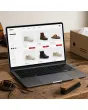
SKU: TPL-SCHUHHANDEL
- Guide price 499 EUR to carry over your existing design 1:1, 1,000 EUR for a new layout by Mironsoft (plus VAT)
- Enquiry for your existing Magento shop, also by web agencies for their clients
- Questions on size selector, size chart, widths, colourways and brands instead of a ready-made theme
- Payment by invoice, order acceptance after our review
Guide price plus VAT · payment by invoice after order acceptance
Your details for the new design
Answer what you know. Fields with an asterisk are required, all others are optional. The more precise your details, the more reliable our quote. Under each question we explain why we need it. When you are done, click “Complete enquiry” in the box above.
Magento 2 Hyvä theme for shoe stores: a fresh design for a shop that already sells shoes
The Magento 2 Hyvä theme for shoe stores is for owners of an existing Magento shop that sells footwear, from a family business with a high street store to a pure online retailer.
Your shoe shop already works in the ways that matter to the warehouse. Every model has its size run, the brands are set up, the photos sit in the catalogue, and orders flow to your pickers. What lets you down is the front end. The size choice hides below a wall of text, the colour swatches only swap the first picture, and the size chart opens in a tiny pop-up that nobody can read on a phone. That is the gap the Magento 2 Hyvä theme for shoe stores is meant to close.
We give your existing shop a new, fast design. The work covers template, layout, colours and the arrangement of elements: home page, brand and category pages, product listings, the product page with its size selector, cart and checkout in standard form, customer account, header, footer and your information pages. Product data, prices and shop logic stay as they are. New features are not part of the offer. If a wish goes beyond design, we say so openly and price it separately.
You do not download anything here, and you do not buy a ready-made theme. You answer questions about your store, we review your answers, accept the job and only then start. A running-shoe specialist has different problems from a seller of formal footwear or a supplier of safety boots, so the design follows your answers, not a template.
- Who it is for: owners of an existing Magento shop selling footwear, including web agencies working for their clients
- What it covers: design, layout, colours and placement, without new features
- How it works: answer the questions, review, order acceptance, quote, build
What the Magento 2 Hyvä theme for shoe stores costs: 499 EUR or 1,000 EUR
Both tiers of the Magento 2 Hyvä theme for shoe stores are guide prices for standard areas of Magento and Hyvä, in each case plus VAT.
| Tier in the Magento 2 Hyvä theme for shoe stores project | Guide price | What falls under it |
|---|---|---|
| Guide price 499 EUR to carry over your existing design 1:1 | 499 EUR plus VAT | Your current layout, structure and colours are rebuilt on the new foundation. The concept stays, the technology underneath is replaced. |
| Guide price 1,000 EUR for a new layout by Mironsoft | 1,000 EUR plus VAT | Based on your answers we propose a new layout for home page, categories, brands, product list and product page, and build it once you approve. |
| Special areas | priced separately | Anything outside standard Magento and Hyvä, such as a shoe finder with foot scanning, a size calculator with its own logic, or the interface of a third party extension. |
| Mironsoft modules | no flat rate here | You tell us what interests you, without obligation. Prices are discussed separately and only if you want that. |
Guide value, not a fixed price
The binding price is stated in our quote after we have reviewed your answers. The guide prices refer to standard areas. Payment is by invoice only, after we have accepted the job.
Return rates and design: what a page can do about them and what it cannot
Footwear is one of the categories with the most parcels coming back. Not even the Magento 2 Hyvä theme for shoe stores changes that on its own.
We do not promise that the Magento 2 Hyvä theme for shoe stores will lower your return rate. That figure depends on fit, price level, audience and your return terms, and design is only one of several levers. What a clear layout can do is make avoidable returns visible. A customer who orders because the width was never shown had no chance to know in advance.
In our first conversation we therefore ask about your most common reasons for returns. If wrong sizes dominate, the size help moves to the front. If customers complain about colour differences, the colour photos get more room. If parcels need a return label, the note on your return process appears in the account area and on the checkout page, where nobody can overlook it.
| Typical reason for a return | Possible answer in the design |
|---|---|
| Wrong size ordered | Size help next to the selector, note on whether the model runs small or large |
| Does not fit instep or forefoot | Width and fit scale at the top of the product page |
| Colour looks different from the picture | A photo set per colour, detail shots in daylight |
| Two sizes ordered to try on | Clear note on your return terms in the basket |
Please check legally
Statements about withdrawal, return costs and deadlines must match your terms and conditions. The shop owner checks this with a lawyer. We only design where the note appears.
Size charts for EU, UK, US and foot length in millimetres
Customers who do not know which size they take in an unfamiliar brand order two and send one back. The Magento 2 Hyvä theme for shoe stores gives the size help a fixed home.
A size chart is the most honest brake on returns that a design can offer, provided people find it and understand it. In the Magento 2 Hyvä theme for shoe stores we place it where the question arises: right beside the size selector, as a panel that opens in place rather than a window that covers the basket. On a phone it appears as a table with a fixed header that can be swiped sideways.
| Foot length in mm | EU | UK | US men | US women |
|---|---|---|---|---|
| 225 | 36 | 3.5 | 4 | 5.5 |
| 240 | 38 | 5 | 6 | 7.5 |
| 255 | 40 | 6.5 | 7.5 | 9 |
| 270 | 42 | 8 | 9 | 10.5 |
| 285 | 44 | 9.5 | 10.5 | 12 |
The figures above are a design sketch, not a benchmark for your range. Every maker cuts differently, which is why many retailers keep one chart per brand or per last. We settle with you whether you show a single chart for everything, one per brand, or one per product group, and where the note sits that says a model runs small or large.
- Position: next to the size selector, not hidden in a tab further down
- Conversion: EU, UK and US side by side if your range is international
- Measuring help: a guide to measuring the foot with a sheet of paper and a ruler as its own block
- Note per model: runs small, true to size or runs large as a clearly visible label
Widths, lasts and fit: how a shop shows whether the shoe suits the foot
The same length feels different on a narrow foot and on a wide one. In the Magento 2 Hyvä theme for shoe stores the shop says so.
Anyone in footwear knows the width systems: G, H and K in the comfort segment, widths 1 to 3 for children, labels such as wide or narrow at sports brands. Then there is the last, the form over which the shoe is built. A customer with a high instep and a broad forefoot will be unhappy in a narrow model however well the length fits. In the Magento 2 Hyvä theme for shoe stores these details get a fixed place instead of disappearing into running text.
Width as a choice field
Where your shop offers widths as an option, it sits right by the size. Where it does not, the layout shows the width as a readable attribute at the top of the product page.
Fit scale
A small scale from narrow through regular to wide shows where the model sits. It answers in one second what would otherwise take three paragraphs.
Last name on the brand page
Some makers build whole families on the same last. The layout can explain it on the brand page so loyal customers switch deliberately.
Filter by width
In the listing, width can be offered as a filter if your catalogue holds it as an attribute. The layout gives it a visible spot.
The size selector on the product page: at the centre instead of below the text
With shoes, the purchase hinges on one question: is my size in stock? The Magento 2 Hyvä theme for shoe stores puts it centre stage.
In many shoe shops the size choice is a drop-down in pale grey type. The customer taps, scrolls through numbers from 36 to 47 and only then learns that their size is gone. In the Magento 2 Hyvä theme for shoe stores we design the size selector as a row of large tap targets directly under title and price. Sizes in stock are clearly recognisable, sizes out of stock are set apart but still visible.
Half sizes such as 42 2/3 or 8.5 need room. A row of 20 fields has to wrap on a phone without the thumb hitting the wrong one. We agree the details with you: line breaks, field size, highlighting of the chosen size, a note when stock is low. How stock is counted technically remains standard Magento.
Presentation only
We design the display. Which sizes exist and how many pairs can be delivered comes from your system. A new stock logic is not part of the offer.
One model in six colours: swatches, photo sets and sole colour
With shoes a colour is not merely a cover image but a photo set of its own, and the Magento 2 Hyvä theme for shoe stores treats it that way.
A chelsea boot in black, tan and dark green is three different shoes to the customer, even if you hold it technically as one product with three variants. For the Magento 2 Hyvä theme for shoe stores we therefore choose swatches that are more than a dot: small preview pictures of the shoe that swap the whole photo series on tap, not just the first image.
Next comes the question of stock by colour. If tan is sold out in 43 but black is not, the customer should see it at once when switching, without going back. The layout puts availability directly below the swatches. How many colours a model has and whether you keep colours as separate products belongs to your catalogue structure; we design what is there.
Swatches with preview image
Round or square, with the colour name on tap so customers do not have to guess.
Full photo set per colour
When the colour changes the gallery changes too, detail pictures included.
Availability per colour
One short line shows in which sizes the chosen colour can be delivered.
Sole and lining as attributes
Where your catalogue keeps sole and lining apart, the attribute gets a small line of its own.
From brand to model family to the single shoe
Many customers do not look for a shoe but for a family they already know. The Magento 2 Hyvä theme for shoe stores leads them there.
Someone who once bought a certain running shoe in 42.5 searches for its successor, not for a running shoe. Good shoe shops mirror that way of thinking: brand, model family, generation, colour. In the Magento 2 Hyvä theme for shoe stores that level gets a presentation of its own instead of vanishing in a flat alphabetical list.
Typical are brand pages with a header and logo, below them the families as tiles with a lead picture each, then the individual models. For brands with many lines, such as road, trail and hiking at an outdoor maker, the layout shows the lines as a row that can be swiped. Which brands you carry, whether you have own labels and how you weight brands in the menu, we settle in the questions.
- Brand page with header image, short description and family tiles
- Predecessor and successor of a model as a link on the product page, if your catalogue connects them
- Brand strip on the home page in the order you choose
- Own labels in the same format as outside brands so they do not look like leftovers
Photo order for footwear: side, sole, upper, detail
Five photos in the wrong order sell less than three in the right one, so the Magento 2 Hyvä theme for shoe stores watches the sequence.
Retailers know which view the customer wants first: the side view in walking direction, then a front three-quarter shot, then the sole, then details like the fastening, tongue and heel counter. The Magento 2 Hyvä theme for shoe stores builds the gallery so that your photo order is preserved and larger views are possible without detours.
On a phone the customer swipes sideways through the images, on a desktop they see thumbnails at the edge. We design both to fit your photo style, whether cut-outs on white or pictures on feet in everyday scenes. A zoom for material details is part of the gallery if your images have enough resolution; we do not produce images ourselves.
- Main image: side view, large and free of distraction
- Second view: three-quarter shot, visible straight away on a phone
- Sole and tread as a must-have picture for sport, hiking and work shoes
- Zoom and full screen for seams, leather and tread
Category pages for shoes: size first, brand second, colour after that
A customer searching in size 44 does not want to see shoes that do not exist in 44. In the Magento 2 Hyvä theme for shoe stores the size filter comes first.
Most shoe customers know their size, so a filter for it is the first one they touch. In the Magento 2 Hyvä theme for shoe stores the size filter gets a fixed, prominent place at the top of the list. Below it come brand, colour, price, material and occasion. On a phone the filter opens as a full screen panel with a counter for matches.
The tile in the list shows picture, brand, model name, price and, if wanted, the number of colours. Whether a second image appears on hover, whether sale prices are struck through and whether the tile shows sizes is up to you. What matters is that the tile does not get crowded: with four columns on a desktop and two on a phone every photo stays readable.
Filter logic stays standard
We design position and look of the filters. Which attributes can be filtered depends on your catalogue and the Magento configuration.
Buying shoes with a thumb: designed for the phone first
A large share of shoe purchases starts on the bus, on the sofa or during a lunch break on a smartphone. The Magento 2 Hyvä theme for shoe stores thinks from the phone outward.
A phone has no room for nested menus and tiny fields. For the Magento 2 Hyvä theme for shoe stores we draw the mobile view first and derive the desktop view from it. Size row and colour swatches are big enough for a thumb, the add to basket button stays in view while scrolling, and the gallery works with swiping without the page jumping along.
A common mistake is a banner with a cookie notice, a newsletter field and a voucher window that together cover half the height of the screen. We arrange notices so the product photos are not covered. Which messages your shop has to show remains your decision and possibly your lawyer's; we only make room.
- Sizes and colours as large tap targets
- Sticky add to basket button at the bottom of the product page
- Filter as a full screen panel with match counter
- Notices and messages that do not cover the photos
Home page of a shoe shop: season, occasion and brands in a sensible order
In spring customers look for sneakers and sandals, in autumn for boots. The home page in the Magento 2 Hyvä theme for shoe stores knows that.
A shoe home page changes more often than in most trades. In the Magento 2 Hyvä theme for shoe stores we therefore build it as a series of areas that can be swapped without effort: a large image field on top, then entry points by audience (women, men, children), then occasions (office, leisure, hiking, celebration), then brands and new arrivals. Which order you want we discuss beforehand.
We plan for the change of season. A block that shows boots in winter should be replaceable by sneakers in March without anyone touching code. The layout uses the building blocks Magento already provides. An additional admin tool for campaigns is not part of the offer.
Image field by season
One main motif with a short statement and a clear link into the matching category.
Entry points by audience
Women, men, children as large tappable areas with a lead picture.
Occasion, not only brand
Categories such as office, hiking or party attract customers who do not know their brand yet.
New arrivals and bestsellers
A row of current models chosen by your rules.
Sale, broken size runs and discontinued lines without a bargain bin look
Between seasons plenty of stock sits in the warehouse with only a few sizes left. In the Magento 2 Hyvä theme for shoe stores it gets a stage of its own.
Every shoe retailer knows the situation after the season: of 24 pairs of one model three sizes remain. How the shop handles that shapes the impression. In the Magento 2 Hyvä theme for shoe stores we design the sale area so that broken runs work as an advantage: the customer sees at once whether their size is there and gets the old and new price side by side.
A filter for your own size is especially strong here. Someone who only wants hits in size 41 gets a short list instead of hundreds of unsuitable offers. Whether you mark discontinued lines separately or mix them into the normal list we decide together. Price labelling must meet the rules that apply, which you check with your lawyer.
- Sale tile with old and new price in a readable arrangement
- Last sizes note on the tile when stock is low
- Size filter in the sale as default and not as an add on
- Own sale page or a note within categories, as you choose
Children's shoes: growth, measuring help and a chart in centimetres
Parents buy for a foot that will be too small again in three months. The Magento 2 Hyvä theme for shoe stores takes that into account.
Anyone selling children's shoes serves a different audience: parents who have to weigh size, width and room to grow at once. In the Magento 2 Hyvä theme for shoe stores children's models get a chart of their own, built on foot length in centimetres, and a printable measuring guide. That saves enquiries and returns because parents see how much space belongs in front of the toes.
Navigation differs too. Instead of searching by brand, many parents search by age, size and occasion, such as first steps, toddler shoes, slippers and school shoes. The layout shows this as a separate branch in the menu. Age labels are a guide, the foot length is what counts.
- Chart by foot length in centimetres with a note on room to grow
- Printable measuring template as a link at the top
- Menu branch by age and occasion rather than brand alone
- Width label for children's shoes clearly visible next to the size
Work, sport and hiking footwear: making properties readable
The more technical the shoe, the more important the data table beside the photos. The Magento 2 Hyvä theme for shoe stores gives it room.
A safety shoe with a toe cap, a trail runner with a lugged sole or a waterproof hiking boot explains itself through properties: protection class, cushioning, drop, membrane, weight per shoe. The Magento 2 Hyvä theme for shoe stores presents such properties as a clear table and as symbols that can be read at a glance.
For occupational footwear, standard designations and markings apply. We display them the way your catalogue supplies them and do not check whether they are legally sufficient. That remains the shop owner's duty. The same goes for material and care labelling: the layout gives it a fixed place, the content comes from you.
| Type of shoe | Important attributes in the layout |
|---|---|
| Work and safety shoes | Protection class, toe cap, sole, field of use |
| Running shoes | Cushioning, drop, surface, weight |
| Hiking boots | Membrane, shaft height, tread, use |
| Business and leather shoes | Material, construction, lining, heel height |
Basket, checkout and customer account: keeping the return in view
Anyone ordering shoes online is already thinking about a possible return, and the Magento 2 Hyvä theme for shoe stores takes that seriously.
Basket and checkout in the Magento 2 Hyvä theme for shoe stores use the standard areas of Magento and Hyvä. We style them to match your shop but change no flow. In the basket, size, colour and picture of every line are easy to read so customers do not mix up two sizes of the same model. Notes on delivery time and returns sit where the decision is made.
In the customer account, orders get an overview with preview pictures, because nobody remembers article numbers, only how the shoe looked. Whoever plans a return finds the note on your procedure in the account. A return assistant of its own would be a new feature; where you want one, we price it separately.
- Basket lines with picture, size and colour
- Notes on returns and delivery time in a visible spot
- Order overview in the account with preview pictures
- Checkout in the standard flow of Magento and Hyvä
Accessories and care: insoles, laces and waterproofing next to the right shoe
Someone buying leather boots needs polish. In the Magento 2 Hyvä theme for shoe stores the shop reminds them.
Care products, insoles, laces and shoe horns raise the basket value when they show up at the right moment. The Magento 2 Hyvä theme for shoe stores provides an area for matching accessories on the product page, which can be sorted by the shoe's material: leather care next to leather shoes, waterproofing next to hiking boots, sports socks next to running shoes.
How the assignment comes about technically is handled by your catalogue through links. We design the presentation: tiles in a row, clearly set apart from the main products, with a short benefit note. On the checkout page we deliberately include no advertising areas that distract from completing the order.
No new recommendation logic
We design existing links from your catalogue. Automatic recommendations from purchase data would be a new feature and a separate assessment.
What Hyvä means for a shoe retailer: a lean foundation for your photos and size fields
Hyvä is the modern, very fast front end for Magento shops. For the Magento 2 Hyvä theme for shoe stores you do not have to be a developer.
The standard look of Magento has grown over the years and loads a lot of program code before the customer sees the first photo. Hyvä replaces that layer with a very lean one. For you as a retailer this means a product page with twelve photos, six colour swatches and a size row builds faster, and scrolling through a list of 80 sneakers feels smoother on a phone.
In the Magento 2 Hyvä theme for shoe stores we use the building blocks that Hyvä brings: menu, search, mini basket, filters and checkout. Your look is built from them. That keeps the work manageable and later updates simple, because we do not drift away from the foundation. We make no promise about concrete loading times or revenue, since both depend on hosting, image sizes and range.
Less baggage
No old script layers running along every time someone scrolls through model photos.
Size choice as a control
On a Hyvä basis the size row can be shaped as a clean, easily tappable area.
Pictures may be large
Shoes live from the side view and the detail. The layout gives photos room without slowing the page.
Easy to maintain
Whoever adds a new season or campaign later works on a clear foundation.
How ordering works: from enquiry to build
Five steps in the Magento 2 Hyvä theme for shoe stores in which you sign nothing before the review is finished.
Answer the questions
You fill in the questions on this page: general details about your shop and ten questions specific to footwear retail.
Send the enquiry
You complete the enquiry. This is not a purchase in the sense of a delivery, it is your commission to us.
Review
We read your answers, look at the shop and get in touch with any questions.
Order acceptance
The job exists only once we accept it. After that you receive an invoice.
Build
We implement the design in your shop, in agreement with you and on a test environment.
Web agencies with footwear clients: an enquiry on the client's behalf
The Magento 2 Hyvä theme for shoe stores applies to any Magento shop, not only to the owner personally.
An agency that looks after a shoe retailer can submit the enquiry for that shop. The details about shop, brands, colours and contact person then apply to the client. For the Magento 2 Hyvä theme for shoe stores nothing changes except the sender: we review the client's shop and tell you where we see effort.
Agencies like to use this when they lack design time or do not use Hyvä themselves yet. We work in agreement with the agency and take care that responsibilities stay clear: who maintains content, who handles hosting, who is the contact for questions? You settle those points in the general questions.
- Enquiry on behalf of the end client is possible
- Contact person and company in the general questions
- Clear separation of design and operation
- Invoice after order acceptance to the party you name
What the Magento 2 Hyvä theme for shoe stores does not include
Clear limits help both sides. These things are outside the offer.
No new features
A shoe finder, foot scanning, size recommendation by calculation or a return portal are not design but development.
No product data
We maintain neither size matrices nor widths, photos or descriptions. We design what your catalogue delivers.
No legal texts
Imprint, withdrawal notice, material labelling and price indications are checked by the shop owner with a lawyer.
No photo production
Pictures are made by you or your photographer. We give them the right frame.
No guarantee
We do not promise that revenue rises or returns fall. We build a clear, fast interface.
No hosting
Servers, domain and mail are not part of the offer. We are happy to discuss them separately.
Ten questions specific to shoe retail: what they are for
Besides the 40 general questions the Magento 2 Hyvä theme for shoe stores asks ten that only a shoe shop can answer.
The questions are not a form for its own sake. Every answer changes something in layout or effort. The Magento 2 Hyvä theme for shoe stores asks, among other things, which audiences you serve, how many sizes and widths your catalogue holds, how your size charts are built and how important returns in the customer account are to you.
| Topic of the question | What we derive from it |
|---|---|
| Range and audience | Menu structure, home page entry points, weight of children's shoes |
| Size systems | Display of EU, UK and US, length of the selector row |
| Widths and lasts | Room for a width field and a fit scale |
| Size charts | Place and format of the chart per brand or group |
| Colourways | Structure of swatches and photo sets |
| Brand structure | Brand pages, family tiles, own labels |
| Returns | Notes in basket, checkout and account |
| Sale and odd sizes | Design of the sale tile and size filter |
| Accessories | Area for care products and insoles |
| Free wishes | Room for special concerns in two text fields |
Two of the ten questions are free text. There you describe where your customers currently get stuck and name shops whose size choice you like. Both help us more than a long list of options.
Seven design faults we often find in shoe shops
These problems come up again and again when we prepare a Magento 2 Hyvä theme for shoe stores project.
| Fault | Why it hurts | What the layout can change |
|---|---|---|
| Size drop-down below the fold | Customers scroll before they know if their size exists | Size row under title and price |
| Colour swatches change only the main image | The customer sees no detail of the chosen colour | Complete photo set per colour |
| Size chart in a tiny pop-up | Unreadable on a phone, so it gets ignored | In place panel with swipeable table |
| No width or fit information | Wide and narrow feet order blind | Fit scale and width label |
| Sale list without size filter | Hundreds of useless hits | Own size filter as default in the sale |
| Photos in random order | Sole and side view are hard to find | Fixed photo order and zoom |
| Notices covering half the phone screen | The product disappears behind banners | Arranged notices that leave the photos free |
Not every shop has all seven, and some have faults we have not listed. In the questions you can tell us what annoys you or your customers most, so that the Magento 2 Hyvä theme for shoe stores starts with the points that matter in your shop.
The Magento 2 Hyvä theme for shoe stores at a glance
For anyone who wants the overview of the Magento 2 Hyvä theme for shoe stores first and the detail afterwards.
Subject
A new, fast design for your existing Magento shoe shop. No new features.
Prices
Guide price 499 EUR for a 1:1 carry over, 1,000 EUR for a new layout, in each case plus VAT.
Focus
Size selector, size chart, widths, colourways, brand families, sale and phones.
Process
Questions, review, order acceptance, invoice, build on a test environment.
Audience
Retailers with a Magento shop, also agencies for their clients, from high street store to online seller.
Limits
No download, no ready-made theme, no guarantee of revenue or return rate.
No download, but a personal build by Mironsoft
The Magento 2 Hyvä theme for shoe stores is not listed here as a file or a finished theme. Buying is an enquiry: you describe your shoe store, we review it, accept the job and build the design for you personally in your shop.
Frequently asked questions about the Magento 2 Hyvä theme for shoe stores
Answers on price, size selector, returns and process.
What does a Magento 2 Hyvä theme for shoe stores cost?
Will a new design lower my return rate?
Do I have to supply size charts and photos?
Does it work with widths, half sizes and several size systems?
Will my size logic or stock be changed?
Can children's shoes and work shoes be designed separately?
Do I need Hyvä already?
Does it work with my Magento version?
Can web agencies use the offer for their clients?
Can I download the template myself?
When do I pay?
What happens to special wishes such as a shoe finder?
Recently Viewed Products

Magento 2 Hyvä Theme for Shoe Stores: New Design for Your Footwear Shop