Magento 2 Hyvä Theme for Optician Stores: New, Fast Design for Your Shop
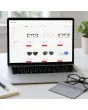
SKU: TPL-OPTIKERHANDEL
- Guide price 499 EUR to carry over your existing design 1:1, 1,000 EUR for a new layout by Mironsoft (plus VAT)
- Enquiry for your existing Magento shop, also by web agencies for their clients
- Questions on frame sizes, prescription entry, try-on, contact lenses and collection instead of a ready-made theme
- Payment by invoice, order acceptance after our review
Guide price plus VAT · payment by invoice after order acceptance
Your details for the new design
Answer what you know. Fields with an asterisk are required, all others are optional. The more precise your details, the more reliable our quote. Under each question we explain why we need it. When you are done, click “Complete enquiry” in the box above.
Magento 2 Hyvä theme for optician stores: a faster, cleaner look for the shop you already run
The Magento 2 Hyvä theme for optician stores is for businesses that already sell frames, sunglasses, contact lenses or lens care through Magento and want the storefront redone.
Picture a customer holding last year's glasses and wondering whether a new frame will sit the same way. She wants three numbers from the temple arm, a decent photo from the side, and some assurance that her prescription will not be a problem. If the page makes her hunt for any of that, she closes the tab or drives to the nearest branch. The Magento 2 Hyvä theme for optician stores project exists to fix exactly this gap between a well kept catalogue and a storefront that answers real questions.
We give your existing shop a new, fast design built on Hyvä. We design the template, layout, colours and arrangement of elements: home page, frame and brand pages, product list, product page, cart and checkout in their standard form, customer account, header, footer and your information pages. We do not touch products, prices or shop logic, and we do not add new features. If a wish goes beyond appearance, we say so openly and assess it separately.
- Who it is for: operators of an existing Magento shop for eyewear and contact lenses, including web agencies working for their clients
- What it covers: design, layout, colours and arrangement, no new functions
- How it works: fill in the questions, we review, order acceptance, quote, build
What Hyvä means for an optician: the same stock under better lighting
No IT background needed: Hyvä is the modern, very fast foundation of the Magento 2 Hyvä theme for optician stores.
Magento runs the back office of your shop: products, prices, orders. What customers see on screen is the storefront, and the traditional one is heavy. It loads a long list of files, which is why a gallery with twelve frame photos can crawl on a phone. Hyvä swaps that layer for a lean one. Think of a shop window that has been cleared of clutter and lit properly. The goods stay the same, but a passer-by understands the offer at a glance.
That is why the Magento 2 Hyvä theme for optician stores is not about technology for its own sake. An eyewear page with many detail photos, colour variants and measurements gains a lot from a lean build, because every variant triggers another image. Shops selling to consumers are explicitly in scope, not only businesses serving trade customers.
Hyvä in one sentence
Hyvä is a lean foundation for the look of your Magento shop: less baggage, quicker pages, easier upkeep.
Five questions every glasses buyer asks, and how the Magento 2 Hyvä theme for optician stores answers them
Someone ordering frames online decides on pictures and numbers. The Magento 2 Hyvä theme for optician stores supplies both immediately.
Will it suit my face?
On the product page of the Magento 2 Hyvä theme for optician stores the frame appears large from the front and from the side, and the face shape it was designed for is named next to it.
Do the measurements fit?
Lens width, bridge width and temple length sit in a fixed block beside the photo, not three tabs down. Anyone who knows their current pair compares in seconds.
Will my prescription work?
Strong plus or minus values do not suit every frame. The note belongs at the frame, before the shopper starts choosing lenses.
Can I try it first?
Camera try-on, home try-on or an appointment in store: the design turns whichever route you offer into a clear button.
Where can it be fitted?
Collection and fitting at the optician appear as their own step, with branch, opening hours and expected processing time.
These five points decide whether a frame buyer completes the order or switches to the branch. Here they are solved through design alone, so your range and technology stay as they are.
Measurements you can actually read: the frame page in the Magento 2 Hyvä theme for optician stores
For glasses, sizing is the key product attribute. The Magento 2 Hyvä theme for optician stores gives it a spot everybody finds.
Frames are described by three numbers, for example 52 by 18 by 140. People with a pair that fits know them from the inside of the temple. In the Magento 2 Hyvä theme for optician stores the measurement block therefore gets a fixed place with labels, so nobody has to guess which figure is which. The values themselves come from your existing catalogue.
| Detail | What shoppers understand by it | How the Magento 2 Hyvä theme for optician stores shows it |
|---|---|---|
| Lens width | Width of one lens, usually in millimetres | Own row in the block, large and bold |
| Bridge width | Gap between the lenses above the nose | Right beside lens width, with a small sketch |
| Temple length | Length of the arm to the ear | Third value in the block, same size |
| Lens height | Height of one lens, crucial for progressives | Own row with a note on lens choice |
| Overall width | Width of the whole frame | Smaller row beneath the main sizes |
| Fit notes | Nose pads, material, spring hinge | Short text with an icon, no tab |
Showing sizes prominently in the Magento 2 Hyvä theme for optician stores saves questions in the inbox, and showing them honestly means fewer returns because expectation matches product.
Prescription fields in the Magento 2 Hyvä theme for optician stores that nobody has to fear
Sphere, cylinder, axis: to a layperson it sounds like an exam. The Magento 2 Hyvä theme for optician stores takes the edge off.
Anyone ordering lenses with a prescription has to copy values from their eyeglass pass. This is the most delicate moment of the whole purchase. A form with twelve identical fields causes abandoned carts and typing errors. For the Magento 2 Hyvä theme for optician stores we shape the entry as a guided mask: the value on the left, a short explanation on the right, an example underneath.
| Field on the pass | Abbreviation | Form design in the Magento 2 Hyvä theme for optician stores |
|---|---|---|
| Sphere | SPH | Select with plus and minus, example in grey |
| Cylinder | CYL | Own row, with a note that it may stay empty |
| Axis | AXIS | Appears only once a cylinder is entered |
| Near addition | ADD | Visible only for progressives or reading glasses |
| Pupillary distance | PD | Short help text on how to measure it |
| Prism and base | PRISM | Collapsible so the mask stays slim |
How the shop stores and validates the values technically is outside this offer. Whether a pass may be uploaded and what happens to the data is for you and your data protection officer. We design fields, wording and order.
Check note
Prescription values are health data. Data protection, retention and the supply of vision aids are for the shop operator and their lawyer to check. This is not legal advice.
Configuring lenses step by step in the Magento 2 Hyvä theme for optician stores
Frame chosen, now the lens: the longest road in the Magento 2 Hyvä theme for optician stores deserves a clear grid.
Choosing lenses in the Magento 2 Hyvä theme for optician stores means several decisions that build on one another. We turn them into a sequence with a progress bar and a fixed summary at the side, listing the options and price components. The rules about which combinations are allowed come from your existing shop; we design how they look.
Lens type
Single vision, progressive, reading or office lens. Each card carries one sentence on who it is for.
Index
Thin, thinner, thinnest, explained with a drawing of edge thickness instead of jargon.
Coatings
Anti-reflective, hardening, water repellent and blue light filter as tick boxes with a line of explanation each.
Tint
Colour swatches previewed on a neutral frame picture, with photochromic lenses as a separate option.
Summary
Frame, lenses, surcharges and expected delivery time at a glance, with a note that the optician reviews the order.
Shoppers who get lost in a configurator phone or leave. A calm sequence reduces both without anybody having to think along on the shop side.
Trying frames without touching them: try-on routes in the Magento 2 Hyvä theme for optician stores
Where a customer cannot put the frame on, the page has to build trust. There is more than one way.
A virtual fitting does not replace advice in the shop, but it lowers hesitation. Many shops already run a camera try-on module, a home try-on box or an appointment link. The Magento 2 Hyvä theme for optician stores makes sure these routes sit in the right place and look alike. We do not supply try-on technology ourselves; third party modules are only restyled where that is possible without touching their function.
Camera try-on
A button next to the photo, a calm full-screen window, a large close button and one sentence on privacy.
Photo upload
A simple note on what the photo should look like, with a placeholder example.
Home try-on
Four frames sent home: one block explains process, returns and costs, if your shop offers it.
Store appointment
A link to your branch booking, visible on frame and contact lens pages.
Comparison
Two to four frames side by side, measurements in the same order.
Wish list
Saved frames in the account shown as a clear grid, no new function.
Frame filters in the Magento 2 Hyvä theme for optician stores for shape, material, colour and size
A frame list without good filters is a catalogue to flip through. With good filters it becomes an adviser.
Shoppers filter frames by face shape, frame shape, material, colour and size class. The data lives in your Magento as attributes, or it is missing. In the Magento 2 Hyvä theme for optician stores the filter bar is arranged so the five most important criteria sit at the top instead of vanishing in a long column.
Frame shape
Panto, square, round, aviator or cat eye: small shape icons are grasped faster than a dropdown.
Material
Metal, acetate, titanium or plastic: a real purchase argument for allergy sufferers and lightweight fans, so it stays visible.
Colour
Swatches rather than colour names, plus a text value so that people with colour vision deficiency cope as well.
Size class
Small, medium and large as orientation, with the exact figures behind it where available.
Face shape
Only useful if you maintain it for your frames. Where the data is missing we drop the filter rather than show it empty.
Brands and collections
Brand pages with a quiet header and selection by frame type, without any extra function.
Design only, invent nothing
In the Magento 2 Hyvä theme for optician stores we do not build new attributes. What is missing from your catalogue, we name during the review and let you decide whether to fill it in.
Sunglasses in the Magento 2 Hyvä theme for optician stores: tint, category and protection details
Sunglasses are often bought on impulse. The page has to look good and still inform soberly.
Sunglasses live off the picture, yet they carry details that buyers check: tint, filter category, UV protection, polarisation. Under the main photo they appear as a compact strip with an icon and plain text. Whether and how a detail must be labelled is for the shop operator or their lawyer to check; we only show what your catalogue contains.
- Colour variants as swatches that change the main image, with clean cut-outs
- Tint and filter category in a separate line, not buried in running text
- Polarisation and mirror coating as labelled icons
- A note on suitability, for instance for driving, only if you maintain and answer for it
- Optionally a block for prescription sunglasses leading into the lens choice
Contact lenses in the Magento 2 Hyvä theme for optician stores: spotting parameters, shortening the reorder
Contact lenses are a repeat business. Once the customer has the values, two clicks should be enough to reorder.
Contact lenses carry different data from glasses: base curve, diameter, power, and for toric lenses cylinder and axis as well. A customer who knows the parameters by heart wants a clean selection to enter them. For this reason the product page in the Magento 2 Hyvä theme for optician stores gets a parameter mask modelled on the prescription entry, plus a pack choice with a clear price per lens or per pack.
- Pack sizes and wearing period (daily, two-weekly or monthly) as selection cards
- Parameter selection with example values and a note on where to find them on the box
- Reorder from the customer account: last lenses with their values at the top, one button to buy again
- Display of a subscription interval if your shop runs one
- A note on checks by qualified staff, in your words and under your responsibility
Medical device note
Contact lenses are medical devices. Which details, notes and age limits are required is for the shop operator or their lawyer to check. We only design space and legibility.
Lens care, cases and small parts in the Magento 2 Hyvä theme for optician stores, placed where people need them
Cleaners, cloths, cases and chains bring margin. The page should not hide them.
Care products for glasses and lenses are often bought on the side: solution, drops, microfibre cloth, cleaning spray. The Magento 2 Hyvä theme for optician stores puts them where the shopper thinks of needing something: in the cart, on the lens page and at the end of the frame page. Small items get compact cards with price and content volume instead of large pictures.
With care solutions, volume, compatibility and shelf life matter. These details sit in your catalogue; we give them a fixed small line under the price so that nobody picks the wrong bottle for their lens type.
Health and medical device notices in the Magento 2 Hyvä theme for optician stores: visible and sober
Glasses and lenses are not only fashion. Notices belong in the picture without overloading the page.
In optical retail many items touch on health: prescription lenses, contact lenses, care solutions. Every shop has its own mandatory texts, references and warnings. We do not write or judge those texts. In the Magento 2 Hyvä theme for optician stores we only make sure existing notices are legible: a dedicated zone on the product page, a calm colour, enough contrast, nothing that can be clicked away.
| Type of notice in the Magento 2 Hyvä theme for optician stores | Where it can sit | Who supplies it |
|---|---|---|
| Contact lens notice | On the lens page below the parameter selection | Shop operator, lawyer checks |
| Vision aid notice | In the lens configuration and in the cart | Shop operator, agreed with the optician |
| Care product notice | Below the price or in the detail block | Shop operator, manufacturer details |
| Data protection for prescriptions | Right at the form | Shop operator, data protection officer |
| Withdrawal and returns | In the cart and on product pages | Shop operator, lawyer |
Legal assessment is not part of our offer. We place what you give us and tell you if a notice looks hard to read to us.
Click and collect in the Magento 2 Hyvä theme for optician stores: branch, appointment and fitting
Many customers order online and still want someone to take measurements in person. That is no contradiction, it is an advantage.
Someone who orders a frame online and has it fitted in a branch expects three things: to see which branches are available, when they are open and how long production takes. The Magento 2 Hyvä theme for optician stores turns this into its own section in the cart and the order confirmation, with one card per branch instead of a long list.
- Branch choice as cards with place and opening hours, not a dropdown
- A note on expected processing time depending on the lens type
- Appointment wish as a visible step, if your shop has a booking route
- Clear separation of delivery and collection so that nobody mixes up shipping costs
- Collection note in the e-mail template, not only in the shop
Frames on a phone: little room, big decisions in the Magento 2 Hyvä theme for optician stores
A large share of buyers meets your shop on a smartphone first. Much is decided there.
On a phone, photo, measurements, colour choice and buy button compete for a small area. The Magento 2 Hyvä theme for optician stores therefore fixes an order: photo, name, price, colour, measurements, buy button. The gallery swipes, the measurements do not collapse away, and the buy button stays reachable while scrolling. This helps especially with sunglasses, which are often bought spontaneously on the move.
The checkout remains standard and is only styled. Payment methods and shipping rules stay as you configured them.
A shop for people who do not see well: accessibility in the Magento 2 Hyvä theme for optician stores
Your customers often have exactly the problem your goods are meant to solve. The shop should keep that in mind.
Someone who needs new glasses often cannot see the old ones well. In the Magento 2 Hyvä theme for optician stores that is not a side issue. We look at a larger base type size, sufficient contrast, clear focus rings for keyboard users and buttons that a thumb can hit. Hyvä provides a good starting point, which we use in your design.
We give no assurance about statutory accessibility, because that depends on content, third party modules and your operation. We do build so that the page is readable, operable and easy to extend.
Guide prices for the Magento 2 Hyvä theme for optician stores: 499 EUR or 1,000 EUR
Two tiers as a guide for standard areas in Magento and Hyvä, in each case plus VAT.
| Tier in the Magento 2 Hyvä theme for optician stores project | Guide price | What it includes |
|---|---|---|
| Carry over your existing design 1:1 | 499 EUR plus VAT | Your current layout, structure and colours move to the new foundation. The concept stays, the technology is renewed. |
| New layout by Mironsoft | 1,000 EUR plus VAT | On the basis of your answers we propose a new layout for home page, frame list, product page and lens page, and build it after your approval. |
| Special areas | assessed separately | Anything beyond the standard, such as a configurator with its own price logic, the interface of a third party try-on module or a prescription upload. |
| Mironsoft modules | no flat rate here | You state your interest without obligation. We discuss prices separately and only on request. |
Guide price, not a fixed price
The binding price appears in the quote after our review. Payment is by invoice only; you pay nothing when you submit the enquiry.
From enquiry to order acceptance: how the Magento 2 Hyvä theme for optician stores project runs
You fill in questions, we review, and only then does a contract exist.
Fill in the questions
On this page you answer general questions about your shop and ten about optical retail. All optional, but the more precise, the better our quote.
Review by Mironsoft
We look at your shop, check catalogue, theme and extensions, and get in touch if something is unclear.
Order acceptance
Instead of an order confirmation you receive an order acceptance once we take the job. Only then is the contract concluded.
Quote and invoice
The quote states the binding price. You pay by invoice.
Build
We build in a test environment first. You look it over and give approval.
Handover
After your approval the new design goes into the live shop. We agree the exact steps with you beforehand.
This way of working in the Magento 2 Hyvä theme for optician stores protects both sides. You see in advance what is planned, and we only take on jobs we can deliver honestly.
The ten optical retail questions that shape the Magento 2 Hyvä theme for optician stores
They appear only with this product and come on top of the general questions about shop, colours and schedule.
What do you sell?
Multiple choice from prescription frames to accessories. It shows which pages matter most.
How do you describe frames?
Which measurements and properties you maintain, so we can build the size block properly.
How do shoppers find a frame?
Which filters and entry points to feature, as far as data exists.
How do you handle prescriptions?
From no entry at all to prescription upload. We design what your shop already does.
Which lens steps exist?
Choice of the steps in the configurator that should be shown.
Which try-on do you offer?
Camera, home try-on, appointment or none. We place the route.
How is reordering done?
Display of contact lenses and reorder from the account.
How does collection work?
Delivery only, or collection at the optician with branch choice.
How does advice work today?
Free text. It shows where customers phone or drop out.
Which health notices do you show?
Free text on mandatory wording that must be legible. Content and checking stay with you.
Seven design mistakes in eyewear shops that the Magento 2 Hyvä theme for optician stores removes
We see them again and again in optician shops, often with otherwise excellent stock. The Magento 2 Hyvä theme for optician stores clears them up one by one.
| Mistake | Result in the shop | Fix in the Magento 2 Hyvä theme for optician stores |
|---|---|---|
| Sizes hidden in a tab | Customers phone or return the pair | Fixed size block beside the photo |
| One photo per frame | No view of the temple or profile, trust is missing | Gallery with front, side and detail |
| Prescription form too cramped | Typing errors and drop-outs | Guided entry with examples |
| Contact lenses treated like ordinary goods | Parameters overlooked, wrong lens in the cart | Parameter mask and reorder from the account |
| Try-on hidden | Feature exists but is hardly used | Button beside the photo |
| Care products only in a category | Add-on sales stay away | Placement in the cart and on lens pages |
| Notices too small | Mandatory texts are overlooked | Own zone with good contrast |
What the Magento 2 Hyvä theme for optician stores does not include
Clear limits help both sides. The offer stays with design.
| Area outside the Magento 2 Hyvä theme for optician stores | Stays with | Note |
|---|---|---|
| New functions | Your shop and modules | State the wish, we assess it separately |
| Product data and prices | You | We change no articles |
| Try-on technology | Third party module or vendor | We only restyle the display |
| Legal texts and notices | Shop operator and lawyer | We design the space, not the content |
| Data protection for prescriptions | Shop operator and data protection officer | We design fields, not processes |
| Photos and copy | You | We arrange them, we do not create them |
| Hosting and operation | Your provider | Not part of this product |
For web agencies: the Magento 2 Hyvä theme for optician stores on behalf of your client
You look after an optician's shop and need a new, fast design for it? Then this offer is for you too.
An agency can submit the enquiry for its client. The details on shop, contact person and wishes then apply to that client's eyewear store. We clarify beforehand who receives the invoice and who gives approval, and we deliver work your agency can keep maintaining. The Magento 2 Hyvä theme for optician stores can be ordered in your client's name without the client touching the shop backend.
- The invoice recipient can be the agency or the client
- Approval of the test environment by the person you choose
- Hyvä standard remains the base, so upkeep is easy to follow for other developers
- No lock-in to us for later changes
Mironsoft modules alongside the Magento 2 Hyvä theme for optician stores: interest without obligation
Some ready-made extensions suit optician shops. You may mention them, but you do not have to.
The page has a question about interest in ready-made Mironsoft extensions for Magento 2. Your answer commits you to nothing and does not change the guide price of the Magento 2 Hyvä theme for optician stores. We use it only to make fitting suggestions during the review, if you want that.
No download: the Magento 2 Hyvä theme for optician stores is carried out by Mironsoft personally
The product is not delivered as a file.
The Magento 2 Hyvä theme for optician stores is not listed here as a file or as a ready-made theme. Buying means sending an enquiry: you describe your optician shop, we review, accept the order and carry out the design in your shop ourselves.
Frequently asked questions about the Magento 2 Hyvä theme for optician stores
Answers on price, scope, optical retail specifics and process.
What does a Magento 2 Hyvä theme for optician stores cost?
Do I have to pay straight away when I submit the enquiry?
Does the Magento 2 Hyvä theme for optician stores change my frames, lenses or prices?
Do you build a virtual try-on or a lens configurator?
Do you check whether my notices on contact lenses and vision aids are legally correct?
How does the shop store my customers' prescription values?
Can a web agency submit the enquiry for an optician's shop?
Is this a template I can download?
Is the Magento 2 Hyvä theme for optician stores worthwhile for a small optician?
What if my shop uses many extensions?
Does the guide price also apply to shops with several languages?
Do you guarantee more revenue or a certain loading time?
Recently Viewed Products

Magento 2 Hyvä Theme for Optician Stores: New Design for Your Eyewear Shop