Magento 2 Engraving Preview: See Text, Font and Position Live
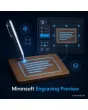
SKU: TEXTENGRAVINGPREVIEW1
- type the engraving text and see it live on the product image
- font, size and position chosen from your options
- character and line limits, allowed characters, optional surcharge
- engraving data in order and admin, Alpine.js in the Hyvä theme
Einmaliger Kauf · inkl. 12 Monate Updates · zzgl. MwSt.
Magento 2 Engraving Preview: customers see what they get before they buy
With the Magento 2 Engraving Preview from Mironsoft, customers type their desired text and see it at once on the product image, in the chosen font, size and position. This applies to engravings on metal, wood and glass as much as to prints on textiles or mugs. Text and settings are saved as part of the order, so your production makes exactly what the customer saw. The interface uses Alpine.js in the Hyvä theme and needs no extra library.
Live preview
The text appears on the product image while typing, without a page reload.
Selectable font
Fonts from a list you maintain in the admin, each with a preview.
Position and size
Preset positions inside the engraving area, size in steps.
Character and line limits
Maximum characters per line and number of lines; disallowed characters are caught.
Optional surcharge
A fixed amount or a price per character, visible in the cart immediately.
Data in the order
Text, font and position are stored in the order and the admin for production.
Why personalized products without a preview create returns
Whoever orders something personal cannot return it later, because custom-made goods are usually excluded from the right of withdrawal (legal review by the shop operator). That is exactly why customers hesitate when they cannot see how the engraving will look. A text box without an image creates doubt. Merchants therefore look for a Magento 2 Engraving Preview that shows the result before the order.
With the Magento 2 Engraving Preview, queries, misspellings and complaints go down: the customer confirms what they see, and your workshop receives the same data.
Magento 2 Engraving Preview on the product image: type the text live
On the product page an input field for one or more lines appears next to the image. While typing, the text is rendered in the engraving area of the image, in the chosen font and in the color of the material, such as silver on black or dark brown on wood. The area is a frame you define per product; the text fits into it and is scaled down or rejected when too long.
- Input in one or several lines with a character counter
- Rendering in material color, for example silver or wood burn
- Preview runs in the browser with Alpine.js, no reload
Font, size and position: the engraving preview controls what is possible
You decide which fonts, size steps and positions customers see. Positions are preset points in the engraving area, such as centered, left or curved along an edge. Alignment and color follow the material. Nobody can pick a position your production cannot handle. You maintain fonts as a list in the admin; use only fonts you hold a license for.
- Maintain font list, size steps and positions in the admin
- Alignment left, center, right per engraving area
- Only options your production really offers
Character validation: Magento 2 Engraving Preview with clear limits
Per product you set how many lines and characters per line are possible and which characters your production allows. Special characters, emojis or umlauts that your laser cannot do are flagged during input, not after the order. A block list for terms you do not want to engrave can be maintained as well. The check runs in the browser and once more on the server, so it cannot be bypassed.
- Maximum lines and characters per product
- Allowed characters, message right at input
- Second check on the server when adding to the cart
Engraving data in cart, order and production
Text, font, size and position travel as a product option into the cart, the order and the order confirmation. In the admin your staff see the details clearly and can print them for the workshop. A surcharge can be defined as a fixed amount or per character and appears already in the cart. The preview is a guide; differences caused by the material are best mentioned in a notice text.
- Engraving data as an option in cart and order
- Surcharge as fixed amount or per character
- Admin view with print function for the workshop
Where the Magento 2 Engraving Preview turns visitors into buyers
Four industries in which customers want to see what will be engraved before ordering.
Jewelry and watches
Names, dates or coordinates on a ring, bracelet or pendant. The Magento 2 Engraving Preview shows the effect in silver or gold, so nobody has to ask.
Gifts and trophies
Cups, plaques and wooden signs with a dedication. With the Magento 2 Engraving Preview, lines and characters are limited, so the text always fits the sign.
Bottles, mugs and promotional items
Printing of names or company names. With the preview, teams also order several pieces with different names.
Stationery and leather
Pens, notebooks or belts with initials. The position is chosen from presets that your production can handle.
Magento 2 Engraving Preview compared with a plain text field
What changes for customers and workshop.
| Topic | Without module | With Magento 2 Engraving Preview |
|---|---|---|
| Purchase decision | Customer orders without knowing the result | Result live on the product image |
| Errors | Typos and impossible characters only after the order | Check at input and on the server |
| Font and position | Free text in a comment field | Choice from your presets |
| Surcharge | Added manually afterwards | Fixed or per character, instantly in the cart |
| Production | Collect details from emails | Data in the order, printable |
How we set up the Magento 2 Engraving Preview for you
The process after your order.
Briefing
We clarify which products are engraved or printed, which fonts, sizes and positions your production offers and how the surcharge is calculated.
Installation
We install the module and configure the Magento 2 Engraving Preview for your store views.
Engraving areas
We define the engraving area on the image for each product and store character and line limits.
Testing
We check input, special characters, the preview on smartphone and desktop, cart, surcharge and the data in the order.
Handover
Your team gets an introduction on how to create new products and engraving areas yourselves.
How this differs from general product personalization
The product personalization module from Mironsoft provides general fields, such as text fields, uploads and options that go into the order. The Magento 2 Engraving Preview is built to show text directly on an image, with font, position and production-ready validation. If you only want to ask for additional details, you do not need the preview.
Both modules can be combined, for instance with an upload for a logo next to the text engraving. The preview runs on Alpine.js in the Hyvä theme, without jQuery and without another library.
No download — personal setup instead
Engraving Preview is not listed here as a ready-made download file for self-installation. The purchase is a service commission: we get in touch after the purchase, install the module in your shop and agree on engraving areas, fonts and validation rules together with you.
Frequently asked questions
Everything important about preview, fonts, validation, order and how the purchase works.
How can I offer an engraving with preview in Magento 2?
How can I let customers choose the engraving font in Magento 2?
Can I restrict the position of the engraving?
How does the character validation work?
Can I charge a surcharge for the engraving?
Where do I see the engraving text in the order?
Does the right of withdrawal apply to personalized goods?
Does the Magento 2 Engraving Preview work with Hyvä?
Is the preview identical to the finished product?
Can I download and install the module myself?
Recently Viewed Products

Magento 2 Engraving Preview – Mironsoft