Magento 2 Credit Memo Reasons: Choose, Store and Analyse Refund Causes
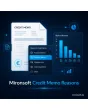
SKU: CREDITMEMOREASONS1
- required dropdown of reasons in the credit memo form
- reasons per store view, switchable and sortable
- reason visible in credit memo, grid and export
- report by reason and period with CSV export
Einmaliger Kauf · inkl. 12 Monate Updates · zzgl. MwSt.
Magento 2 Credit Memo Reasons: why money flows back, in black and white
With Magento 2 Credit Memo Reasons from Mironsoft, the team selects a reason from a managed list when creating a credit memo, for example damaged on delivery, wrong item, goodwill or price adjustment. The reason is stored on the credit memo, appears in the grid and can later be analysed by period. Free-text comments become comparable data. The module works in the admin and loads no extra JavaScript in the shop.
Manage reasons
A custom list with code, label per store view, sort order and an active switch.
Required field
The dropdown in the credit memo form is mandatory. Without a reason no credit memo can be saved.
Defaults per reason
For each reason you decide whether goods return to stock and whether a comment is required.
Analysis
A report by reason, period and amount shows what triggers refunds most often.
In the customer email
Optionally a reason text appears in the credit memo email, separate from the internal code.
Rights via ACL
You control who may manage reasons and view the report through admin roles.
Why shops need Magento 2 credit memo reasons
A credit memo in Magento knows an amount and a comment, but no structured reason. Anyone who wants to know whether refunds arise from transport damage, wrong deliveries or goodwill has to dig through free text. Merchants therefore search for Magento 2 credit memo reasons, a refund reason or a refund dropdown.
With clear Magento 2 credit memo reasons you get figures that purchasing, logistics and management can act on: which supplier causes damage, which product is often ordered wrongly, how much goodwill costs per year.
Create Magento 2 credit memo reasons: code, text and order
Under Sales > Credit Memo Reasons you maintain the list. Each reason has an internal code, a label per store view, a sort order and a category such as quality, logistics, goodwill or customer wish. You switch outdated reasons off; they stay on old credit memos and do not distort history.
- Code, label per store view, sort order and category
- Deactivate instead of delete, old credit memos stay correct
- Import a starter list by CSV
Choose Magento 2 credit memo reasons: dropdown when creating the credit memo
In the New Credit Memo form the dropdown sits right above the items. When the team picks a reason, the module applies the stored defaults: return goods to stock yes or no, comment required yes or no. That reduces misclicks and keeps stock and accounting consistent.
- Dropdown above the items, requirement configurable
- Return-to-stock default per reason
- Comment requirement per reason, for example for goodwill
Show Magento 2 credit memo reasons in credit memo, grid and export
The chosen reason appears in the credit memo view, as a column in the credit memo grid and in the export. The grid can be filtered by reason. If you wish, the label appears in the customer email while the internal code stays hidden. Existing credit memos without a reason show the entry not specified.
- Column and filter in the credit memo grid
- Optional text in the customer email, code stays internal
- Old credit memos show not specified
Analyse Magento 2 credit memo reasons in a report
The report summarises credit memos by reason, period and store view, with count, total in euro and share of revenue. The CSV export hands the figures to controlling or purchasing. In the configuration you decide whether the reason is mandatory, whether the text appears in the customer email and which role may view the report.
- Grouping by reason, period and store view
- Count, total in euro and share
- CSV export and role permissions
Where Magento 2 credit memo reasons help in everyday retail
Questions that a report on Magento 2 credit memo reasons answers quickly.
Checking logistics
If credit memos rise because of transport damage, a talk with the carrier or better packaging pays off.
Cleaning up the range
Products that often return as ordered wrongly need a clearer description or better photos.
Goodwill under control
Controlling sees how much goodwill cost in the quarter and can agree limits with the team.
Onboarding
New colleagues choose from a list instead of inventing free text. That speeds up every credit memo.
Magento 2 Credit Memo Reasons: without and with the module
How it differs from a free-text comment.
| Topic | Without the module | With Mironsoft Credit Memo Reasons |
|---|---|---|
| Capture | Free comment, inconsistent | Dropdown with a managed list |
| Requirement | None | Required field, optionally with comment |
| Stock | Checkbox is easily forgotten | Default per reason |
| Analysis | Manual search through texts | Report by reason and period |
| Multilingual | Not provided | Label per store view |
How we set up Magento 2 Credit Memo Reasons for you
The process after you place your order.
Briefing
Together we collect the typical refund occasions and define categories and labels.
Installation
We install the module, enter your Magento 2 credit memo reasons and extend form, grid and export.
Defaults
We set the stock default and comment requirement for each reason.
Testing
We test partial and full refunds, several store views and the report.
Handover
Your team gets an introduction to management, report and CSV export.
Scope compared with returns modules and refund calculation
A returns module runs the return process with the customer from registration to goods receipt. Calculating the refund remains the job of Magento itself. Magento 2 credit memo reasons only extend the credit memo in the admin with a selectable reason that can be analysed.
Both work together: a returns case can deliver a reason, the credit memo stores it. The module runs in the admin, without jQuery or Knockout in the storefront.
No download — personal setup instead
Credit Memo Reasons is not listed here as a ready-made download file for self-installation. The purchase is a service commission: we get in touch after the purchase, install the module in your shop and agree on the reason list, defaults and report together with you.
Frequently asked questions
Everything about Magento 2 credit memo reasons: required field, report and how the purchase works.
How can I store a reason for a credit memo in Magento 2?
How can I analyse credit memos by reason in Magento 2?
How can I make the reason mandatory in Magento 2?
Are reasons available in several languages?
What happens to old credit memos?
Can a reason control the return to stock?
Does the customer see the reason?
Do Magento 2 credit memo reasons work with Hyvä?
Does the module replace a returns system?
Can I download and install the module myself?
Recently Viewed Products

Magento 2 Credit Memo Reasons – Mironsoft