Magento 2 Country Switcher: Overlay for Country and Language
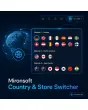
SKU: COUNTRYSTORESWITCHER1
- Magento 2 country switcher as overlay with flags, grouped by website
- Country and language selectable in one dialog, with search
- Real links for search engines and the same page in the target store
- Fullscreen on mobile, keyboard-friendly, Hyvä-native
Einmaliger Kauf · inkl. 12 Monate Updates · zzgl. MwSt.
Magento 2 country switcher: country and language in one clear dialog
Several websites, several languages: visitors find their shop without scrolling through long dropdowns.
The Mironsoft Magento 2 country switcher is an extension for Magento 2 multistores with Hyvä. It replaces the simple store switcher with an overlay where visitors pick country and language. Entries are grouped by website, equipped with flags and implemented as real links.
Overlay instead of dropdown
One dialog with countries and languages, clearly grouped by website.
Mapping in the admin
Country, display name, store view, order and visibility per entry.
Embedded flags
SVG symbols inside the page code, no external requests.
Search field
With many countries, visitors type the name and filter the list.
Fullscreen on mobile
On smartphones the dialog opens fullscreen with large tap targets.
Magento 2 store switcher as overlay: countries and languages grouped by website
If you run several websites, for example for Germany, Austria and Switzerland, the Magento 2 country switcher groups entries accordingly: country as heading, available languages beneath. The trigger in the header shows country and language of the current store so visitors see where they are at once. The overlay is keyboard-operable, closes with Escape and keeps focus inside the dialog.
- Grouping by website and country
- Current store visible in the header
- Escape, focus trap and screen reader labels
Change country and language: open the same page in the target store
In the Magento 2 country switcher admin you define which entry points to which store view. Display name, order and visibility are freely adjustable per entry. The link leads to the same page in the target store where possible and otherwise falls back to its home page. Optionally the switch also sets the matching currency. Because every entry is a real link, search engines follow the connections between your versions too.
- Display name, order and visibility per entry
- Same page in the target store, fallback home page
- Optionally set the matching currency
Country selection on the smartphone and remembering the choice
On small screens the Magento 2 country switcher opens fullscreen with large tap targets and a pinned search field. Visitors can optionally have their choice stored in a cookie. The flags are embedded as SVG and Alpine.js controls opening, closing and filtering. The cookie holds only the chosen setting, no personal identifier.
- Fullscreen view with large tap targets
- Cookie memory optional
- Alpine.js from Hyvä, no external JavaScript
Magento 2 country switcher in practice: multistore shops at a glance
The Magento 2 country switcher pays off wherever visitors from several countries use the same group of shops.
DACH group with three websites
Germany, Austria and Switzerland have their own prices and shipping methods; the overlay guides visitors into the right store.
International manufacturer
Ten or more countries with a search field so nobody has to scroll through long lists.
Bilingual markets
Countries such as Switzerland with several official languages show multiple language versions under one country.
B2B export shop
Business customers pick their country and the shop shows the matching currency and shipping terms.
Magento 2 country and language selector: default switcher or overlay
What the Magento 2 country switcher changes compared with the default dropdown.
| Aspect | Default switcher | Country & Store Switcher |
|---|---|---|
| Presentation | Dropdown with store names | Overlay with countries, flags and languages |
| Grouping | By store group, little context | By website and country |
| Many entries | Long list | Search field and filter |
| Target page | Often home page | Same page, fallback home page |
| Mobile | Small selection area | Fullscreen with large tap targets |
| Maintenance | Store names in the backend | Mapping with display name in the module |
Setting up the Magento 2 country switcher in five steps
You commission, we set up the Magento 2 country switcher: usually within a few working days after alignment.
-
01
Capture structure
We record websites, store views, countries and languages.
-
02
Create entries
Display names, order and mapping in the admin.
-
03
Design the trigger
Position and look in the Hyvä header.
-
04
Currency and cookie
Optionally set the currency and remember the choice.
-
05
Acceptance
You check all target stores on desktop and smartphone, then the module goes live.
Scope: country selector, flags and language suggestion
Mironsoft covers three building blocks around store switching:
- The Magento 2 country switcher replaces the default switcher with an overlay and country list.
- Store View Flags only adds flags to the existing default switcher.
- Auto Language Switcher suggests the browser language with a banner.
- All three can be combined without overlapping.
No download — personal setup instead
Country & Store Switcher, your Magento 2 country switcher, is not listed here as a ready-made download file for self-installation. The purchase is a service commission: we get in touch after the purchase, install the module in your shop and agree together on mapping, order and appearance.
Frequently asked questions about the Magento 2 country switcher
Everything important about the Magento 2 country switcher: mapping, SEO, mobile view and how the purchase works.
How can I add a country selector with flags in Magento 2?
How do I change country and language on the same page in Magento 2?
Are the links visible to search engines?
Are external services loaded for the flags?
What happens with very many countries?
Does switching also set the currency?
Does the extension work with Hyvä?
Do I need the module if I already have flags in the switcher?
Can I download and install the module myself?
Recently Viewed Products

Magento 2 country switcher – Mironsoft Country & Store Switcher