Magento 2 Admin Quick Search for Orders, Customers and Products
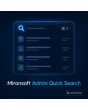
SKU: ADMINQUICKSEARCH1
- search box by shortcut from any admin page
- search orders, customers, products and CMS in one step
- grouped results, operation with arrow keys and Enter
- ACL rights and search history per user
Einmaliger Kauf · inkl. 12 Monate Updates · zzgl. MwSt.
Magento 2 admin quick search: find orders, customers and products with a shortcut
With the Magento 2 admin quick search from Mironsoft, staff open a search box with a keyboard shortcut and find orders, customers, products and CMS content in one step. Results appear grouped, and arrow keys plus Enter jump straight to the record. The search respects the rights of the logged-in user and works in the admin without jQuery. Magento 2 admin quick search is configured in a few minutes and can be released for single roles.
One box for everything
Orders, customers, products, CMS pages and CMS blocks are searched together.
Keyboard shortcut
Ctrl+K or Cmd+K opens the search from any admin page, and the shortcut can be changed.
Grouped results
Results are sorted by type, with ID, name and status at a glance.
Direct jump
Arrow keys and Enter open the record without touching the mouse.
Rights respected
Only areas for which the user has an ACL right appear in the result list.
Recent searches
The history per user shows frequent terms for quick repetition.
Why staff want to search faster in the Magento 2 backend
By default Magento has a global search in the header that returns hits from only a few areas and needs several clicks to reach the target. Anyone who searches an order number, an email address and an article number one after another switches the grid three times and types into three different filters. Many teams therefore search for Magento 2 admin quick search, a command palette for the admin or a global search with a shortcut.
With Magento 2 admin quick search, a shortcut and a search term are enough. Support finds the order for the customer email, purchasing finds the article for the SKU, editors find the CMS page for the title, each without a detour through menu and grid.
Open Magento 2 admin quick search: overlay by keyboard shortcut
The shortcut opens an overlay above the current page. From two characters on, results appear, and the input is queried with a slight delay so the server is not loaded on every keystroke. Esc closes the overlay and the page underneath stays unchanged. The shortcut can be changed in the configuration if it collides with browser or system shortcuts.
- Overlay above every admin page
- Results from two characters, queried with a short delay
- Keyboard shortcut can be changed
Search sources: orders, customers, products and CMS
Orders are searched by order number, customer name and email, customers by name, email and customer number, products by name and SKU and CMS by title and identifier. Each source can be switched on or off individually, and the number of results per group is limited so the list stays clear. Further admin menu items can also be opened through Magento 2 admin quick search.
- Orders by number, name and email
- Customers by name, email and customer number
- Products by name and SKU, CMS by title and identifier
Rights and privacy in Magento 2 admin quick search
The search returns only results that the logged-in user would also be allowed to see in the grid. If a role lacks the right for customers, the Customers group does not appear. The display shows only the essentials, such as number, name and status, never complete addresses. The data protection assessment of staff access remains with the merchant.
- ACL rights per source are checked
- Results show only ID, name and status
- Release per role possible
Set history, limits and behaviour
In the configuration you decide which sources are active, how many results appear per group and whether the search history is stored. The history belongs to the user account and can be deleted at any time. For large catalogues you raise the minimum input length so that only targeted searches run.
- Switch sources on and off individually
- Results per group and minimum length adjustable
- Search history per user, deletable at any time
Where Magento 2 admin quick search helps in daily work
Typical situations in which every saved minute counts.
Customer support
A customer calls and gives only their email address. One shortcut, one term, and the matching order is open.
Purchasing and warehouse
The SKU from a delivery note is typed in and leads straight to the product editor.
Editorial team
Type the title of a CMS page and be in the editor immediately instead of clicking through menu and grid.
Management
An order number from an email is enough to check the details in seconds.
Magento 2 admin quick search: with and without the module
The difference to searching through menu and grid.
| Topic | Without module | With Mironsoft Admin Quick Search |
|---|---|---|
| Entry | Open menu, pick grid, set filter | Shortcut and search term |
| Sources | One grid per area | Orders, customers, products and CMS together |
| Operation | Mouse and several clicks | Arrow keys and Enter |
| Rights | Per grid individually | Rights per source respected automatically |
| Repetition | Enter filters again | Search history per user |
How we set up Magento 2 admin quick search for you
The process after you place the order.
Alignment
You decide which sources are searched and which roles receive the search.
Installation
We install the module, set up Magento 2 admin quick search and test it against the size of your catalogue and customer base. After that, Magento 2 admin quick search is available by shortcut.
Tuning
We adjust result count, minimum length and search fields to your data.
Test
We check results, rights per role and keyboard operation in your admin.
Handover
Your team gets a short introduction to shortcut, sources and history.
Differentiation from the admin product filter and shop search
The admin product filter from Mironsoft refines the product table with saved filters, and the shop search from Mironsoft serves your customers in the storefront. Magento 2 admin quick search is aimed at your staff and searches several areas at once from one overlay.
All modules can be combined. The interface works in the admin without jQuery, and the module loads nothing in the shop storefront.
No download, but personal setup
Admin Quick Search is not listed here as a ready-made download file to install yourself. The purchase is a commission: we contact you after the purchase, install the module in your shop and agree on sources, rights and shortcut together with you.
Frequently asked questions
Everything important about shortcut, sources, rights and how the purchase works.
How can I search orders and customers at the same time in the Magento 2 admin?
Which keyboard shortcut is used?
What is searched?
Does every employee see all results?
Does the search load the server?
Can I turn sources off?
Is the search history stored?
Does Magento 2 admin quick search work with Hyvä?
How does it differ from the admin product filter?
Can I download and install the module myself?
Recently Viewed Products

Magento 2 Admin Quick Search – Mironsoft