Magento 2 Admin Dark Mode with a Switch per User
SKU: ADMINDARKMODE1
- dark colour scheme for the entire Magento backend
- switch per user: light, dark or automatic
- choice is stored on the user account
- default and release through configuration and ACL
Einmaliger Kauf · inkl. 12 Monate Updates · zzgl. MwSt.
Magento 2 admin dark mode: a dark backend for long working days
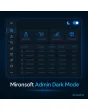
With the Magento 2 admin dark mode from Mironsoft, the backend gets a dark colour scheme that every user can switch on and off for themselves. The switch sits in the admin header, the choice is stored on the user account and follows the employee to any computer. The module changes only the appearance: data, rights and workflows stay untouched. Magento 2 admin dark mode relies on CSS variables, needs no jQuery and is configured in a few minutes.
Dark colour scheme
Backgrounds, tables, forms and menus change to calm dark tones with good contrast.
Switch per user
Every admin user chooses light, dark or automatic without affecting others.
Follows the system
In automatic mode the backend follows the setting of the operating system.
Grids and forms
Product grid, orders, filters, modals and form fields are adapted throughout.
Appearance only
No shop data, rights or workflows are changed.
Why teams want a dark mode in the Magento 2 backend
Anyone who processes orders, maintains products and reads reports every day spends hours in the Magento backend. The bright default design dazzles in dimmed offices, in the evening or on large monitors. Many teams therefore search for Magento 2 admin dark mode, a dark admin theme or a way to ease eye strain. Magento itself offers no switch for this.
With Magento 2 admin dark mode every employee decides for themselves. Whoever prefers light changes nothing, whoever prefers dark switches with one click. The setting belongs to the user account and is therefore back after changing computer or browser.
Toggle Magento 2 admin dark mode: one click in the header
A small switch with the positions Light, Dark and Automatic appears in the admin header. The change happens instantly without reloading the page. The position is stored with the user account, so it applies at the next login as well. The default can also be changed in the user profile.
- Light, Dark or Automatic to choose from
- Change without reloading the page
- Choice is stored on the user account
Grids, forms and modals in Magento 2 admin dark mode
The dark scheme covers the areas where staff spend most of their time: dashboard, order and product grids, filter bars, edit forms, modals, messages and the main navigation. Contrasts are chosen so that status colours such as success, warning and error stay readable. Elements from third-party modules that set their own fixed colours can be adjusted through an exclusion list or additional CSS variables.
- Dashboard, grids, filters, forms and modals
- Status colours stay easy to read
- Adjustment for third-party module areas possible
Automatic light or dark following the system
In Automatic mode the module reads the system setting of the operating system. If the computer switches to dark in the evening, the backend follows. Staff do not have to switch manually every day. The default for new users can be set in the configuration.
- Follows the computer's system setting
- Default for new users configurable
- A manual choice always takes priority
Rights, cache and updates under control
An ACL resource controls who may use the switch. If you want to force the dark scheme for all users, you turn the switch off and set the default. After Magento updates your team checks the main pages in dark mode, and small deviations need only a minor CSS adjustment. The storefront pages of your shop stay completely untouched.
- Release the switch through an ACL right
- Make the dark scheme binding for everyone
- The shop storefront is not changed
Where Magento 2 admin dark mode helps in daily work
Typical situations in which a dark backend is more pleasant.
Evening shifts
Support processes orders until late. The dark backend does not dazzle in a dimmed room.
Long maintenance sessions
Whoever imports and checks products for hours often works more relaxed on a dark background.
Large monitors
On wide screens a bright background quickly looks harsh. Dark eases the eyes.
Mixed teams
Some like light, others dark. Everyone sets it for themselves, no team rule needed.
Magento 2 admin dark mode: with and without the module
The difference to the rigid default design.
| Topic | Without module | With Mironsoft Admin Dark Mode |
|---|---|---|
| Appearance | Always light | Light, dark or automatic |
| Setting | No choice | Switch per user |
| Persistence | Not available | Stored on the user account, across devices |
| Intervention | Own browser extensions with side effects | Pure CSS, no shop data affected |
| Control | Not possible | Default and release through configuration and ACL |
How we set up Magento 2 admin dark mode for you
The process after you place the order.
Alignment
You tell us the default you want and whether all users get the switch.
Installation
We install the module, set up Magento 2 admin dark mode and test it with your Magento version and third-party modules. After that, Magento 2 admin dark mode is available to every released user.
Adjustment
We adapt areas of third-party modules with fixed colours where needed.
Test
We check dashboard, grids, forms, modals and messages in dark mode.
Handover
Your team gets a short introduction to the switch and configuration.
Differentiation from to-do list, login log and admin action log
The admin to-do list, the login log and the admin action log from Mironsoft extend the backend with functions for tasks and traceability. Magento 2 admin dark mode, by contrast, changes only the appearance and adds no business logic.
All modules can be combined. The module concerns the admin area only and loads nothing in the shop storefront.
No download, but personal setup
Admin Dark Mode is not listed here as a ready-made download file to install yourself. The purchase is a commission: we contact you after the purchase, install the module in your shop and agree on default, rights and adjustments together with you.
Frequently asked questions
Everything important about the switch, coverage, rights and how the purchase works.
How can I activate a dark mode in the Magento 2 admin?
Does dark mode apply to each user individually?
Can dark mode switch automatically?
Does the module change data or rights?
Are all areas of the backend covered?
Can I force dark mode for all users?
Does anything change in the shop storefront?
Does the module work with Hyvä?
How does it differ from the admin to-do list and action log?
Can I download and install the module myself?
Recently Viewed Products

Magento 2 Admin Dark Mode – Mironsoft