Floating Contact Form for Magento 2
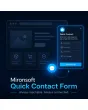
SKU: MQCF
- Floating button on every page, always reachable
- Department routing — sent to the right email address by subject
- File upload in the popup, up to 5 attachments
- Built-in GDPR consent and spam protection
Einmaliger Kauf · inkl. 12 Monate Updates · zzgl. MwSt.
Contact that is always one click away
A floating button follows visitors across your whole shop and opens a compact popup form on demand — without leaving the current page.
Floating button
Visible on every page, always reachable.
Compact popup
Form opens without a page change.
File upload
Up to 5 attachments right in the form.
Phone & department
Optional field, plus target department choice.
GDPR consent
Checkbox with freely editable text.
Department routing
Every inquiry goes to the right email address.
Admin grid with status
Pending, Processing, or Closed.
Confirmation email
Sent automatically to the sender.
Customizable design
Button position, color and icon are freely adjustable.
Spam protection
Google reCAPTCHA against fake inquiries.
Customer group filter
Restrict by customer group or CMS page.
Automatic deletion
Old inquiries removed after a configurable period.
One click instead of searching for a page
The contact button stays fixed at one corner of the screen no matter which page the visitor is on. One click opens the compact popup form, without leaving the current page or hunting for a separate contact page.
- Button position, color and icon matched to your theme
- Optional phone field and department selection in the form
- Up to 5 file attachments uploadable directly in the popup
Every inquiry lands in the right place
Department routing automatically sends inquiries to the right email address. The admin grid keeps you on top of things with status fields (Pending, Processing, Closed), while old, resolved inquiries are automatically deleted after a period you define.
- Google reCAPTCHA protects against automated fake inquiries
- Button can be restricted by customer group or CMS page
- GDPR consent checkbox with freely editable text
No download — personal setup instead
Quick Contact Form is not listed here as a ready-made download file for self-installation. The purchase is a service commission: we get in touch with you after the purchase, install the module, and coordinate button position, department routing and the GDPR text with you.
Frequently asked questions
Everything important about the feature, GDPR, and how the purchase works.
Does this replace my existing contact form?
How many files can a customer attach?
Can I show the button on specific pages only?
Is GDPR consent built in?
How are old inquiries managed?
Is the module compatible with Hyvä?
Can I download and install the module myself?
Recently Viewed Products

Mironsoft Quick Contact Form