Order History for Magento 2
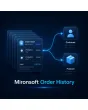
SKU: MOH
- Order history per customer and per product at a glance
- CSV and XML export of the complete order data
- Read-only view — no changes to existing order data
Einmaliger Kauf · inkl. 12 Monate Updates · zzgl. MwSt.
Who bought what? At a glance.
Order history per customer and per product right in the admin — with filters, CSV/XML export and visibility toggles.
Order history per customer
Right on the customer detail page in the admin.
Order history per product
See who bought it, right in the product form.
Line item details
Quantity, SKU and item status per order line.
Filter & sorting
Narrow down order data instead of endless scrolling.
CSV export
Order history as CSV for Excel and similar tools.
XML export
Structured export for ERP integration.
Master on/off switch
Disable the whole module without uninstalling it.
Customer page visibility
Toggle order history on the customer detail page.
Orders tab visibility
Toggle product details on the Orders tab.
Product page visibility
Toggle order history on the product edit page.
Read-only view
Displays order data, never changes it.
Store view filter
For multi-store setups (added differentiation).
From customer to product and back
On the customer detail page you immediately see which orders that customer has placed so far. The other way round, the product edit page shows you which customers bought exactly this product — with quantity, SKU and current item status per line.
- Order history right on the customer detail page
- Buyer overview right in the product form
- Line item details with quantity, SKU and status
CSV or XML, depending on your target system
For accounting, an ERP system, or a quick analysis: the order history can be exported as CSV or XML, filtered by the criteria you set in the admin. The module never changes existing order data — it only displays and exports it.
- CSV export for Excel and spreadsheet tools
- XML export for ERP/third-party integration
- Read-only view, no changes to order data
No download, personal setup instead
Order History is not listed here as a ready-made download file for self-installation. The purchase is a service commission: we contact you after purchase and set up the module personally in your shop.
Frequently asked questions
Everything important about features, export and the purchase process.
Is this a frontend feature for my customers?
Can I see which customers bought a specific product?
What export formats are available?
Can the module change order data?
Can each display be hidden individually?
Does this work with multiple store views?
Does this fit well with Delete Orders and Order Attributes?
Can I download and install the module myself?
Recently Viewed Products

Mironsoft Order History