Cart Price Rules
Set up discount campaigns and coupon codes that apply in the cart – e.g. "10% off orders over €50".
Create cart price rules under Marketing > Cart Price Rules > Add New Rule. They only take effect in the cart/checkout, not already in product listings – the customer sees the regular price until the rule kicks in by meeting the conditions (or entering the code).
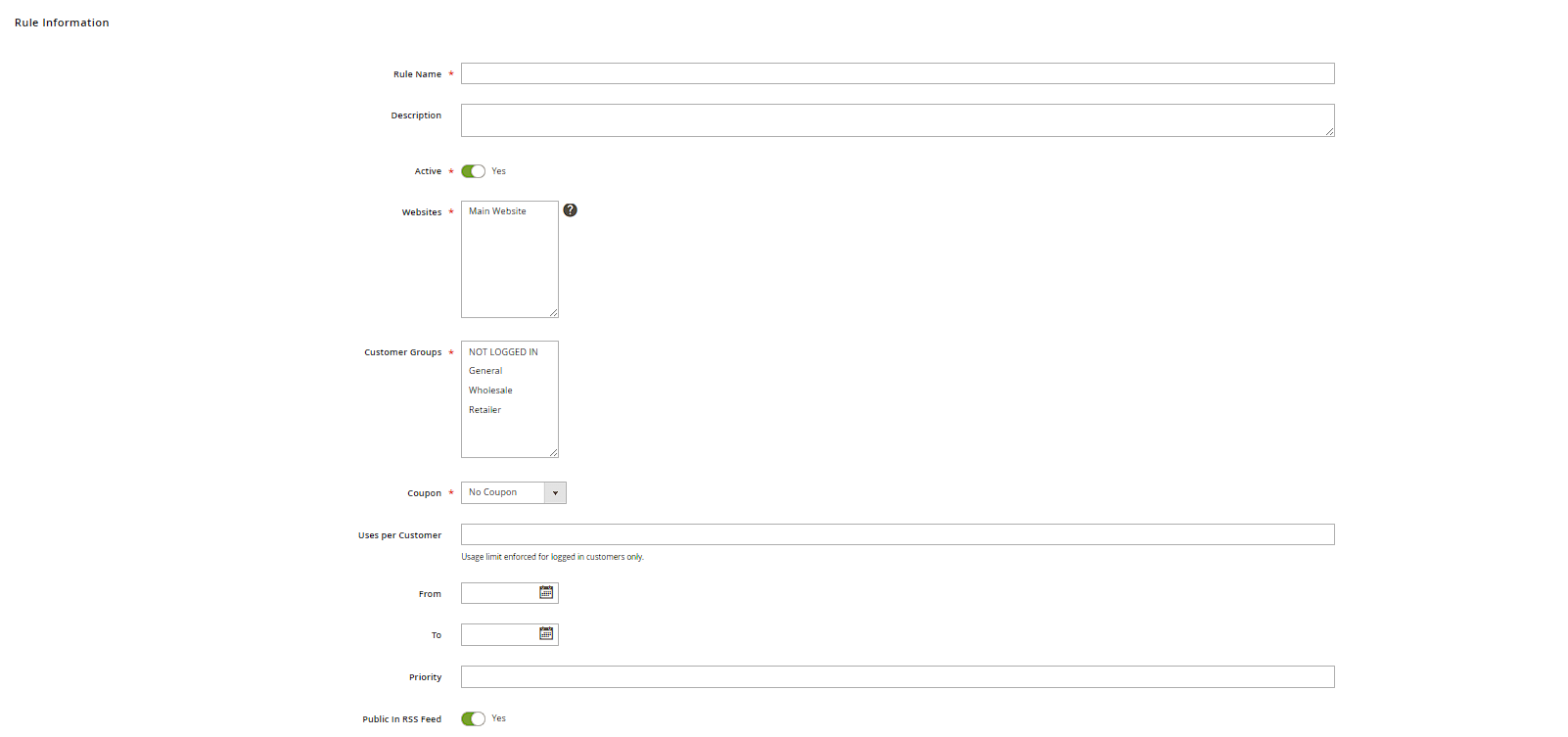
Rule Information
- Websites / Customer Groups: who the rule applies to at all – can be restricted to e.g. "NOT LOGGED IN" for pure new-customer promotions.
- Coupon: "No Coupon" (rule applies automatically to everyone once conditions are met) or "Specific Coupon" with an actual code customers must enter in the cart.
- From/To: a start date and optional end date for when the rule is active.
- Priority: with several simultaneously valid rules, priority determines the order they're applied in; Discard subsequent rules prevents further, lower-priority rules from also applying.
Conditions
On the Conditions tab, you build the condition the rule applies under using a building-block approach – e.g. "Subtotal is greater than 50" or "Category is 15 AND Qty in cart is greater than 2". Multiple conditions can be nested with AND/OR logic.

Actions
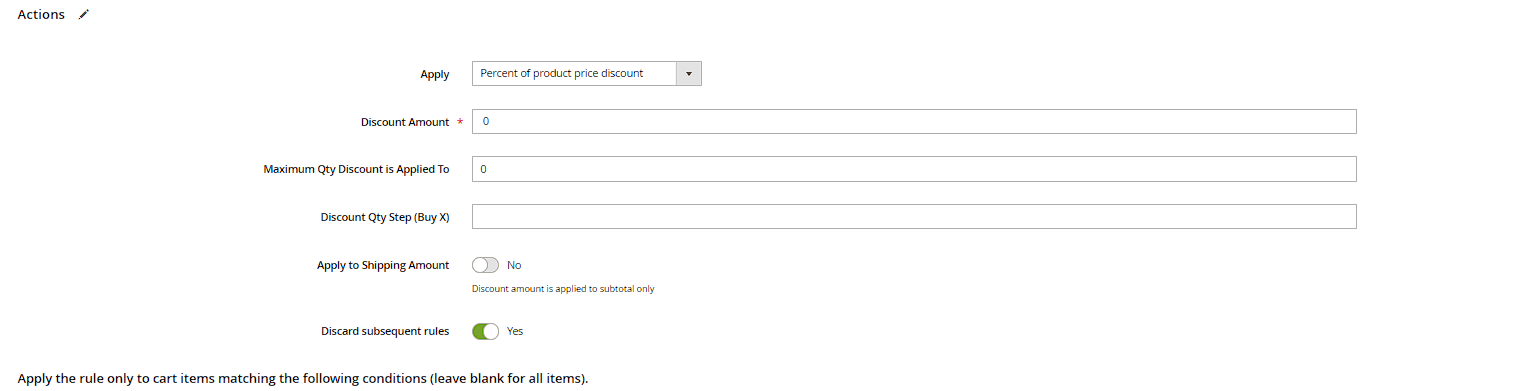
On the Actions tab you define what happens: Apply controls the discount type (percentage, fixed amount off the cart, fixed amount per item, or a shipping discount), Discount Amount its size, and optionally Buy X Get Y Free (e.g. "3 for 2" promotions) via the Buy X quantity/Free Y quantity fields.
Generating multiple coupon codes
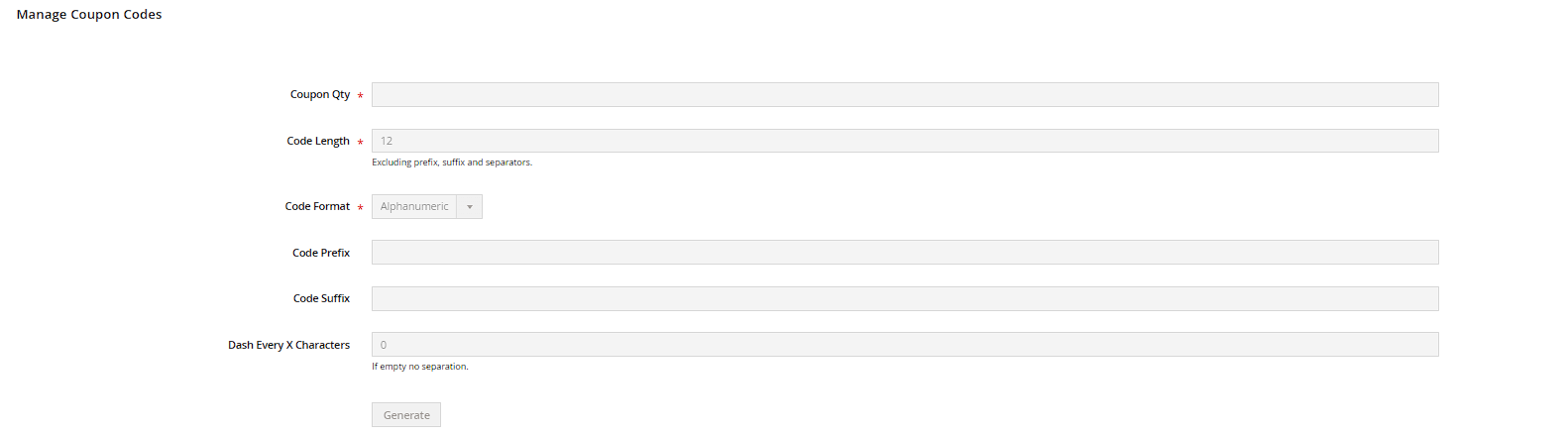
Under Coupon Qty on the "Coupon" tab, you can automatically generate multiple distinct codes for one campaign if needed (e.g. for an influencer campaign with individual, trackable codes per partner) – exportable as CSV.
Practical tip: always test new rules with a test account in your own store and a test order first, before communicating the coupon code publicly – a typo in the conditions can otherwise lead to an unintentionally large discount, or a code that doesn't work at all.
Usage limits per coupon and per customer
Uses per Coupon (Rule Information) limits how many times a single code can be redeemed in total – leave it blank for unlimited use. Uses per Customer additionally limits redemptions per individual customer account, regardless of how many different codes exist for the same rule. Together, both fields stop a coupon code that's been published somewhere (e.g. a voucher portal) from being used an uncontrolled number of times.
Discount label shown to the customer
On the Store Labels tab you enter a text (Label for All Store Views, optionally overridable per store view) that's displayed to the customer in the cart and at checkout as the name of the discount line – e.g. "Summer Discount" instead of an internal, technical rule name. If left blank, Magento falls back to the Rule Name from Rule Information.
Free shipping as its own action
Independent of the actual discount type (Apply/Discount Amount), the Free Shipping field on the Actions tab determines whether the rule also grants free shipping: "No", "For matching items only" (only the items that meet the conditions), or "For shipment with matching items" (the entire shipment becomes free as soon as at least one matching item is in the cart). This lets you model something like "10% off + free shipping over €80" in a single rule.
Format of auto-generated codes
When generating multiple coupons (see Coupon Qty), additional fields control what the generated codes look like: Code Length (number of characters), Code Format (Alphanumeric, Alphabetical, or Numeric), Code Prefix/Code Suffix (e.g. a fixed prefix like "SUMMER-"), and Dash Every X Characters for automatic dash grouping (e.g. "AB12-CD34"). This makes it easier later to tell which codes belong to which campaign.