Magento 2 Sticky Filter Bar: Filter and Sorting Always Within Reach
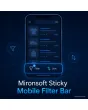
SKU: STICKYMOBILEFILTER1
- filter and sorting as a fixed bar at the screen edge
- counter shows active filters and the result count
- hides while scrolling down
- opens the existing Hyvä filter drawer
Einmaliger Kauf · inkl. 12 Monate Updates · zzgl. MwSt.
Magento 2 Sticky Filter Bar: filter without scrolling back up
The Magento 2 sticky filter bar from Mironsoft pins filter and sorting to the bottom of the screen on category and search pages. Anyone who scrolls through many products no longer has to go back up to refine the selection. A counter shows how many filters are active and the result count stays visible. One tap opens the existing filter drawer of the Hyvä theme. The Magento 2 sticky filter bar runs on Alpine.js and needs no extra library.
Filters always reachable
The Filter button stays at the screen edge while scrolling and opens the filter drawer.
Sorting in the bar
A second button opens a selection window for the sort order.
Counter for active filters
A small badge shows how many filters are currently set.
Result count visible
The number of results stays readable in the bar, also after filtering.
Show and hide
The bar slides away when scrolling down and returns when scrolling up.
Safe areas
On iPhones with a home indicator the necessary space below the bar stays free.
Why the Magento 2 sticky filter bar matters so much on smartphones
In many shops more than half of the visitors come from a smartphone. In long categories the filters sit far up, and whoever notices further down that there are too many results has to scroll back painfully. Many give up. Anyone searching for a Magento 2 sticky filter on mobile or a Magento 2 mobile filter bar knows this problem from their own experience.
With the fixed bar the most important function stays within thumb reach at all times. Customers refine their selection exactly when they notice they have to. That raises the number of filtered sessions and reduces abandonment in long lists, without you having to rebuild your filters or your navigation.
Magento 2 sticky filter bar: filter and sorting within thumb reach
The bar sits at the bottom edge, exactly where the thumb rests anyway. On the left is the Filter button with a counter, on the right the sorting. If you like, the middle shows the result count. Colours, radii and shadows follow your theme so the bar does not look like a foreign body. The bar appears only on pages with a product list and only below the configured breakpoint.
- Filter left, sorting right, result count optional
- Design follows your Hyvä theme
- Only on listing pages and small screens
Open the existing filter drawer instead of building a new one
A tap on Filter opens the drawer your Hyvä theme already provides. The module builds no second filter logic and changes neither layered navigation nor URLs. Your filter groups, order and swatches stay unchanged. After applying, the drawer closes, the bar updates the counter and the result count, and the customer stays at the same position in the list.
- Uses the filter drawer of the theme
- No second filter logic, no new URLs
- Counter and result count update immediately
Scroll behaviour, safe areas and breakpoint
The Magento 2 sticky filter bar can be visible permanently or hide itself when scrolling down so it does not get in the way. When scrolling up it comes back. On iPhones the module respects the bottom safe area, and with a sticky header in your theme the spacing is correct as well. You set the breakpoint above which the bar disappears in the admin, just like the position at the top or bottom.
- Always visible or with hide and show
- Consideration for safe areas on iPhones
- Breakpoint and position in the admin
Configuration and accessibility of the filter bar
In the admin you choose which buttons appear, how the texts read and whether the result count is shown. All texts can be translated per store view. The buttons are real buttons with labels for screen readers, and the counter is announced as a state. The Magento 2 sticky filter bar works with touch, keyboard and assistive technology without extra scripts.
- Buttons and texts per store view
- Real buttons with label and state
- Own ACL resource for the configuration
Where the Magento 2 sticky filter bar helps in everyday shop work
Typical situations in which the Magento 2 sticky filter bar prevents abandonment.
Large categories
With hundreds of results customers refine in the middle of the list without scrolling up.
Fashion and shoes
Size and colour often become clear only after a few products. The bar is right at hand.
Spare parts and accessories
Customers narrow down by device or type once they notice the list is too broad.
Search results
After a search, filter and sorting stay reachable when the result list is long.
Magento 2 sticky filter bar: comparison without and with the module
The difference to filters that vanish at the top of the list.
| Topic | Without module | With Mironsoft Sticky Mobile Filter Bar |
|---|---|---|
| Reachability | Filters only at the top of the list | Bar at the screen edge, always within reach |
| Active filters | Hard to recognise | Counter badge in the bar |
| Sorting | Far up in the toolbar | Own button next to the filter |
| Scroll behaviour | No fixed area | Show and hide depending on direction |
| Implementation | Own theme rebuild required | Uses the existing filter drawer |
How we set up the Magento 2 sticky filter bar for you
The process after you place your order.
Briefing
You tell us buttons, texts, breakpoint and the desired scroll behaviour.
Installation
We install the module and place the Magento 2 sticky filter bar on category and search pages. Afterwards we test the Magento 2 sticky filter bar with your layered navigation.
Design
We adapt colours, radii and spacing to your theme, also below a sticky header.
Test
We check iPhone and Android, portrait and landscape and keyboard operation.
Handover
Your team receives an introduction to configuration, texts and behaviour.
Differences to the fixed navigation bar for smartphones
The mobile navigation bar from Mironsoft offers general destinations such as home, search and cart on every page. The Magento 2 sticky filter bar is contextual: it appears only where filters and sorting exist and delivers exactly those functions. Both modules can be combined, with the filter bar then sitting above the navigation bar.
The module works with Alpine.js in the Hyvä theme and needs no further library. It changes no layered navigation logic and no URLs.
No download — personal setup instead
The filter bar is not listed here as a ready-made download file for self-installation. The purchase is a service commission: we get in touch after the purchase, install the module in your shop and agree on buttons, texts and behaviour together with you.
Frequently asked questions
Everything important about the Magento 2 sticky filter bar, behaviour, configuration and how the purchase works.
How can I make filters sticky on a smartphone in Magento 2?
How does the bar open the filters?
Is the number of active filters displayed?
Can the bar hide while scrolling?
Does the bar work on iPhones with a home indicator?
On which pages does the bar appear?
Does the bar change my filters or URLs?
Does the Magento 2 sticky filter bar work with Hyvä?
How does it differ from a general navigation bar?
Can I download and install the module myself?
Recently Viewed Products

Magento 2 Sticky Filter Bar – Mironsoft