Magento 2 Product Notice: Notice Boxes by Attribute and Rule
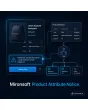
SKU: PRODUCTATTRIBUTENOTICE1
- Magento 2 product notice by rule: appears automatically for matching attribute values or categories
- Four notice types with icon: info, note, warning, success
- Placeholders like [lead_time] pull the text straight from the product attribute
- Validity, priority and store view configurable per rule
Einmaliger Kauf · inkl. 12 Monate Updates · zzgl. MwSt.
Magento 2 product notice by rule: the right notice right in the purchase area
Instead of maintaining the same warning in a hundred product descriptions, you store one rule. The module decides per product whether and which box appears.
The Mironsoft Magento 2 product notice is an extension for Magento 2 and Hyvä that shows notice boxes on the product page based on attribute values, categories and customer groups. Lead time, hazardous goods, age restrictions or accessory warnings: you maintain the rule once, and the plugin displays the notice wherever it applies.
Conditions
Attribute value, category, customer group and store view, freely combinable.
Four notice types
Info, note, warning and success, each with its own icon and color.
Placeholders
Use attribute values inside the text, such as lead time or hazard class.
Selectable position
Below the title, above the add-to-cart button, below the price or below the description.
Validity period
From/to dates so seasonal notices switch themselves off again.
Per store view
Separate texts per language; rules can be switched on or off per store view.
One rule instead of hundreds of text blocks: product notice by attribute
With the Magento 2 product notice you define when a box appears: if the "lead time" attribute is above 14 days, if a product sits in the "chemicals" category, or if a certain customer group visits the shop. Conditions can be combined with AND/OR. When an attribute value changes, the display changes on the next page view without touching a single product text.
- Conditions on attribute value, category, customer group, store view
- AND/OR combination of several conditions
- Works for simple, configurable and bundle products
Notice box on the product page with placeholders from the product attribute
Texts of the Magento 2 product notice may contain placeholders taken from product attributes. "Lead time approx. [lead_time] days" becomes "Lead time approx. 28 days" on the page. If the attribute is empty, the whole box is not rendered, so a shopper never sees half a sentence. Four notice types with matching icons set the right weight, from a friendly info to a clear warning.
- Separate text per store view, maintained inside the rule
- Notice type determines color and icon
- Empty placeholders hide the box instead of showing gaps
Validity and priority: handle campaigns and exceptions cleanly
Each Magento 2 product notice can have a start and end date. A notice such as "Order by Dec 15 for Christmas delivery" stays visible only during the right window and disappears on its own afterwards. If several rules match, priority sets the order; the stop flag ends evaluation after a hit, so a hazmat warning is never buried under a promotional note.
- From/to date per rule
- Priority and stop flag for a clear order
- Maximum number of simultaneous boxes per product page
Magento 2 product notice in practice: industries and typical notices
The Magento 2 product notice fits wherever a product property needs a statement in the purchase area.
Chemicals, paints and coatings
A Magento 2 product notice as hazmat warning appears automatically for every product with a hazard class set, including a shipping restriction as text.
Furniture and custom sizes
The Magento 2 product notice shows products with a long production time their individual lead time without anyone editing the description.
Electronics and accessories
A notice states which accessories are not included in the delivery, depending on the "scope of delivery" attribute.
Trade customers (B2B)
Customer groups with trade status additionally see a note on minimum quantity or tier prices.
Magento 2 notice box: with and without the module
What changes in daily work when every Magento 2 product notice comes from rules instead of manual effort.
| Task | Without module | With Product Attribute Notice |
|---|---|---|
| Notice on many products | Copy the text into every description | One rule for all matching products |
| Changing the notice text | Update every product individually | Change it once in the rule |
| Time-limited notices | Remove manually, often forgotten | From/to date, switches off automatically |
| Multiple languages | Maintain separately per store view | Own text per store view inside the same rule |
| Position in the purchase area | Depends on the description field | Freely selectable, consistent in the theme |
| Missing attribute values | Gaps visible in the text | Box is not rendered |
Setting up the Magento 2 product notice in five steps
You commission, we set up the Magento 2 product notice: usually within a few working days after alignment.
-
01
Inventory
We clarify which attributes and categories should trigger notices.
-
02
Create rules
Together we build the first rules with type, text and position.
-
03
Check placeholders
We test the texts with real attribute values and empty fields.
-
04
Store views and customer groups
Translated texts and group-specific rules are added.
-
05
Acceptance
You review the product pages, then the module goes live.
Scope: product notice, label, tab and shop banner
Mironsoft offers several modules for notices, each with its own purpose:
- Header Notification shows a shop-wide message in the header, independent of the product.
- Product Labels place a badge on the product image, without detailed text.
- Product Custom Tabs add extra tabs with content, outside the purchase area.
- The Magento 2 product notice, by contrast, reacts to attribute values and appears right next to the price and the cart button.
No download — personal setup instead
Product Attribute Notice, your Magento 2 product notice, is not listed here as a ready-made download file for self-installation. The purchase is a service commission: we get in touch after the purchase, install the module in your shop and set up your first rules together with you, for example for lead time or hazardous goods.
Frequently asked questions about the Magento 2 product notice
Everything important about the Magento 2 product notice: rules, placeholders, scope and how the purchase works.
How can I show a notice in Magento 2 only for certain products?
How do I show a hazmat notice on the Magento 2 product page?
How is this different from product labels or a header banner?
Which attributes can I use as conditions?
What happens if several rules match at the same time?
Does it slow down the product page?
Does the extension work with Hyvä?
Can I limit notices in time?
Can I download and install the module myself?
Recently Viewed Products

Magento 2 product notice – Mironsoft Product Attribute Notice