Magento 2 Product Notes: Internal Hints at the Product
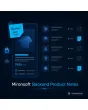
SKU: BACKENDPRODUCTNOTES1
- internal notes right in the product form
- author, time and freely maintainable note type
- icon, preview and filter in the product grid
- visible in the admin only, not in shop, feed or API
Einmaliger Kauf · inkl. 12 Monate Updates · zzgl. MwSt.
Magento 2 Product Notes: keep internal knowledge right at the product
With Magento 2 Product Notes from Mironsoft you store internal hints directly on the product, for example about suppliers, quality, data upkeep or shipping peculiarities. The notes appear in the product form and in the product grid, carry author and time and are visible to your team only. They do not show up in the shop, in feeds or in the API.
Notes in the product form
A dedicated area in the product form takes any number of notes, each with text, author and time.
Categories for notes
Notes can be assigned a type, for example purchasing, warehouse, quality, data or other.
Important and pinned
Important notes are pinned, stay on top and show a warning icon in the grid.
Icon and filter in the grid
The product grid shows whether notes exist and filters for products with or without a note.
Backend only
Notes are not output in the shop and not included in product feeds, API responses or exports.
Permissions and history
You control reading, writing and deleting through roles, and changes are recorded with the user.
Why teams use Magento 2 Product Notes in the admin
Product knowledge often lives outside the shop: in chat histories, emails, spreadsheets or in the heads of individual employees. The supplier delivers only quarterly, variant X causes complaints, the dimensions in the datasheet are wrong. People searching for Magento 2 Product Notes, a Magento 2 internal product note or a Magento 2 admin product comment want this knowledge where the work happens.
With Magento 2 Product Notes, anyone who opens a product immediately sees the key hints. New employees find answers, and vacation cover does not have to guess.
Write and maintain Magento 2 Product Notes in the product form
A Notes area appears in the product form. There you add entries, each with text, type, author and timestamp. Existing notes can be edited or deleted as far as your role allows. The area is collapsible to keep the form tidy and shows the number of notes in its heading. Input is plain text so that no scripts are stored.
- Note with type, author and timestamp
- Edit and delete according to role permission
- Plain text without HTML, collapsible area
Spot and filter Magento 2 Product Notes in the grid
In the product list an icon marks products with a note, and a red icon shows important notes. A click shows the note in a preview without opening the product. You filter by products with or without a note, by type or by author. All items for which purchasing left a hint can be found in seconds.
- Icon and preview right in the product grid
- Filter by note present, type or author
- Important notes with a warning icon
Magento 2 Product Notes as a hint when creating orders in the admin
Optionally the module shows an important note when a product is added to an order in the admin. A phone sales agent then sees at once that an item is only partly available or has special hints. You switch this behaviour on or off per note type. Customers see nothing here either, the pop-up applies in the backend only.
- Warning only for important notes
- Activatable per note type
- No display in the shop or customer emails
Configure Magento 2 Product Notes: note types, permissions, data protection
Under Stores › Configuration you maintain the note types and decide which roles may read, write or delete. A retention period is optionally adjustable. Notes should not contain personal data, and a hint text in the form reminds your team. The data protection assessment stays with the shop owner. When a product is deleted, its notes are removed along with it.
- Note types freely maintainable
- Separate permissions for read, write, delete
- Notes are removed when the product is deleted
Where Magento 2 Product Notes help the team
Four situations where Magento 2 Product Notes save time.
Purchasing and suppliers
Purchasing records lead times, minimum quantities and contacts on the product. Customer service sees them without asking.
Catalog data upkeep
Missing images, open translations or dimensions to check are noted, and the filter shows all affected items.
Phone sales
When creating an order in the admin, an important note warns of peculiarities before the customer is promised something wrong.
Onboarding and cover
Whoever is new on the team or covering finds the background of an item in one fixed place.
Magento 2 Product Notes: without and with the module compared
Scattered knowledge against a fixed place at the product.
| Topic | Without module | With Mironsoft Backend Product Notes |
|---|---|---|
| Where is the knowledge? | Chat, email, spreadsheet, heads | Right at the product |
| Findability | Search across several systems | Filter in the product grid |
| Author and time | Unclear | Stored per note |
| Visibility | Mixed into description fields | Admin only, not in shop or feed |
| Warning when ordering | None | Optional hint in the admin |
How we set up Magento 2 Product Notes for you
The process after you place the order.
Briefing
We clarify which note types your team needs and who may read, write and delete.
Installation
We install Magento 2 Product Notes and activate the area, icon and filter in the product grid.
Roles and hints
We assign the permissions to the admin roles and set up the warning when ordering.
Test
We test Magento 2 Product Notes: creating, editing, filter, preview and the exclusion from feed and API.
Handover
Your team gets a short introduction to note types and upkeep.
How this differs from order comments and product descriptions
Order comments belong to a single order, and product descriptions address customers. Magento 2 Product Notes serve the internal knowledge about an item and stay in the backend.
The module can be combined with the order labels module: labels mark orders, product notes accompany items. Nothing is loaded in the frontend.
No download — personal setup instead
Mironsoft Backend Product Notes is not listed here as a ready-made download file for self-installation. The purchase is a service commission: we get in touch after the purchase, install the module in your shop and set up note types and permissions together with you.
Frequently asked questions
Everything important about notes, permissions, grid and how the purchase works.
How can I save internal notes on a product in Magento 2?
Do customers see the notes in the shop?
How can I find products with a note in Magento 2?
Can I sort notes by type?
Can I mark a note as important?
Who may read or delete notes?
What happens to the notes when I delete a product?
Does Magento 2 Product Notes work with Hyvä?
May notes contain personal data?
Can I download and install the module myself?
Recently Viewed Products

Magento 2 Product Notes – Mironsoft Backend Product Notes