Magento 2 Packing Slip: custom layout, columns and notes
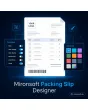
SKU: PACKINGSLIPCUSTOM1
- logo, sender block and footer per store view
- freely selectable columns, also bin location and weight
- notes per shipping method, prices can be hidden
- preview with a test order right in the admin
Einmaliger Kauf · inkl. 12 Monate Updates · zzgl. MwSt.
Magento 2 Packing Slip: from the standard PDF to a document that fits your brand and your warehouse
With the Packing Slip Designer from Mironsoft you can adapt the Magento 2 packing slip without editing templates by hand. In the admin you set logo, sender, columns and notes, hide prices where needed and check the result as a preview with a test order. The layout applies per store view, the output remains the familiar packing slip PDF from the admin.
Logo and sender
Logo, company address and contact details sit at the top, separately per store view and language.
Free columns
Item number, name, quantity, weight, bin location or attributes: you decide columns and order.
Without prices
The packing slip can be printed price-neutral, for example for gifts or drop shipping.
Notes
Texts per shipping method, customer group or country, such as a returns hint or customs info.
Order comment
Customer comment and gift message can appear on the packing slip.
Preview
A test order shows the PDF before saving, without creating a real shipment.
Why you should customise the Magento 2 packing slip
The packing slip is the one document almost every customer holds in their hands. The standard Magento PDF shows address and items but leaves little room for logo, columns and texts. That is why merchants look for a custom Magento 2 packing slip, for a Magento 2 packing slip logo or for a Magento 2 packing slip without prices.
The warehouse needs something different from the customer. Anyone who customises the Magento 2 packing slip puts the bin location into the columns, leaves out prices, adds a returns hint and creates a document that helps while packing and convinces while unpacking. The customisation happens in the admin, not in code.
Customise the Magento 2 packing slip: logo, sender and footer
The head of the packing slip carries the logo, a sender line and, if you wish, a second line with contact details. The footer takes commercial register data, bank details or a short service line. Font size and spacing are chosen from a fixed selection so that the PDF wraps cleanly. Every setting applies per store view, so an English shop gets an English header.
- Logo upload with width and alignment
- Footer for mandatory details and service line
- Settings per store view and language
Columns and fields: bin location, weight and attributes on the packing slip
The table of the packing slip consists of the columns you activate. Available are item number, product name, options, quantity, ordered and shipped quantity, weight and freely selectable product attributes such as bin location or EAN. You change the order by sorting in the admin. For partial shipments the shipped quantity appears next to the ordered one so that nothing is mixed up.
- Switch columns on and off and sort them
- Any product attribute as a column
- Ordered and shipped quantity for partial shipments
Notes per shipping method, customer group and country on the packing slip
Texts that do not apply to every shipment are created as a rule. A note appears only for a certain shipping method, a customer group or deliveries to a country. That way the customs info appears only for shipments outside the EU, the returns hint only for end customers. Customer comment and gift message can be shown in addition. Legal review of the texts is the shop operator’s responsibility.
- Rules by shipping method, customer group and country
- Comment and gift message optional
- Multilingual texts per store view
Customise the Magento 2 packing slip with a preview in the admin
Before saving you check the result. The preview generates a PDF from an existing order or from sample data without creating a shipment. Line breaks, long product names and multi-page documents are visible before the first customer receives the document. The packing slip PDF stays in the flow where you are used to it: in the shipment and in the shipping email attachment.
- Preview with a real or sample order
- Check of line breaks and multi-page output
- Output as usual in shipment and email
Where a custom Magento 2 packing slip helps in everyday shop work
Typical situations in which the standard PDF is not enough.
Warehouses with fixed bins
The bin location appears as a column on the document, and the picker walks the route without asking.
Gift shipments
Prices stay hidden and the gift message is clearly readable on the document.
Several brands
Each store view has its own logo, sender line and texts.
International deliveries
Customs and returns notes appear only for the countries where they apply.
Magento 2 packing slip: comparison without and with the module
The difference to the standard PDF and to template editing in code.
| Topic | Without the module | With Mironsoft Packing Slip Designer |
|---|---|---|
| Design | Fixed standard layout | Logo, sender and footer in the admin |
| Columns | Predefined | Freely selectable including attributes |
| Prices | Always visible | Can be hidden |
| Notes | One text for everyone | Rules by shipping method, group, country |
| Control | Test only with a real shipment | Preview in the admin |
How we set up the Magento 2 packing slip for you
The process after your order.
Agreement
You provide logo, mandatory details and the fields your warehouse needs on the document.
Installation
We install the module and set up layout, columns and footer per store view.
Note rules
We store note texts and rules for shipping method, customer group and country.
Test
We check the Magento 2 packing slip with long product names, partial shipments and multi-page output.
Handover
Your team gets an introduction to the settings and the preview.
Delimitation from PDF invoice, shipping label and proforma invoice
The PDF invoice from Mironsoft designs the invoice, the shipping label module produces labels for parcels, and the proforma invoice covers advance documents. The Magento 2 packing slip module concerns only the packing slip, the document that lies in the parcel.
The modules can be combined and do not share logo settings automatically, so each document keeps its own design. The settings page works in the admin without additional JavaScript in the frontend.
No download — personal setup instead
Packing Slip Designer is not listed here as a ready-made download file for self-installation. The purchase is a service commission: we get in touch after the purchase, install the module in your shop and agree on layout, columns and note rules together with you.
Frequently asked questions
Everything important about layout, columns, notes and the purchase process.
How can I customise the packing slip in Magento 2?
How can I put a logo on the packing slip in Magento 2?
How can I print the packing slip without prices in Magento 2?
Can I show the bin location on the packing slip?
How can I show notes only for certain countries?
Are partial shipments supported?
Is there a preview?
Does the layout apply to every store view?
Do I have to change the frontend to get a custom Magento 2 packing slip?
Can I download and install the module myself?
Recently Viewed Products

Magento 2 Packing Slip – Mironsoft Packing Slip Designer