Magento 2 Order Labels: Colored Labels in the Order Grid
SKU: ORDERLABELS1
- several colored labels per order, independent of status
- column, filter and mass action in the order grid
- rules assign labels by payment, country or amount
- visible in the admin only, history with user and time
Einmaliger Kauf · inkl. 12 Monate Updates · zzgl. MwSt.
Magento 2 Order Labels: colored labels in the order grid instead of sticky notes
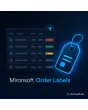
With Magento 2 Order Labels you assign colored internal labels to orders, such as Urgent, Callback, Gift or Check. The labels appear as a column in the order grid, can be filtered, set by mass action and assigned automatically by rules. Customers see them nowhere, not in emails and not in their account. The module complements the order status without replacing it.
Labels with name and color
You create as many labels as you like, each with a name, color and optional short description.
Several labels per order
One order can carry Urgent and Gift at the same time, independent of the order status.
Rules for automatic labels
Payment method, shipping method, country, customer group, amount or coupon set labels when the order is created.
Mass action in the grid
Select several orders and set or remove a label with one click.
Visible to the team only
Labels appear only in the admin, never in the shop, in emails or on PDF documents.
History per order
Who set or removed which label and when is recorded in the order history.
Why teams want Magento 2 Order Labels
The order status tells you where an order stands in the process, but not what the team knows about it. An order is urgent, a customer is waiting for a callback, a parcel goes out as a gift, a payment has to be checked. Such hints end up in comments, on sticky notes or in chats. People searching for Magento 2 Order Labels or for a Magento 2 order flag want to see them straight in the grid.
With Magento 2 Order Labels everybody on the team sees at a glance what needs doing. When several people work in the backend, follow-up questions disappear and nothing gets lost just because a comment sits at the bottom of the order detail.
Create labels: Magento 2 Order Labels with name and color
Under Mironsoft › Order Labels you maintain your labels. Each label has a name, a color and a sort order. The text color is chosen automatically so that it stays readable on the background. Labels can be deactivated without losing old assignments. The number of labels is unlimited, though five to ten is usually sensible.
- Name, color and sort order per label
- Text color chosen automatically for readability
- Deactivating instead of deleting keeps the history
Magento 2 Order Labels in the grid: filter and sort
In the order grid a new column shows the labels as colored badges. You filter by one or several labels and combine this with status, date or payment method. With the mass action you set or remove labels for any number of selected orders. In the order view itself you add labels with two clicks.
- Label column and filter in the standard grid
- Mass action to set and remove
- Add labels directly in the order view
Rules: Magento 2 Order Labels without manual work
Rules assign labels automatically as soon as an order is created. Conditions are payment method, shipping method, delivery country, customer group, order value, coupon code or a product attribute. This way prepayment orders automatically get the label Check payment and foreign orders the label Customs. Rules can be ordered, activated and tested. Existing orders stay untouched unless you explicitly run the rule.
- Conditions from payment, country, customer group, amount, coupon
- Order rules, switch them on and off
- Apply to existing orders only when you choose to
Permissions and history for Magento 2 Order Labels
Admin roles control who may set, remove or manage labels. Every change is recorded in the order history with user and time. Optionally the module removes a label automatically when the status changes, for example Urgent on shipment. The label is purely internal information and changes neither emails nor payments nor stock.
- Role permissions for set, remove, manage
- History with user and time
- Remove automatically on status change, optional
Where Magento 2 Order Labels help in daily work
Four situations where Magento 2 Order Labels help in everyday backend work.
Pull urgent orders forward
A customer calls, a team member sets Urgent, and the warehouse moves the order to the front in the grid.
Check prepayment
Rules flag prepayment orders automatically. Accounting filters and checks only those orders.
Wrap gifts correctly
The label Gift makes the warehouse add gift paper and a card without reading the comment.
Coordinate special cases in the team
Callback, complaint or review are visible at once, and nothing gets lost at shift change.
Magento 2 Order Labels: without and with the module compared
A comment field against colored labels in the grid.
| Topic | Without module | With Mironsoft Order Labels |
|---|---|---|
| Hints in the grid | Not visible, only in the order detail | Colored labels in a column |
| Filtering | Not possible | Filter by label, combine with other filters |
| Several hints | One comment block | Any number of labels per order |
| Automation | Everything by hand | Rules by payment, country, amount |
| Traceability | Comment without structure | History with user and time |
How we set up Magento 2 Order Labels for you
The process after you place the order.
Briefing
We collect with you the hints your team keeps on notes or in comments today.
Installation
We install Magento 2 Order Labels, create your labels with colors and activate column, filter and mass action.
Rules
We build rules for the cases that can be recognised automatically and test them with sample orders.
Roles
We set who may set, remove and manage labels.
Handover
Your team gets a short introduction to grid, mass action and rules.
How this differs from status colors and order comments
The status color from Mironsoft colors rows by order status, one color per status. Magento 2 Order Labels works independently of the status, allows several labels per order and also assigns them by rule.
Both modules can be used together: the status colors the row, the labels add hints to it. Nothing is loaded in the frontend, the module works in the admin only.
No download — personal setup instead
Mironsoft Order Labels is not listed here as a ready-made download file for self-installation. The purchase is a service commission: we get in touch after the purchase, install the module in your shop and set up labels, colors and rules together with you.
Frequently asked questions
Everything important about labels, rules, permissions and how the purchase works.
How can I mark orders with colors in Magento 2?
How can I filter marked orders in Magento 2?
Do customers see the labels?
Can an order have several labels?
Can labels be assigned automatically?
Do labels affect the order status?
Can I decide who may change labels?
Does Magento 2 Order Labels work with the standard grid?
How does this differ from the status color?
Can I download and install the module myself?
Recently Viewed Products

Magento 2 Order Labels – Mironsoft