Magento 2 Order Cancel Request with Admin Approval
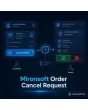
SKU: ORDERCANCELREQUEST1
- customers request cancellation directly in the account
- deadlines, order status and payment methods as rules
- request list in the admin: approve or reject
- emails to customer and team for every request
Einmaliger Kauf · inkl. 12 Monate Updates · zzgl. MwSt.
Magento 2 order cancel request: from the customer wish to your approval
With Magento 2 order cancel request from Mironsoft, customers submit their cancellation wish in the customer account. They choose a reason, the module checks order status and deadline and places the request on a list in the admin. Your team approves or rejects, and the customer receives an email each time. Approved requests are cancelled automatically. That saves email traffic and phone calls, and the interface uses Alpine.js in the Hyvä theme without an additional library.
Request in the account
Every order shows a Request cancellation button as long as the rules allow it.
Reasons to choose
Customers pick a reason from your list and may add a text.
Deadline and status
Requests are possible only in allowed order statuses and within your deadline.
Request list
All open requests with order, reason and time in the admin.
Approve or reject
Approved orders are cancelled, rejected ones receive a justification.
Emails
Customer and team are informed on submission, approval and rejection.
Why a Magento 2 order cancel request beats email and phone calls
Many cancellation wishes arrive right after the order: wrong size, duplicate order, forgotten delivery address. Without a function in the account, customers write an email or call, and your team looks up order and status by hand. Merchants therefore look for a way to let customers submit a Magento 2 order cancel request without burdening support.
With a Magento 2 order cancel request the sequence matters: the module takes a wish, not a decision. Whether an order can still be cancelled depends on stock, shipping and payment method. So rules first check whether a request is possible at all, and your team decides afterwards.
Order cancel request in the customer account: reasons, text and confirmation
A Magento 2 order cancel request starts in the order overview or detail view, where a Request cancellation button appears. The customer picks a reason from your list, may add a text and confirms. The order then shows the status request submitted, and a confirmation email goes to the customer. Guests without an account submit the request through the order tracking form with order number and email address.
- Button in order overview and detail view
- Reasons freely definable per store view, optional free text
- Guests via order number and email address
Rules for the Magento 2 order cancel request: status, deadline and payment methods
You decide in which order statuses a request is allowed, for example open or processing but not shipped. A deadline in hours after the order limits the period. Payment and shipping methods for which cancelling makes no sense can be excluded. For clear cases you can enable automatic approval: if the order has not yet been handed to the warehouse, it is cancelled immediately.
- Allowed order statuses and deadline in hours
- Exclude single payment and shipping methods
- Automatic approval under conditions, optional
Request list in the admin: approve or reject with one click
All requests sit in a list in the admin under Sales with order number, customer, reason, time and current order status. If your team approves a request, the module cancels the order with Magento core functions and restores the stock. On rejection the staff member adds a justification that the customer receives by email. Refunding an amount already paid remains a separate step triggered by your payment provider or your team.
- List with filters for status, period and reason
- Approval cancels the order through Magento core functions
- Rejection with justification sent to the customer
Emails and history: customer and team always up to date
At every step of a Magento 2 order cancel request the module sends an email: request received, approved or rejected. The team can also be notified of every new request. Templates can be adjusted per store view and use the usual Magento variables. Every decision is noted with staff member and time in the order history so later questions stay traceable. The statutory right of withdrawal is unaffected; its legal classification is up to the shop operator.
- Templates for request, approval and rejection per store view
- Team notification on new requests
- History entry with staff member and time
Where the Magento 2 order cancel request helps in everyday shop work
Typical situations shortly after the order in which a Magento 2 order cancel request helps.
Ordered twice
The customer notices the mistake at once and submits the request before the order reaches the warehouse.
Wrong shipping address
Instead of email and phone he selects the reason wrong address. Your team cancels and the customer reorders.
Delivery time too long
Whoever underestimated the delivery time requests cancellation and stays a customer instead of arguing.
Weekends and holidays
Requests flow into the list around the clock and are handled on the next working day.
Magento 2 order cancel request: without and with the module
Magento 2 order cancel request compared with email and phone.
| Topic | Without module | With Mironsoft Order Cancel Request |
|---|---|---|
| Intake | Email, phone, contact form | Request in the account with reason |
| Check | Look up order and status by hand | Rules for status, deadline and payment |
| Overview | Support mailbox | Request list in the admin |
| Customer info | Personal reply email | Templates for request, approval, rejection |
| Traceability | Scattered across emails | Entry in the order history |
How we set up Magento 2 order cancel request for you
The process after you order.
Alignment
We clarify statuses, deadlines, reasons and whether guests may submit requests.
Installation
We install the module and set up Magento 2 order cancel request in the account and for guests.
Email templates
We design the three emails to match your shop and tone of voice, per store view.
Testing
We test the Magento 2 order cancel request from request to approval, rejection, deadline and the return of stock.
Handover
Your team gets a walkthrough of the request list and how to handle refunds.
How this differs from returns, the withdrawal button and order editing
The Mironsoft returns management accompanies returns after delivery. The withdrawal button maps the statutory right of withdrawal, and order editing in the admin changes items and addresses. Magento 2 order cancel request covers the moment before: the customer wants an order that has not shipped yet to not be delivered at all.
All modules can be combined. The account interface uses Alpine.js in the Hyvä theme and needs no additional library.
No download — personal setup instead
Order Cancel Request is not listed here as a ready-made download to install yourself. Buying means commissioning us: after your purchase we get in touch, install the module in your shop and agree rules, reasons and email templates with you.
Frequently asked questions
Everything about requests, rules, approval and how the purchase works.
How can I let customers request a cancellation in Magento 2?
How can a customer cancel an order in Magento 2?
For which orders is a Magento 2 order cancel request possible?
Is the order cancelled automatically?
What happens to the stock?
Is the amount refunded automatically?
Does this replace the right of withdrawal?
Does the Magento 2 order cancel request work with Hyvä?
Can guests ask for a cancellation?
Can I download and install the module myself?
Recently Viewed Products

Magento 2 Order Cancel Request – Mironsoft