Magento 2 Image Alt Text Generator: Automatic and Bulk Alt Texts
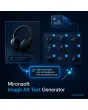
SKU: IMAGEALTGENERATOR1
- alt texts from a template with placeholders such as name, brand and color
- bulk processing in the admin and via CLI with preview
- fill only empty alt texts, old values are backed up
- optional AI connection with your own API key
Einmaliger Kauf · inkl. 12 Monate Updates · zzgl. MwSt.
Magento 2 Image Alt Text Generator: image descriptions for the whole catalog
Hundreds of product images without alt text are the norm in many shops: photographers deliver files, editors have no time. The Mironsoft Magento 2 image alt text generator fills these gaps by rules you define yourself. Product name, brand, color and image position become a sensible description, in the catalog, on upload and on demand in bulk. It runs in the admin and CLI, without touching the storefront.
Templates
Alt texts are built from templates with placeholders such as name, brand, color, category and image position.
Bulk run
You select products in the grid or start the run via CLI for entire store views.
Preview
Before writing, a preview shows the new alt texts next to the old ones, each can be deselected.
Fill empty only
By default, existing alt texts maintained by hand are not touched.
Backup
Overwritten values land in the log, a run can be reverted.
Optional AI
For images where a template is not enough, an AI provider can add text with your own key.
Why you need a Magento 2 image alt text generator
Alt texts describe images for people who cannot see them and for search engines that read them. They are part of accessibility and help image search. In Magento the label field on an image is optional and often stays empty after imports. Maintaining it by hand is hardly worth it with several thousand images.
A Magento 2 image alt text generator turns the data you already have into usable descriptions. A product with name and color yields, for example, “Product name in color, view 2 of 5”. That does not replace editorial care for images that need more description, but it removes the empty fields. Legal accessibility requirements are for the shop owner to check.
Magento 2 Image Alt Text Generator: templates with placeholders
In the Magento 2 image alt text generator you write a template and insert placeholders, for example name, brand, color, category, SKU and image position. If an attribute is missing, the module drops the gap together with its separator so no stray colons or double spaces appear. You limit the length to a maximum; the text is shortened at a word boundary. Templates apply per store view, so the alt text is created in the language of the shop.
- Placeholders for attributes, category and image position
- Missing values without gaps or stray separators
- Maximum length, shortening at word end, template per store view
Magento 2 Image Alt Text Generator in bulk: grid and CLI
In the product grid you select items for the Magento 2 image alt text generator and start the action Generate alt texts. For large catalogs there is a CLI command that works in batches and filters by store view and category. A preview lists beforehand what would change. The run processes only the images you select: empty alt texts, all of them, or only those matching a pattern such as the file name.
- Action in the product grid and CLI command for large catalogs
- Filter by store view, category and alt text status
- Preview before writing, single images can be deselected
Backup, log and reverting in the Magento 2 Image Alt Text Generator
Every run is logged: time, user, affected images, old and new value. Anyone who regrets a run reverts it with one click, and single values can be restored selectively. Alt texts maintained by hand are overwritten only if you explicitly allow it. When new images are uploaded, the module can fill the empty field right away so gaps do not arise in the first place.
- Log with old and new value
- Revert a whole run or single images
- Fill automatically when uploading new images
Optional AI for the Magento 2 image alt text generator
Where a template is not enough, for example for lifestyle photos or detail shots, an AI provider of your choice can propose the text. You store your own API key, and the module sends only what you release, for example product name and attributes. Whether images are transmitted is a separate setting that you check under data protection law. Without this option the module works fully rule-based and makes no external requests.
- Your own API key, provider and model freely selectable
- Release transmitted fields one by one
- Fully rule-based without AI, no external requests
Where the Magento 2 image alt text generator helps in daily shop work
Typical situations in which missing alt texts get in the way.
After an import
Thousands of images enter the system without a label. One run fills them before the shop goes live.
Accessibility
Images get sensible descriptions for screen readers, a part of your shop accessibility.
SEO audit
An audit reports missing alt attributes. The Magento 2 image alt text generator clears the report in one pass.
Multilingual catalogs
Each store view gets alt texts in its own language from its own template.
Magento 2 Image Alt Text Generator: without and with the module
The difference to maintaining by hand and to spreadsheets.
| Topic | Without the module | With Mironsoft Image Alt Text Generator |
|---|---|---|
| Effort | Image by image by hand | Template and bulk run |
| Consistency | Different for each editor | Uniform rules |
| New images | Gaps arise again | Filled automatically on upload |
| Safety | Overwriting without a way back | Log and revert |
| Multilingual | Maintain each language separately | Template per store view |
How we set up your Magento 2 image alt text generator
The process after your order.
Briefing
You tell us languages, attributes for the template and whether AI may be used.
Installation
We install the Magento 2 image alt text generator and create the template per store view.
Trial run
We start a run on a few products and check preview, length and special characters with you.
Bulk run
We process the catalog in batches and review the log for anomalies.
Handover
Your team gets an introduction to templates, runs and reverting.
Differences to SEO Suite, image cleanup and content generators
The Mironsoft SEO Suite maintains meta data and structured data. Image cleanup removes unused files, the WebP converter converts formats, and the content generators write description texts. The Magento 2 image alt text generator takes care exclusively of image labels.
The modules can be combined. The module works in the admin and via CLI; the storefront stays unchanged and loads no additional JavaScript.
No download, personal setup instead
Image Alt Text Generator is not listed here as a ready-made download file for self-installation. The purchase is a service commission: we get in touch after the purchase, install the module in your shop and agree on templates, runs and the AI option together with you.
Frequently asked questions
Everything important about templates, bulk run, AI option and how the purchase works.
How can I create alt texts for product images automatically in Magento 2?
How can I add missing alt texts in bulk with the Magento 2 image alt text generator?
Are alt texts maintained by hand overwritten?
Can I undo a run?
How long may the alt text be?
Is an alt text created when uploading new images?
Is data sent to an AI?
Does the Magento 2 image alt text generator work with Hyvä?
How does this differ from the content generators?
Can I download and install the module myself?
Recently Viewed Products

Magento 2 Image Alt Text Generator – Mironsoft