Magento 2 Hyvä Theme for Fashion Stores: New Fast Design for Your Shop
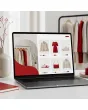
SKU: TPL-MODEHANDEL
- Guide price 499 EUR to carry over your existing design 1:1, 1,000 EUR for a new layout by Mironsoft (plus VAT)
- Enquiry for your existing Magento fashion shop, also by web agencies for their clients
- Questions on size choice, colour swatches, collections, lookbook and sale instead of a ready-made theme
- Payment by invoice, order acceptance after our review
Guide price plus VAT · payment by invoice after order acceptance
Your details for the new design
Answer what you know. Fields with an asterisk are required, all others are optional. The more precise your details, the more reliable our quote. Under each question we explain why we need it. When you are done, click “Complete enquiry” in the box above.
Magento 2 Hyvä theme for fashion stores: a faster, fresher look for a fashion shop that is already live
This is written for retailers with an existing Magento store who sell seasonal collections and feel their storefront no longer does the clothes justice.
Your shop carries blouses, denim, knitwear, trainers, belts and perhaps a small children's corner. Products, size runs and colours are set up, the photography is done, suppliers and payment methods are in place. What has aged is the surface. Pictures are small, the size choice hides in a dropdown, and anyone comparing two jumpers on a phone ends up scrolling in circles. This is where our Magento 2 Hyvä theme for fashion stores comes in.
We give your running shop a new face on a modern, very quick foundation. The work covers the home page, category pages, filters, product page, basket, the standard checkout, the customer account, header and footer. Your catalogue, prices and back office processes stay exactly as they are. New features are outside this offer, and when a wish goes beyond design we tell you plainly.
- Who can enquire: owners of a Magento shop for clothing, footwear or accessories, and web agencies acting for their fashion clients
- What you get: a new design, new layout, new colours and arrangement, but no new features
- How it works: answer the questions, our review, order acceptance, quotation, implementation
Everyday scenes show what this is about: a customer looks for a wrap dress in dark green, size 40, and wants to wear it in three days. A father needs winter boots in size 31 with regular width. A buyer compares two parkas on her phone. In each case the design decides whether a visit becomes a sale, and that is exactly what our Magento 2 Hyvä theme for fashion stores is made for.
Six places where a fashion store quietly loses customers
People buy clothes in a matter of seconds. These are the stumbling blocks we meet most often in existing shops.
Small, flat product photos
Clothes are bought with the eyes. A 400 pixel image shows neither the knit structure nor the hem. If shoppers cannot zoom in, they either order two sizes or none at all.
Size choice as a dropdown
Size is the most important decision in fashion, yet it often sits behind a click on a list where sold out sizes look just like available ones.
Colours without a picture
A select field that says Teal tells very little. Only a small swatch or thumbnail shows whether it is the teal the shopper has in mind.
A size chart nobody finds
A table image in the bottom tab is rarely read. The result is parcels coming back marked does not fit, each costing you postage and handling time.
Sale with no order
Red prices, percentage stars and struck through numbers in every corner feel loud. Shoppers can no longer tell regular stock from what is really reduced.
A home page from last season
In October the summer collection still smiles from the banner. If every seasonal change needs a developer, the banner simply stays.
None of these points requires new technology in the background. They concern arrangement, proportions, order and legibility. A Magento 2 Hyvä theme for fashion stores takes them one by one and checks for each what your data really offers.
Why our Magento 2 Hyvä theme for fashion stores builds on Hyvä, and what that means day to day
Hyvä is a lean, modern storefront design for Magento. You do not need to be a developer to see the point.
Think of your shop's framework as the rail system in a clothing store. The current one drags a lot of old weight, and every extra bar makes movement heavier. Hyvä swaps it for a light frame. Pages build up sooner, images appear earlier, and use on a smartphone feels more direct. That matters most when shoppers browse collections with a hundred product pictures on a page.
Technically, Hyvä relies on Tailwind CSS for styling and Alpine.js for small movements on the page, such as opening a filter. Heavy legacy layers are left out. For you this means that in the Magento 2 Hyvä theme for fashion stores we can set colours, spacing and grids without detours, and later adjustments stay manageable. We do not promise specific loading times, because those depend on hosting, image sizes and installed extensions.
The image driven category in a Magento 2 Hyvä theme for fashion stores: grid, second picture and calm between the tiles
A fashion category is a shop window. It has to show off and still allow quick comparison.
Two columns work well on a phone, three or four on a laptop. Together with you we decide how large the picture is compared with the text, whether a second photo appears on hover and how much air sits between tiles. Too much text under the picture makes a collection look like a spreadsheet catalogue, too little hides price and colour range.
| Design question | Possible solution | Effect on the shopper |
|---|---|---|
| Tile image format | Portrait 3:4 or 4:5, consistent | Quiet grid, garments large in the frame |
| Second picture | Back view or detail on hover, a swipe on phones | Shopper sees the cut without leaving the page |
| Hints on the tile | Brand, name, price, New or Sale marker, small colour dots | Quick orientation, no wall of text |
| Loading more | Load more button or continuous loading with return position | Shopper lands on the same spot after going back |
In a Magento 2 Hyvä theme for fashion stores the return position matters to us in particular. Someone who has looked at 40 items, opens a dress and then lands back at the top after pressing the back button has usually lost interest. How loading can be solved within Magento and Hyvä defaults, we clarify during the review.
A word on pictures: the best grid does little if photos come in different formats, backgrounds and crops. During the review we give an honest view on whether your image stock suits the grid you want. Where single photos differ, our Magento 2 Hyvä theme for fashion stores can provide frames that soften the difference without altering your images.
Gallery and model details: how the product page works in a Magento 2 Hyvä theme for fashion stores
The product page stands in for the fitting room. It has to show more than one photo on a white background.
A sensible gallery has a large main image, a thumbnail strip and a zoom that works with two fingers on a phone. The picture order follows simple logic: the full look on a person first, then the back, then a close-up of collar, seam or sole, finally the cut out product shot. A short line stating how tall the model is and which size she or he wears belongs with it. That one line saves many questions.
Beside the gallery sits a fixed order of elements: name, price, colour, size, add to basket button, delivery note, then description, material and care. On phones the button stays within reach while scrolling. A Magento 2 Hyvä theme for fashion stores fixes this order once and cleanly rather than reinventing it for every product type.
- Catwalk or wearing videos can be part of the gallery, provided you already have the footage
- Customer photos can form their own section if your data source supports it
- Several image resolutions are a matter of image processing, the design simply reserves the space
Below the gallery a short block with delivery time and return note works well, right by the buy button. In our Magento 2 Hyvä theme for fashion stores that block is a permanent part of the page, not an add on that vanishes at the end of the text.
Sizes as buttons instead of a list: shaping the choice in a Magento 2 Hyvä theme for fashion stores
Between 36 and 44, between S and XXL, between 98 and 164 lies the risk of every return.
We lay sizes out as fields side by side. Available sizes are clear, unavailable ones greyed and struck through, and low stock can carry a small note when your system supplies stock levels. That way the shopper sees at once that the 40 still exists and the 38 does not, which is a quiet strength of any good Magento 2 Hyvä theme for fashion stores.
Every group in your range follows its own rules. Trousers combine waist and length, shoes come in half sizes and often a width, and for children parents go by height in centimetres or by age. In a Magento 2 Hyvä theme for fashion stores we plan the selection per product type, so a jeans buyer need not climb through the grid made for a pullover.
One small detail matters more than expected: if someone taps the buy button without having chosen a size, a friendly and clearly visible prompt should appear instead of a tiny red line somewhere at the top. We settle such details early in a Magento 2 Hyvä theme for fashion stores.
A note on boundaries
A size adviser that calculates a recommendation from body measurements is a new feature, not design. We assess it separately as a special area. Designing the size selection you already have belongs to the standard scope.
Colour swatches: how choosing a colour becomes visible in a Magento 2 Hyvä theme for fashion stores
Whether charcoal or slate, mustard or curry, colours have to be shown, not described.
There are three usual routes. A plain swatch drawn from a colour value is light but cannot show patterns. A swatch with a mini photo of the item in that colour helps with checks, stripes and prints. And some retailers create each colour as its own product with its own address and pictures. Which route applies to you follows from the data structure already in your shop.
Our Magento 2 Hyvä theme for fashion stores follows what exists. We design the fields, their size, the highlight of the chosen colour and the change of the main picture on click. Where your data holds no mini photos, we say so in the review instead of delivering a surprise later.
- The colour name stays readable beside the swatch so nobody has to guess
- The main image changes with the colour, not only when the page reloads
- Sold out colours stay visible if you wish and are marked discreetly
Something retailers often overlook: small colour dots under the picture on the category page show which colours exist. This saves clicks and lets shoppers choose with intent. In a Magento 2 Hyvä theme for fashion stores we settle that point in the questions.
Size charts that actually get read: where they sit in a Magento 2 Hyvä theme for fashion stores
A table nobody finds does not prevent a single return.
The chart belongs where the size is chosen, not in a tab at the very bottom. A link beside the size fields that opens a panel or a folded section is the usual approach. We design appearance and legibility, including on narrow screens where a seven column table would otherwise run out of the picture.
| Range | Typical details | Design topic |
|---|---|---|
| Women's and men's tops | Chest, waist, hip, length, sleeve | Align columns cleanly, highlight the chosen size |
| Trousers and jeans | Waist, inside leg, leg opening | Two axes, so a matrix rather than a list |
| Footwear | Foot length in centimetres, width | Country conversion as its own column |
| Children | Height, age, chest, waist | Parents search by height, age only as a hint |
| Accessories | Belt length, bag dimensions, scarf width | Often a single measurement, a small table is enough |
In a Magento 2 Hyvä theme for fashion stores we deliberately ask whether your charts exist as an image, as a table in the content editor or as a product attribute. How simply they can be embedded depends on that. Images can only be made readable on phones to a limited degree, real tables are more flexible, and that is why the Magento 2 Hyvä theme for fashion stores prefers them.
Making fabric care and composition visible in a Magento 2 Hyvä theme for fashion stores
Anyone buying wool wants to know whether it scratches and whether it may go in the machine.
Composition, care symbols, origin and possibly labels belong to the details shoppers check shortly before buying. We give them a fixed, readable place on the product page, for example in a collapsible area under the description. Care symbols appear as small, uniform signs with a line of plain text beside them.
Which textile labelling is required by law and how it has to be worded is something you check as shop owner with your lawyer. In a Magento 2 Hyvä theme for fashion stores we make sure the space exists, the text is readable and the order is logical. The content comes from your product data.
Material in percent
Fibre shares as a short list, such as cotton, elastane, polyester, in order of share.
Care in signs and words
Washing, bleaching, drying, ironing and cleaning as symbols with one plain sentence beside them.
Handle and weight
A note on whether the fabric is light, firm, stretchy or soft helps shoppers judge without touching.
Labels and origin
If you hold certificates, they get a calm place so they look genuine and do not sprawl like stickers.
Especially for shoes and bags, material and workmanship matter: real leather, textile, sole, lining. A Magento 2 Hyvä theme for fashion stores can order these details so they do not disappear inside the description.
Filtering by size and colour in a Magento 2 Hyvä theme for fashion stores: less scrolling, faster finding
In a category of 600 items the way to the right size runs through good filters.
Fashion shoppers filter differently from electronics buyers. They look for size, colour, price range, brand, material and occasion. We design the filter bar so it opens as a panel from below on a phone and sits as a sidebar or a strip above the tiles on a laptop. Colours appear as dots, sizes as compact fields, prices as a slider, all of it standard ground for a Magento 2 Hyvä theme for fashion stores.
With a narrow range a filter above the grid pays off, with a broad one a side bar. In a Magento 2 Hyvä theme for fashion stores we take this decision together with you because it depends on the number of filter types. How many filters exist is determined by your attributes; the design can only show what is set up as a filter in the system.
- Active filters appear as removable markers above the tiles
- The number of results stays visible, on phones too
- A reset button sits in the same place wherever the filters are opened
Collections and seasonal change in a Magento 2 Hyvä theme for fashion stores: twice a year without a development job
Spring and summer, autumn and winter: the look of your shop changes more often than a relaunch could keep up with.
A fashion shop breathes with the seasons. February brings linen and pastels, August wool and corduroy, and in between come promotional windows and transitional ranges. The design has to cope, and a Magento 2 Hyvä theme for fashion stores is planned with exactly that rhythm in mind. That is why we build the home page from clearly separate parts: a large campaign area, tiles for collections, a strip for new arrivals, an area for brands. You swap these parts later in the content editor without anyone touching code.
The Magento 2 Hyvä theme for fashion stores is built so that banners, texts and tiles can be maintained with Magento's own tools. If you want an especially flexible campaign area, that belongs in the talks before order acceptance. We then assess whether the standard is enough or a special area is needed.
| Moment | Typical intervention | Where it happens |
|---|---|---|
| Collection launch | New campaign image, new tiles | Content editor, no code |
| Transitional range | An extra row of tiles | Content editor |
| Promotion week | Notice bar on top, Sale markers | Content editor and product attributes |
| End of season | Hide new arrivals, move outlet forward | Content editor |
Seasonal business has a second side: end of line stock. When winter jackets move into the sale in January, the path there should be easy to spot without the new collection disappearing. In a Magento 2 Hyvä theme for fashion stores a combination of banner, category and marker handles this.
Lookbook and complete outfits in a Magento 2 Hyvä theme for fashion stores
Fashion is bought as an ensemble more often than as a single piece.
A lookbook shows pieces in context and leads from there to the product page. With the standard tools of Magento and Hyvä, a page can be built with large pictures and, below or beside them, the featured items as tiles. On the product page a section called Goes with can follow, drawing on your existing links: shirt to blazer, belt to trousers, bag to shoe.
What matters is the difference between design and function. The Magento 2 Hyvä theme for fashion stores designs the page and its sections. A picture with clickable dots where every dot adds directly to the basket would be a feature of its own. We tell you openly what is possible in the standard and what lies beyond.
- Lookbook page as an editorial spread with pictures, short texts and product tiles
- Goes with section on the product page drawn from your existing product links
- Collection pages told as chapters of a campaign
Sale presentation in a Magento 2 Hyvä theme for fashion stores: show the discount without shouting
Reduced goods sell when the shopper understands the benefit and regular stock is not devalued.
We design struck price, current price and percentage marker so they are clearly different but do not dominate. A sale area in the main navigation gets its own colour that fits the rest. In categories a marker sits on the tile, on the product page the old price stands beside the new one. Which discounts and which prices may be named in which format is for the shop owner to check with a lawyer, in particular for struck prices and references to the previous price.
In the Magento 2 Hyvä theme for fashion stores we keep the sale look deliberately restrained. A fashion shop with red in every corner looks like a department store at clearance time, which is rarely the picture of a brand. Anyone who still wants to advertise loudly gets a separate, clearly bounded campaign area for promotion weeks.
Good to know
The calculation of discounts, promotion periods and struck prices stays in Magento as it is. We design how the result looks. We do not change price rules.
Return notices in a Magento 2 Hyvä theme for fashion stores: say it openly and place it well
Fashion retail and returns belong together. Staying silent about them costs trust.
Many shoppers order two sizes and send one back. That is everyday business, and a shop that deals with it openly feels safer, which a Magento 2 Hyvä theme for fashion stores can support visually. We place a short return note near the add to basket button, in the basket and at checkout, each with a link to your detailed page. In the customer account the orders area gets a clear way to start a return, as far as your system offers this as standard.
Which deadlines apply, who bears return shipping and how your terms are worded is for the shop owner to decide with a lawyer. In the Magento 2 Hyvä theme for fashion stores we determine where the text sits and how it looks. A returns portal with label printing is a topic of its own and falls under special areas.
One more thought: return notices should not scare anyone off. A calm, friendly tone, a small symbol and a link are enough. The Magento 2 Hyvä theme for fashion stores looks for the balance between openness and restraint.
Women, men, kids, shoes, accessories: menu structure in a Magento 2 Hyvä theme for fashion stores
The broader the range, the more the first level of the menu matters.
A fashion shop with five departments needs a main menu that does more than list. We build mega menus with image tiles, columns for categories, a block for brands and a pointer to new arrivals or sale. On phones this turns into a layered menu that opens like a drawer.
| Department | Typical menu columns | Special point |
|---|---|---|
| Women | Clothing, shoes, bags, brands, occasion | Usually the largest area, needs an image tile per group |
| Men | Clothing, shoes, accessories, brands | More compact, often direct category names |
| Kids | Baby, girls, boys, by size | Parents search by size, not by gender |
| Shoes | By occasion, brand, heel, width | Filters on width and material matter more than pictures |
| Accessories | Belts, scarves, bags, jewellery | Small items, so a smaller tile but larger photos |
The Magento 2 Hyvä theme for fashion stores takes into account that menu entries follow your category structure. A menu can only show what exists in the catalogue. If your structure invites tidying up, we mention it in the review.
Retailers with a kids department face one more aspect: parents look for sizes that fit in spring and plan one size up in autumn. In a Magento 2 Hyvä theme for fashion stores menu and categories can be arranged so that size is an entry point and not only a filter, provided your catalogue allows it.
Phone first: thumb zone and a fixed buy bar in a Magento 2 Hyvä theme for fashion stores
A large share of fashion purchases begins on a smartphone, often in the evening on the sofa.
We draft the most important paths for the small screen first: menu, search, filter, size choice, basket. Key buttons sit where the thumb reaches. A fixed bar at the bottom of the product page keeps size and buy button within reach even while scrolling through description and pictures. Tapping size fields needs enough area so nobody mis-taps.
Tablet and laptop follow afterwards, which is how every Magento 2 Hyvä theme for fashion stores starts. The Magento 2 Hyvä theme for fashion stores treats the desktop as an extension of the phone draft and not the other way round. Your customers with large monitors still benefit, because a clearly structured draft stays clear when it grows.
Sticky elements are useful as long as they do not cover half the screen. In a Magento 2 Hyvä theme for fashion stores we test the height of the fixed bar so that picture and text above it stay readable.
Guide prices for the Magento 2 Hyvä theme for fashion stores: 499 EUR or 1,000 EUR
Both tiers are guide values for standard areas in Magento and Hyvä, in each case plus VAT.
| Tier | Guide price | What it includes |
|---|---|---|
| Guide price 499 EUR to carry over existing design 1:1 | 499 EUR plus VAT | Your current appearance is transferred to the new foundation. Structure, colours and arrangement stay, it is rebuilt technically. |
| Guide price 1,000 EUR for a new layout by Mironsoft | 1,000 EUR plus VAT | Based on your answers we propose a new layout for home page, categories, product page and menu, and implement it after your approval. |
| Special areas | assessed separately | Anything beyond Magento and Hyvä standard, such as a size adviser, a lookbook with shoppable points or a returns portal. |
| Mironsoft modules | no flat rate here | You state your interest without obligation. We discuss prices separately. |
A price becomes binding only after our review of your answers and with the written quotation. We give no guarantee of results such as revenue, number of returns or ranking. The Magento 2 Hyvä theme for fashion stores is a design service, not a promise of success.
What the Magento 2 Hyvä theme for fashion stores does not include
Clear limits protect both sides from misunderstandings.
No new features
A wishlist sharing function, a size adviser, a returns portal or a subscription model are features. They are not part of the guide price.
No photography and no copywriting
Fashion photos, product texts and image editing come from you. We design the space for them.
No data maintenance
We change neither products nor size run structure nor prices. The design shows what the catalogue holds.
No legal advice
Textile labelling, withdrawal information and price indications are checked by the shop owner with a lawyer. We create the space, not the wording.
No hosting or migration work
Servers, domains and data moves are separate tasks. The design is prepared on your test environment.
No licensed fonts without checking
We use house fonts only when the licence for web use is clarified, also in a Magento 2 Hyvä theme for fashion stores.
A typical misconception: that the project also replaces your merchandise system or changes marketplace connections. Both stay untouched. The Magento 2 Hyvä theme for fashion stores concerns only what customers see in the browser.
From filling in to order acceptance: the path of a Magento 2 Hyvä theme for fashion stores
Work begins only once your answers are complete.
Answer the questions
You fill in the questions on this page: shop, range, sizes, colours, images, wishes for home page and categories, brand and role models.
Review by Mironsoft
We read every answer, look at your shop and clarify questions. From this it emerges whether the guide price fits or special areas are added.
Order acceptance
Instead of an order confirmation you receive an order acceptance once we have confirmed the scope. Only then is the order binding.
Quotation and implementation
You receive the quotation with a fixed price and schedule. We implement the design on a test environment and show you interim stages.
In this way the Magento 2 Hyvä theme for fashion stores does not become a purchase by click but a cleanly clarified project. If you want to know whether a wish fits a tier, write it into the free text fields of the form. We classify it and tell you in the quotation whether the Magento 2 Hyvä theme for fashion stores covers it.
No download and no ready-made theme: why the Magento 2 Hyvä theme for fashion stores stays individual
Whoever orders here receives no zip folder but a service.
Personal implementation by Mironsoft
There is nothing to download and nothing to install yourself. We implement the design in your shop, according to your answers, on your test environment and with your approval.
A ready-made theme for fashion would only pretend to fit every retailer. A shoe shop with 80 brands needs a different layout from a label with ten pieces per season. That is why the questionnaire comes first. From it follows what the Magento 2 Hyvä theme for fashion stores means for you.
A relaunch is rarely what fashion retailers are after. They want the existing shop to match the brand again, without half a year of rebuilding. A carefully limited Magento 2 Hyvä theme for fashion stores provides exactly that frame.
Web agencies with fashion clients: the Magento 2 Hyvä theme for fashion stores as a building block
Agencies can also enquire on behalf of their clients.
If you look after a fashion retailer as an agency, you know the situation: the client wants more visual impact but the budget does not cover a complete rebuild. You can request the Hyvä design from us for them while you stay responsible for content, operation and upkeep. You answer the questions together with the client or in their place.
What helps is that the Magento 2 Hyvä theme for fashion stores builds on Magento standard and Hyvä standard. Your colleagues can carry on later in a familiar frame. When enquiring, please say whether we may talk to the end client directly or everything runs through you.
Payment by invoice after order acceptance for the Magento 2 Hyvä theme for fashion stores
You pay after our confirmation, not when filling in the form.
The product is invoiced only. You need not leave card details, and we charge nothing before scope and price are settled. The invoice follows the order acceptance. If the review shows that your plan is of a different nature, we speak to you first instead of accepting an unsuitable order.
The Magento 2 Hyvä theme for fashion stores is therefore meant for retailers who approach a project soberly: clarify first, then commission, then pay.
Mironsoft modules around a fashion shop: take a look without obligation
For some wishes there are ready-made extensions from Mironsoft.
Now and then a wish goes beyond design, for example customer reviews, search, newsletter sign up or multiple languages. For some of these topics Mironsoft offers ready-made modules for Magento 2. In the questionnaire you can tick, without obligation, what interests you. This is not an order, and we name prices only if you ask. With the Magento 2 Hyvä theme for fashion stores the module topic deliberately remains a side path.
What to have ready before you answer the questions
The better prepared you are, the faster the review.
- The address of your shop and, if available, your test environment
- Sample items per range: a top, a pair of trousers, a shoe, a child's piece, an accessory
- Your current size charts and care texts
- Logo, colour values and examples of shops you like
- A short description of your collection rhythm and promotion periods
With this information the Magento 2 Hyvä theme for fashion stores can be assessed quickly. If something is missing, we get in touch.
Frequently asked questions about the Magento 2 Hyvä theme for fashion stores
Answers are kept short. We clarify details after your enquiry.
Does my shop have to run on Hyvä already?
No. The offer is aimed at existing Magento shops that should receive a new design. Which version and theme run today, we ask in the questionnaire.
Will my products and prices remain unchanged?
Yes. We design surface, layout, colours and arrangement. Product data, size run structure and price rules are not touched by the project.
Is the price fixed?
The price is a guide value. It becomes binding only with our quotation after the review. Special areas are assessed separately, also for the Magento 2 Hyvä theme for fashion stores.
Can I just have my current layout carried over?
Yes, that is the 499 EUR tier: your existing design is transferred to Hyvä 1:1, without a new concept.
Do you supply a theme to download?
No. There is no download and no ready-made theme. We implement the design personally in your shop.
How do I pay?
Only by invoice, after order acceptance. Nothing is charged before.
Does this also apply to children's shoes or bag labels?
Yes. The offer covers womenswear, menswear and kidswear, footwear and accessories. The questions cover size and colour types for all of them.
Do you guarantee better sales figures?
No. A faster, clearer design can make shopping easier for the customer. We give no assurances on revenue or return rate.
May agencies enquire for clients?
Yes. You can fill in the questions for your client and tell us who the contact is.
What about legal texts such as withdrawal and textile labelling?
The shop owner checks these with a lawyer. We design the space and the presentation.
Recently Viewed Products

Magento 2 Hyvä Theme for Fashion Stores: New Design for Your Fashion Shop