Magento 2 Hyvä Theme for Camping Stores: New, Fast Design for Your Store
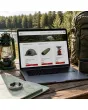
SKU: TPL-CAMPINGHANDEL
- Guide price 499 EUR to carry over your existing design 1:1, 1,000 EUR for a new layout by Mironsoft (plus VAT)
- Enquiry for your existing Magento shop, also by web agencies for their clients
- Questions on pack size, weight, tour and season navigation and caravan accessories instead of a ready-made theme
- Payment by invoice, order acceptance after our review
Guide price plus VAT · payment by invoice after order acceptance
Your details for the new design
Answer what you know. Fields with an asterisk are required, all others are optional. The more precise your details, the more reliable our quote. Under each question we explain why we need it. When you are done, click “Complete enquiry” in the box above.
Magento 2 Hyvä theme for camping stores: a faster, cleaner front end for the shop you already run
This offer is for retailers with a live Magento shop selling tents, sleeping bags, stoves, backpacks and caravan accessories.
Open any outdoor shop on a phone in a car park and you will see the problem within a minute. The pack size is hidden three tabs down, the weight sits inside a paragraph, and the product list shows pictures of tents without telling you whether the tent fits in the boot. Your catalogue probably holds all of that data already. What is missing is a front end that puts it where a camper looks first. That is the job of the Magento 2 Hyvä theme for camping stores.
We rebuild the look of your existing shop on Hyvä, a modern and very fast storefront layer for Magento. The work covers template, layout, colours and the arrangement of pack size, weight, price and availability. Products, prices, stock levels and order processes stay as they are. New functions are not part of the offer.
- Audience: operators of an existing Magento shop for camping, hiking and caravanning, including web agencies working for their clients
- Subject: design, layout, colours and placement, without new functions
- Procedure: answer the questions, our review, order acceptance, quote, implementation
What Hyvä means for a camping retailer, without the jargon
You do not need to be a developer to follow this.
Magento is the system where your articles, prices and orders live. Hyvä is a different, much leaner way of building the pages your customers see. It replaces the older, heavier default look. For you as a retailer this means the same data in a more modern face, with less code running behind each page. The Magento 2 Hyvä theme for camping stores uses that foundation and keeps the Magento building blocks for cart, checkout and account in place, so nothing about how you take orders has to change.
Common weak spots in outdoor shops that the Magento 2 Hyvä theme for camping stores addresses
Most of them concern arrangement, not missing data.
Anyone who browses a dozen outdoor shops sees the same patterns. Tent weight appears only in a long description. Hydrostatic head and colour share one line. A search for a replacement pole returns four hundred accessories with no hint of which tent they fit. And in June the homepage still promotes winter sleeping bags.
Key figures without a home
Pack size, weight and water column decide purchases, yet they are treated as side notes. The Magento 2 Hyvä theme for camping stores gives them a fixed header area above the description.
One menu for everybody
A family buying a big tent and an ultralight hiker need different paths. A single tree by product group serves neither well.
Season blindness
Banners and tiles do not follow the calendar. Our layout reserves areas that you can swap yourself.
Spare parts without context
Without a visible link to the main product, customers order the wrong pole and send it back.
None of these problems calls for new software. They call for a surface that shows your data where customers expect it. An hour in a foreign shop with a phone in your hand usually shows which three places hurt most. We ask about exactly those places in the enquiry so that the rebuild starts where it is felt the most.
Pack size, weight and water column: how the Magento 2 Hyvä theme for camping stores makes numbers readable
In outdoor retail one number often beats a photograph.
A key figure bar is the most important building block of the Magento 2 Hyvä theme for camping stores. It sits directly under the product name and shows the two to five values that matter for that product type. Your existing attributes feed it, we only change where and how they appear.
| Product type | Key figures in the header | How they are shown |
|---|---|---|
| Tent | Berths, weight, pack size, water column | Four tiles with icons and a short note on the water column |
| Sleeping bag | Comfort range, limit range, weight, pack size | Temperature scale as a bar with the weight beside it |
| Backpack | Volume in litres, back length, weight | Volume in large type and back lengths as selectable fields |
| Stove | Fuel type, weight, pack size, boil time as stated by the maker | Plain list with the fuel as a badge |
| Caravan accessory | Vehicle type, connector, dimensions | Compatibility strip above the add to cart button |
Units matter. Mixing grams and kilograms confuses people, so we ask which unit your data uses and display it consistently.
The figures are only as good as the attributes behind them. If your pack sizes live in a free text field, we say so in the review and describe what a cleaner data field would allow. Changing the data itself is outside the offer, but we point out where a small tidy up would make the layout work better for your customers.
Shopping by tour and season: the menu structure in the Magento 2 Hyvä theme for camping stores
People plan a trip, not a product group.
Someone planning a high-alpine trek looks for weight and warmth. Someone heading to a lake with two children looks for headroom and an awning. The Magento 2 Hyvä theme for camping stores therefore proposes a second entry level beside the catalogue tree: tiles such as trekking, family camping, motorhome and caravan, winter camping and festival. The tiles link to your existing categories or filters, so no new logic is involved.
Trekking and ultralight
Tarps, down bags, stoves under 100 grams. The layout puts weight filters first.
Family camping
Roomy tents, camp furniture, cool boxes. Pack size relative to the car boot matters here.
Motorhome and caravan
Accessories by vehicle and connector, awnings, cables and supports.
Winter and shoulder season
Four season tents, insulated mats with a high R value, heaters for awnings, as far as they are in your range.
The thinking behind it is simple. Customers who know their route often buy several items at once: tent, mat, bag and stove. A tile that bundles them is more than decoration. Swapping the order for each season happens in layout XML or CMS blocks, not in programming.
Order and picture of each tile can follow the calendar. In March the family tile moves forward, in September the winter tile does, and none of it needs a developer once the areas are set up.
Building the homepage of an outdoor shop in the Magento 2 Hyvä theme for camping stores
Visitors from search or ads decide within seconds.
The homepage follows a clear order. A seasonal banner sits on top, then a row of tour tiles, a strip of new arrivals and offers, then brands and finally guides. Each block is its own component in the layout XML, so you can change order and content.
- Banner with a seasonal theme: one picture, one line, one button
- Four to six tour tiles that link to categories or filters
- Product cards that show weight and pack size in a line, not only the price
- Brand logos and two or three guides such as how to pick the right tent size
Comparison tables in the Magento 2 Hyvä theme for camping stores: three tents side by side
A comparison removes the fear of choosing the wrong tent.
The question is almost always the same: what separates the three person model from the four person one, and is the extra money worth it? Magento already ships a compare feature that Hyvä renders cleanly. In the Magento 2 Hyvä theme for camping stores we style it so that columns stay swipeable on a phone and the rows for weight and pack size come first.
- Row order per product type: for tents weight, pack size, water column, pitching time
- Identical values can be dimmed so differences stand out
- Price and add to cart under each column, not only at the top
Category pages in the Magento 2 Hyvä theme for camping stores: cards with key figures and filters at the edge
A list without numbers forces extra clicks.
On a category page each product card carries a short key figure line: berths and weight for tents, comfort range for sleeping bags, fuel type for stoves. Articles can be compared before anyone opens them. Filters for weight, volume or temperature sit at the side, or in a collapsible bar on mobile. Which filters exist depends on your attributes. The Magento 2 Hyvä theme for camping stores gives them space and clear labels but does not invent new ones.
Tents, poles and pegs: arranging variants the right way
A tent rarely sells alone.
Three choices meet on a tent page: size in persons, colour and optional extras such as a footprint, groundsheet or awning. In the Magento default they appear as dropdowns or swatches. The Magento 2 Hyvä theme for camping stores lays size out as a row of tiles, colour as swatches and extras as a small block with a picture right below the selection. Nobody has to scroll to find the matching footprint.
- Size tiles with persons and weight
- Colour swatches instead of a dropdown if you stock several colours
- Extras block with footprint, groundsheet and awning
- Spare part note at the end of the page pointing to poles and pegs
Temperature ratings: how comfort and limit values appear in the Magento 2 Hyvä theme for camping stores
Makers publish several temperatures, shoppers read one.
Sleeping bags carry comfort, limit and extreme values. Show only one big figure and customers buy too cold and send the bag back. We suggest a small scale with a marker and a plain sentence explaining who the comfort value is meant for. Which test standard your makers use and how you name it is for the shop operator to clarify with the manufacturer.
A typical conversation: a customer names the coldest night of the trip and wants a bag. If the comfort value is large on the card, the choice is made without a call. A down bag also packs differently from a synthetic one, so showing both values side by side explains the trade off between warmth and space. For mats the focus moves to the R value, pack size and weight, with a block called Goes with this that shows the sleep system as a whole.
Stoves, cartridges and fuel: placing notes in the Magento 2 Hyvä theme for camping stores
A stove needs a matching cartridge, and gas needs a shipping note.
A gas stove without the right cartridge is useless, and cartridges are not interchangeable. The Magento 2 Hyvä theme for camping stores lifts connector type and fuel to the top as badges and puts a row of matching cartridges from your range below the stove. Gas and spirit are subject to dangerous goods shipping rules. Whether and how you show these notes on product page or checkout is for the shop operator to check with the carrier. We only give the note a fixed, readable place.
Volume, back length and carrying system: backpacks in the Magento 2 Hyvä theme for camping stores
A number in litres says little if the back does not fit.
Backpack buyers compare volume and only later find the back length wrong. The Magento 2 Hyvä theme for camping stores sets volume and weight in large type at the head of the product page and shows back lengths as easy to tap options, with a note pointing to your measuring guide if you have one. A picture of the carrying system with labelled parts goes next to the description, not at the end of the gallery.
Age groups matter too. Day packs for children, trekking packs for women and men and child carriers follow different rules of choice. We ask which of these you stock and set the notes accordingly. A picture of a packed bag beside an empty one gives volume a scale that litres alone do not offer.
Accessories for motorhomes and caravans: vehicle context in the Magento 2 Hyvä theme for camping stores
With caravan accessories the customer asks about the vehicle first.
A water pump does not fit every model and an awning does not fit every roof edge. If your shop already holds attributes such as vehicle type, length or connector, the Magento 2 Hyvä theme for camping stores turns them into a notice strip above the buying decision. A new vehicle finder with its own database is not part of the work, because that would be a function and would be priced separately.
- Notice strip with vehicle type or connector right above the add to cart button
- Technical data as a table, not as running text
- Links to matching cables or adapters in a separate card
A dedicated section for technical items also makes sense: cables, supports, hoses and batteries. There the specification comes before the mood photography that works well for tents.
Tent poles, zips and seals: linking spare parts in the Magento 2 Hyvä theme for camping stores
Whoever searches for a part wants proof that it fits.
Spare parts are the quiet business in outdoor retail: small amounts, loyal customers, many questions. The design helps by showing the link to the main product. The page of a replacement pole states which tent it belongs to, in which size and model year, if your data provides it. In the other direction the tent page shows a block with common spares.
- Own category or filter for spare parts in the main navigation if wanted
- Hint box with a photo on how to measure, for example pole diameter
- Links from tent to parts and back, as far as relations are already maintained in Magento
Spring, Whitsun, summer holidays: how the Magento 2 Hyvä theme for camping stores plans for the calendar
Camping is a business with clear peaks, and the layout should follow them.
Demand for tents rises between March and June, cool boxes and sun protection sell before the holidays, sleeping bags and heaters in autumn. In the Magento 2 Hyvä theme for camping stores we build areas you can change without a developer: the homepage banner, the row of tour tiles and a strip with seasonal products. How many visitors hit your shop at a peak cannot be stated in general. A lean Hyvä build usually helps because less script is delivered. We make no claim about server load, which belongs to hosting planning.
A maintenance plan helps. We ask when your season changes happen and set the areas up so that three or four swaps a year take minutes. Moving down bags to the front in autumn means exchanging one block, not touching template or code.
Rental and hire enquiries: what the Magento 2 Hyvä theme for camping stores can do about them
A notice only, not a booking system.
Some retailers hire out tents or roof boxes. A notice block on the product page or in a Rent category can draw attention to your offer and lead to a contact form. That layout belongs to the scope. A calendar booking with availability checks is a new function and sits outside it. We say so plainly so that the price range holds no surprises.
Outdoor atmosphere without a loading penalty: images in the Magento 2 Hyvä theme for camping stores
Beautiful landscape photos cost loading time when used the wrong way.
Camping lives on pictures: a tent at a lake, a stove in morning light. The Magento 2 Hyvä theme for camping stores uses mood photos on the homepage and in tour tiles but plain cut outs on product pages. Hyvä loads images when they come close to the visible area. Image sizes must match the slots they fill. We ask which pictures you hold and plan formats and crops accordingly. Photo editing is not included.
- Mood pictures only where they sell the trip: homepage, tour tiles, manufacturer pages
- Plain, evenly lit cut outs on product pages and in comparison tables
- One image ratio per slot so cards line up in rows
Ordering from the campsite: the Magento 2 Hyvä theme for camping stores on a phone
Someone buying a peg or a seal is often sitting in front of the tent.
Spare parts are frequently ordered where they are missing, with a phone and a weak signal. The Magento 2 Hyvä theme for camping stores therefore stresses compact pages, large tap areas and a search that gives usable hits for misspellings, as far as your search supports it. The mini cart stays reachable with one hand and checkout follows the Hyvä standard.
Large tap areas matter for another reason: hands that are cold, wet or dirty. Buttons for size, colour and add to cart get generous spacing in the Magento 2 Hyvä theme for camping stores, so a thumb hits them the first time.
Packing lists and guides: information pages in the Magento 2 Hyvä theme for camping stores
Good advice means fewer questions.
Packing lists, size guides and care notes are classic content of an outdoor retailer. In the Magento 2 Hyvä theme for camping stores they get a calm layout with a table of contents, tables and product links. A packing list can be styled so that each item links straight to the matching product. We ask where your information pages sit today and what should happen to them: keep as they are, redesign or merge.
Manufacturer pages and brand worlds in the Magento 2 Hyvä theme for camping stores
Outdoor customers often shop by brand.
Many customers already know the brand of the tent they want. A manufacturer page with a logo, a short text and its own product lines helps them reach the goal at once. The Magento 2 Hyvä theme for camping stores provides a logo grid and a template for the single manufacturer page. Texts and logos come from you. Whether you may use a brand logo is something to clarify with the manufacturer.
Mandatory information in a camping shop: where the Magento 2 Hyvä theme for camping stores gives it room
We give required details a place, the check stays with the operator.
Base prices for gas or waterproofing agents, notes on dangerous goods shipping, withdrawal information and textile labelling are questions the shop operator clears with legal counsel. We ensure that the Magento 2 Hyvä theme for camping stores reserves a fixed place for such details and that nothing is lost in the rebuild. Which details your range needs is not for us to decide.
Care notes for impregnation, warnings about fire near tents or safety text for stoves are also the retailer's concern. We create the room, for instance a tab called Safety and care or a box under the buy button, and you fill it.
Operators of camping shops often ask whether the rebuild could remove an existing legal notice by accident. Our review lists every notice in the current layout so that each one has a counterpart in the new one.
Camping, hiking and caravan instead of a broad sports shop
Focus changes layout and navigation.
A classic sports shop sells football kit, fitness gear and running shoes. A camping retailer sells packing lists. That is why the Magento 2 Hyvä theme for camping stores puts key figures such as pack size, weight and temperature range at the centre, not size charts for shirts. If your shop carries both, we discuss in the enquiry which areas get which presentation.
One example: a family, a small car, two weeks in Italy
This is how the path through a shop looks after the rebuild.
A family looks for a four person tent and drives a small car. They choose the family camping tile, filter by berths, see weight and pack size on every card and open the compare view for three models. On the product page they find floor plan, headroom and footprint. The moment they add to cart, pegs and a groundsheet appear as a suggestion. This flow uses only functions that Magento and Hyvä already bring, but it needs a surface that offers them in that order. That is the core of the Magento 2 Hyvä theme for camping stores.
Guide prices for the Magento 2 Hyvä theme for camping stores: 499 EUR or 1,000 EUR
Both levels are guide values, each plus VAT.
| Level | Guide price | What it covers |
|---|---|---|
| Guide price 499 EUR to carry over your existing design 1:1 | 499 EUR plus VAT | Your current layout, structure and colours are moved to Hyvä, the concept stays unchanged. |
| Guide price 1,000 EUR for a new layout by Mironsoft | 1,000 EUR plus VAT | We propose a new layout for homepage, categories, product page and key figure bars and build it after your approval. |
| Special areas | assessed separately | Anything outside the Magento and Hyvä standard, such as a vehicle finder, tent configurator or rental calendar. |
| Mironsoft modules | no flat rate here | You state your interest without obligation and we discuss prices only on request. |
A guide, not a fixed price
The binding price appears in the quote after our review. Payment is by invoice only, and you pay nothing when you send the enquiry.
Details we need from you for the Magento 2 Hyvä theme for camping stores
The more precise the questions are answered, the fewer queries follow.
| Question | Why we need it |
|---|---|
| Range breadth and main products | Defines the key figures in the header |
| Target groups such as trekking or family | Sets the tour tiles |
| Season changes during the year | Plans the swappable areas |
| Existing attributes for vehicle and spare parts | Shows what can be displayed |
| Rental yes or no | Decides on a notice block |
| Colours and image material | Sets mood and image formats |
All questions are above in the selection fields. Nothing obliges you, because the enquiry is accepted only after our review.
From the first answer to going live: how the Magento 2 Hyvä theme for camping stores proceeds
Six steps in a fixed order.
Answer the questions
You fill in the questions on this page, from shop address to colour wishes.
Review
We look at your shop and your answers and get in touch if something is unclear.
Order acceptance
Instead of an order confirmation you receive an acceptance when everything fits.
Quote
It states the binding price based on the review.
Implementation
First on a test environment so that your live shop stays untouched.
Approval and go live
You check the result, then we switch over.
No download, no ready made theme: why the Magento 2 Hyvä theme for camping stores is sold this way
A template off the shelf would miss your range.
Whoever downloads a tent design gets tent photos. Whoever needs a template for camping goods needs room for pack size, temperature scales and vehicle links. That only fits your catalogue if someone knows it. So you order an enquiry, not a file. There is also the matter of timing: a download arrives at once, an enquiry is answered after our review, and in between we read your answers and ask questions before any money moves.
Good to know
After ordering on this page you receive no download. You receive a reply to your enquiry.
The Magento 2 Hyvä theme for camping stores for agencies looking after an outdoor client
Agencies can place the enquiry too.
If your agency looks after a camping retailer, you answer the questions on their behalf and name your client as the operator. Invoice and contact person can be separated. The Magento 2 Hyvä theme for camping stores makes a good starting point because the scope is clearly limited: design and layout, no new functions.
Agencies benefit from the fixed frame. Scope, guide price and delimitation are written down, which makes quoting to your own client easier, even though the binding price follows our review. You can also go through the questions with your client in a meeting instead of guessing the answers.
What the Magento 2 Hyvä theme for camping stores does not include
Clear limits help both sides.
- New functions such as tent configurator, vehicle finder or rental calendar
- Product data maintenance, copywriting and photography
- Legal advice and checking of mandatory information
- Hosting, server size and load tests
- Search engine optimisation beyond the layout
Where a wish for the Magento 2 Hyvä theme for camping stores touches one of these limits, we say so openly and name an alternative, such as an existing module or a separate order.
Frequently asked questions about the Magento 2 Hyvä theme for camping stores
What does the Magento 2 Hyvä theme for camping stores really cost?
The guide price is 499 EUR for the 1:1 carry over and 1,000 EUR for a new layout, each plus VAT. The price is binding only after our review.
Do I get a file to install?
No. The product is a service. We build your design ourselves.
Are my product data kept?
Yes. We change display and arrangement, not your articles, prices or stock.
Can pack size and weight sit in the header?
Yes, provided the values exist as attributes in your shop. We ask for format and unit.
Is there a vehicle finder for caravan accessories?
A finder with its own logic would be a new function. Existing attributes we display clearly.
How is payment made?
By invoice only, after order acceptance.
Does the shop keep running during the rebuild?
Yes. We work on a test environment and switch after your approval.
Can agencies order this?
Yes, also agencies for their clients.
Can I swap seasonal banners myself?
Yes, through CMS blocks and layout XML, without programming.
Is a rental system included?
Only a notice block with a contact route. A booking calendar is a function and is assessed separately.
Are temperature ratings shown clearly?
We design a scale for comfort and limit values. Which values your makers state remains your data.
Are there filters for weight and pack size?
Yes, if the values exist as filterable attributes. Otherwise we tell you in the review what would be needed.
What happens to spare parts?
They get a visible link to the main product in the display, as far as relations are maintained.
How long does the work take?
We state that in the quote after the review. We do not promise a flat duration.
We gladly answer further questions about the Magento 2 Hyvä theme for camping stores by email before you send the enquiry. Tell us briefly which area of your shop you would like to renew first.
Start your enquiry for the Magento 2 Hyvä theme for camping stores
Answer the questions above and we take care of the rest.
Choose the level, fill in the questions and tell us what bothers your customers on their way from tent to stove. We review your answers and come back with an order acceptance or queries.
Recently Viewed Products

Magento 2 Hyvä Theme for Camping Stores: New Design for Your Outdoor Shop