Magento 2 customer segments: prices and content by buying behavior
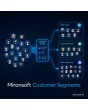
SKU: CUSTOMERSEGMENTS1
- Segments from rules: revenue, order count, country, category purchases
- Automatic recalculation via cron and after every order
- Usable as a condition in cart price rules and CMS blocks
- CSV export of segment members for newsletter systems
Einmaliger Kauf · inkl. 12 Monate Updates · zzgl. MwSt.
Magento 2 customer segments: target groups automatically instead of by hand
Not every customer is worth the same and not everyone needs the same approach. Someone who spends 1,500 a year deserves a loyalty bonus, a new customer needs orientation, a customer from Austria needs different shipping notes. Magento offers customer groups for this, but they are assigned by hand or at registration and do not follow actual behavior. This page covers Magento 2 customer segments in detail.
With Magento 2 customer segments the module calculates segments from your own shop data: total revenue, order count, country, time since the last order and purchases in specific categories. Segments update themselves via cron and after every order. You use them as a condition in cart price rules, control CMS blocks with them and export members for your newsletter system. You operate it in the Magento admin, the output in the Hyvä frontend needs no extra JavaScript.
Magento 2 customer segments instead of manual customer groups: segments that update themselves
Define the rule once, the module assigns customers automatically and removes them again when they no longer match.
Rule-based segments
Conditions from total revenue, order count, country, category purchases and last order.
AND/OR groups
Combine conditions in nested groups, as you know from Magento price rules.
Automatic upkeep
Recalculation via cron and after orders, assignment without manual work.
Prices and promotions
Segments as a condition in cart price rules, e.g. loyalty discount above 1,000 revenue.
Content by segment
Show or hide CMS blocks and widgets for a segment only.
Export
Provide members as CSV for newsletter and CRM systems.
Customer segmentation in Magento: describe target groups by rule
A segment consists of conditions: for instance total revenue of the last 12 months above 1,000, at least three orders, shipping country Austria or at least one purchase in a given category. Conditions can be grouped with AND/OR. For Magento 2 customer segments the preview shows how many customers currently match.
- Revenue, order count, country, last order X days ago, category purchases
- Condition groups with AND/OR
- Preview with member count before activating
Price rule by customer segment and CMS content per target group
Magento 2 customer segments appear as an extra condition in cart price rules, so discounts, free shipping or notices only apply to matching customers. For CMS blocks and widgets you define which segment may see them. Guests belong to no segment and see the default content. With full-page caches, segment-dependent content has to be delivered as private content, which the setup takes care of for you.
- Segment as a condition in cart price rules
- Show or hide CMS blocks and widgets per segment
- Guests always see the default content
Maintain Magento 2 customer segments traceably and data-minimally
A cron job recalculates Magento 2 customer segments, and affected customers are re-evaluated right after an order. The admin customer profile shows current segments, the log records entry and exit with a timestamp. The module only uses data from your own shop. Segmentation is processing of personal data, so review your privacy policy and records of processing activities.
- Recalculation via cron and after orders
- Log of entry and exit per customer
- No external data sources, no transfer to third parties
How shops use Magento 2 customer segments
Three typical everyday scenarios.
Loyalty discount for repeat customers
Segment Repeat customers: at least three orders and more than 1,000 in revenue over twelve months. A cart price rule automatically grants this segment five percent.
Reactivating inactive customers
Segment Inactive: last order more than 180 days ago. You export the members as CSV and address them specifically in your newsletter system.
Country-specific content and notices
Segment Austria: shipping country AT. A CMS block with matching shipping information appears only for these customers and is hidden for everyone else.
Customer groups versus Magento 2 customer segments
| Aspect | Customer groups (Magento default) | Customer Segments |
|---|---|---|
| Assignment | By hand or at registration | Automatically by rules from order data |
| Freshness | Only on manual change | Cron and re-evaluation after an order |
| Conditions | None | Revenue, order count, country, category purchases, inactivity |
| Use in price rules | Yes, but static | Segment as a condition, dynamic |
| Traceability | No history | Log with entry and exit |
Setting up Magento 2 customer segments in five steps
-
1
Clarify goals
We discuss which target groups matter for prices, content and newsletters.
-
2
Installation
Mironsoft installs the module and sets up the cron for recalculation.
-
3
Create segments
Together we build the first segments and check the member count in the preview.
-
4
Connect
Segments are linked with cart price rules, CMS blocks and the export.
-
5
Privacy check
You receive a list of processed data fields for your privacy policy and records of processing.
Differentiation from related Mironsoft modules
The module determines who belongs to which target group. Individual prices for single customers remain the job of Custom Price, access to protected CMS pages belongs to CMS Page Restriction, admin permissions to Advanced Permissions. All three can use segments as a condition.
Because Magento 2 customer segments are based on order data, they complement recommendation modules like Who Bought This Also Bought: first the segment arises, then you steer its content.
No download — personal setup instead
Customer Segments is not listed here as a ready-made download file for self-installation. The purchase is a service commission: we get in touch with you after the purchase, install the module in your shop and define your first segments, recalculation intervals and the connection to price rules and CMS blocks together with you.
Frequently asked questions
Everything you need to know about how it works, setup and how the purchase works.
How are Magento 2 customer segments different from customer groups?
Which conditions are possible?
How current are Magento 2 customer segments?
Is segmentation privacy compliant?
Does it work with page cache and Hyvä?
How can I segment customers automatically in Magento 2?
How do I give repeat customers a discount in Magento 2?
Do guests see Magento 2 customer segments?
Can I take segments into my newsletter system?
Can I download and install the module myself?
Recently Viewed Products

Magento 2 customer segments – Mironsoft