Magento 2 Category Code as a Stable Identifier
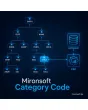
SKU: CATEGORYCODE1
- Unique code per category, independent of ID and URL key
- Import and ERP: stable mapping across environments
- Layout handle and body class per code for targeted styling
- API lookup by code, no ID tables to maintain
Einmaliger Kauf · inkl. 12 Monate Updates · zzgl. MwSt.
Magento 2 category code: a stable identifier instead of changing IDs
In Magento 2 you recognize a category by its numeric ID. That ID differs between development, staging and live systems and changes once a tree is rebuilt. The URL key is no good as a key either, because it gets renamed for SEO reasons. Anyone who addresses categories in imports, in the ERP or in layout rules needs an identifier that stays. Mironsoft's Magento 2 category code delivers exactly that.
Mironsoft Category Code is a Magento 2 extension that gives each category a unique short code, such as TOOLS-CORDLESS. The code is validated, queryable via API and produces a layout handle and a body class. Mironsoft sets the module up in your shop.
Features of the Magento 2 category code at a glance
A short, readable code ties together shop, ERP, import and layout without anyone having to memorize IDs.
Unique code
One code per category, globally unique and maintained right in the category form.
Validation
Format and uniqueness are checked on save, duplicate codes are ruled out.
Lock after saving
Optionally the code is locked after the first save so ERP mappings stay stable.
Layout handle
Each code creates a layout handle so layout XML can target exactly one category.
API lookup by code
The code is a REST extension attribute and can be queried directly.
Import and export
The code works as a key column to match categories unambiguously.
Maintaining and validating the Magento 2 category code in the form
The category form gets a “Category code” field. Uppercase letters, digits, underscore and hyphen are allowed, and the pattern can be adjusted in the configuration. On save the module checks whether the code is already taken and reports the conflict with the affected category.
- Format adjustable via pattern (regex)
- Uniqueness checked globally, with a clear error message
- Suggestion from the name optional
Magento 2 category code for import, ERP and staging comparison
Because the code is not assigned by the database, it is the same on development, staging and live. Import files and ERP interfaces therefore refer to the code instead of an ID. If you lock the code after the first save, nobody can change it by accident and destroy a mapping.
- Same code in all environments
- Lock protects against accidental changes
- Usable as a key column in category import/export
Magento 2 category code as layout handle and body class
For each code the module creates a layout handle, for example catalog_category_view_code_tools_cordless. It lets you control layout XML for exactly one category without relying on an ID. In addition the body tag receives a CSS class through which Tailwind or template adjustments apply precisely.
- Handle scheme: catalog_category_view_code_<code>
- Body class category-code-<code>
- No ID dependency in layout files
Finding categories by Magento 2 category code through the API
The code appears as an extension attribute on the category in the REST API and can be queried through a dedicated endpoint and a service contract (getByCode). Custom modules and interfaces fetch the matching category without first maintaining a table of IDs.
- Extension attribute on the category
- Lookup by code through endpoint and service contract
- Existing integration permissions apply
Use cases: where the Magento 2 category code pays off
ERP and merchandise management
ERP product groups are mapped to Magento categories through the code, not through database IDs.
Staging and live
Layout and import rules stay identical on all systems because the code is the same everywhere.
Individual category pages
A category gets its own layout without the ID appearing in the layout XML.
Product feeds and tracking
Marketplace or analytics mappings point to the code and survive renames of name and URL.
ID and URL key vs. Magento 2 category code
This is how the code differs from the built-in options.
| Criterion | Without the module | With the module |
|---|---|---|
| Stability | ID changes per environment | Code stays the same |
| Renaming | URL key changes | Code remains unchanged |
| Readability | Number without meaning | Meaningful short code |
| Layout rules | Via ID only | Handle per code |
| API lookup | Via ID or search | Directly by code |
| Uniqueness | By the database | By validation in the form |
Setting up the Magento 2 category code in four steps
Alignment
We define the code scheme, such as uppercase with hyphens, and clarify the lock rule.
Setup
Mironsoft installs the module and assigns codes to existing categories.
Connection
We connect import, ERP interface or layout rules to the codes.
Handover
Your team maintains new codes itself, a short walkthrough is included.
No download — personal setup instead
Mironsoft Category Code is not listed here as a ready-made download file for self-installation. The purchase is a service commission: we get in touch with you after the purchase, install the module in your shop, and agree together on the code scheme, whether codes are locked after saving and which imports or interfaces use the Magento 2 category code.
Frequently asked questions
Everything you need to know about format, uniqueness and the purchase process.
How can I identify categories uniquely in Magento 2?
Why is the category ID not enough in Magento 2?
Which characters are allowed in the code?
Can I change the code later?
How do I address a category by its code in layout XML?
Can the code be retrieved via the REST API?
Does the Magento 2 category code work with Hyvä?
Does the module change category URLs?
Is the code set per store view?
Can I download and install the module myself?
Recently Viewed Products

Magento 2 category code – Mironsoft