Magento 2 Barcode Generator for Packing Slips, Pick Lists and Labels
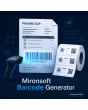
SKU: BARCODEGENERATOR1
- EAN-13, Code 128 and QR code from your shop data
- code on packing slip and pick list, scannable in the warehouse
- product labels from the product grid as PDF
- EAN check digit verified on save
Einmaliger Kauf · inkl. 12 Monate Updates · zzgl. MwSt.
Magento 2 barcode generator: barcodes and QR codes where your warehouse needs them
The Magento 2 barcode generator from Mironsoft creates EAN-13, Code 128 and QR codes directly in the shop and prints them on packing slips, pick lists and product labels. The code is generated on your own server, with no external service and no image upload. Which information goes into the code, such as order number, SKU or EAN attribute, is set in the admin. The warehouse scans instead of typing.
Several code types
EAN-13, Code 128 and QR code are available, configurable separately for each place of use.
Packing slip and invoice
The code appears on the PDF packing slip, for instance as the order number scanned while packing.
Pick list with item codes
Each pick list line carries the barcode of the SKU, so pickers confirm items with a scanner.
Print product labels
From the product grid you create labels with code, SKU and name as a PDF in common label sizes.
EAN check digit
The module checks length and check digit of the EAN attribute and reports faulty values before they are printed.
Free choice of source
SKU, any product attribute, the order number or a tracking URL can serve as content.
Why a Magento 2 barcode generator takes load off the warehouse
In the warehouse, seconds count. Anyone who types order numbers and item numbers by hand or reads them from paper makes mistakes and loses time. People searching for a Magento 2 barcode generator, for printing a Magento 2 EAN barcode or for a Magento 2 QR code on the packing slip want Magento itself to deliver scannable codes.
With the Magento 2 barcode generator, the code is built from data the shop already holds. There is no second data upkeep and no spreadsheet label template. The result is a document that any standard handheld scanner can read.
Magento 2 barcode generator on the packing slip: open the order by scan
On the packing slip the module places a barcode or QR code with the order number. When packing, the employee scans the document and knows immediately which order is in front of them. Position, size and code type are set in the admin. The code is written into the PDF as a vector and stays readable even at small sizes.
- Order number as Code 128 or QR
- Position and size adjustable in the PDF
- Vector graphic instead of image, sharp down to the minimum size
Magento 2 barcode generator for the pick list: faster picking
The pick list shows article, quantity and bin per line, plus the code of the SKU or EAN attribute. The picker scans the item on the shelf and thereby confirms the line. Sorting by bin or category and the number of columns are adjustable. Several orders can be merged into one collective list.
- Code per line from SKU or EAN attribute
- Collective list for several orders
- Sorting by bin or category
Magento 2 barcode generator for labels: print product labels
In the product grid you select items and choose print labels. The module creates a PDF with code, SKU, name and optionally price. Label formats such as sheet or roll are set through width, height and number of columns. The quantity per product can be taken from stock so that each delivered pallet gets the matching number of labels.
- Label format through width, height and columns
- Quantity per product fixed or from stock
- Optional price and name on the label
Magento 2 barcode generator settings: check EAN, choose code types
Under Stores › Configuration you choose which codes appear on which documents and which attribute counts as EAN. The check digit is verified when saving. Who may trigger printing is decided by the admin roles. All settings can be overridden per store view, so an outlet can use different labels from the main shop.
- Check digit control for EAN-13 on save
- Permissions through admin roles
- Settings overridable per store view
Where the Magento 2 barcode generator helps in daily warehouse work
Four workflows that get faster with a Magento 2 barcode generator.
Packing without typing
The parcel is assigned to the order through the code on the packing slip, without entering a number.
Capturing returns
The QR code on the packing slip leads straight to the order in the admin when scanned, so the return is booked in seconds.
Labelling goods received
New goods get labels with EAN or SKU in no time before they go onto the shelf.
Trade fairs and in-person sales
A label with a QR code links to the product page, so customers see details and price on their phone.
Magento 2 barcode generator: without and with the module compared
Manual work against a scanner workflow.
| Topic | Without module | With Mironsoft Barcode Generator |
|---|---|---|
| Assigning an order | Read and type the number | Scan the code |
| Picking | Tick off lines, typos possible | Scan the item on the shelf |
| Labels | External software or spreadsheet template | Straight from the product grid |
| EAN data | Errors only show up at the scan | Check digit verified on save |
| Dependency | Extra service or image upload | Generated on your own server |
How we set up the Magento 2 barcode generator for you
The process after you place the order.
Briefing
We clarify which documents get codes, which scanners you use and which label formats you print.
Installation
We install the Magento 2 barcode generator and add the codes to packing slip, pick list and product grid.
Check attributes
We define the EAN attribute and check existing values for length and check digit.
Test print
We print samples that you verify with your scanner and adjust size and position.
Handover
Your team gets an introduction to roles, label formats and settings.
How this differs from shipping labels and label modules
The shipping label module from Mironsoft creates parcel labels for carriers and takes over their data. The Magento 2 barcode generator, in contrast, delivers internal codes for packing slip, pick list and product label and does not talk to any carrier.
Both modules can be combined. The generator computes on the server and loads nothing in the frontend, not even JavaScript.
No download — personal setup instead
Mironsoft Barcode Generator is not listed here as a ready-made download file for self-installation. The purchase is a service commission: we get in touch after the purchase, install the module in your shop and agree on code types, documents and label formats together with you.
Frequently asked questions
Everything important about code types, packing slip, labels and how the purchase works.
How can I output a barcode on the packing slip in Magento 2?
Which code types are supported?
How can I print product labels with EAN in Magento 2?
Are the codes created by an external service?
What happens with a wrong EAN?
Can I use any attribute as code content?
Can handheld scanners read the codes?
Does the Magento 2 barcode generator run with Hyvä?
Does this replace an inventory system?
Can I download and install the module myself?
Recently Viewed Products

Magento 2 Barcode Generator – Mironsoft