Magento 2 Admin Product Links in the Category Grid
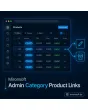
SKU: ADMINCATEGORYPRODUCTLINKS1
- Name and SKU as links straight to the product edit page
- Storefront view via icon, with selectable store view
- New tab optional, your assignment is never lost
- Permission-safe through ACL check, with no extra load on the grid
Einmaliger Kauf · inkl. 12 Monate Updates · zzgl. MwSt.
Magento 2 admin product links: jump from the assignment grid straight into the product
In the Magento 2 category form the “Products in Category” grid lists all assigned items. If you want to check or correct one of them, you have to leave the form, search in the product grid and open the item there. The state of your assignment is easily lost on the way. The Magento 2 admin product links from this module turn every row into a direct entry point.
Mironsoft Admin Category Product Links is a Magento 2 extension that turns name and SKU in the assignment grid into links and adds an icon to the storefront product page. Mironsoft sets the module up in your shop, and it affects the admin area only.
Features of the Magento 2 admin product links at a glance
One click instead of four: with Magento 2 admin product links you stay in your work instead of switching between grids and search fields.
Link to the product edit page
Name, SKU or both lead directly into editing the product.
Optional new tab
The product opens in a new tab if you wish, the category assignment stays untouched.
Storefront view via icon
An icon opens the product page in the shop, with a freely selectable store view.
Smart suppression
For disabled or not individually visible products the storefront link is omitted, with a hint.
ACL check
The edit link only appears if the admin user may edit products.
Batched query
All storefront URLs of a page are fetched in one query, the grid stays fast.
Magento 2 admin product links: name and SKU lead straight into editing
In the assignment grid the product name becomes a link to the product edit page, optionally the SKU too. Editors correct the description, price or image of an item without leaving the category form and searching for the product first.
- Selectable: name, SKU or both as links
- Open in a new tab via setting
- Rows without permission stay plain text
Checking the storefront: Magento 2 admin product links with store view choice
Next to the name an icon opens the product page in the shop. In the configuration you define which store view is used for it, for example the German main shop. The URL comes from the URL rewrites of the chosen store view, so the link leads to the real, clean address.
- Store view for storefront links freely selectable
- Link omitted for disabled or not individually visible products
- Tooltip names the reason, e.g. “Product disabled”
Permission-safe and fast: Magento 2 admin product links in a large catalog
The edit link is only shown if the user has the permission to edit products. All storefront URLs of the visible page are determined with a single query, not per row. Even categories with several hundred products therefore open quickly.
- Checks the existing ACL resource for products
- One batched query per grid page
- No change to product data
Using Magento 2 admin product links together with preview images
With the sister module Admin Category Product Thumbnails you see the product image next to the link. Together the two modules give you an assignment grid in which you recognize a product, check it and edit it immediately if needed, without leaving the category form.
- Image plus link in the same row
- Both modules usable on their own
- No shared configuration required
Use cases: when Magento 2 admin product links pay off
Data maintenance within a category
While going through a category a wrong price or text catches your eye. One click opens the product, after saving you return.
Checking before go-live
New categories can be verified row by row in the shop, every product page opens via icon in the right store view.
Several teams
The content team edits products, accounting only sees text. The permission handles this automatically.
Troubleshooting
If an item does not appear in the shop, the tooltip shows whether it is disabled or not individually visible.
Standard grid vs. Magento 2 admin product links with the module
The comparison shows how the path from the grid to the product changes.
| Criterion | Without the module | With the module |
|---|---|---|
| Opening a product | Leave the category, search in the product grid | One click on the name |
| New tab | Manually via right click | Via setting |
| Storefront view | Hunt down the URL manually | Icon with store view choice |
| Disabled products | Link leads nowhere | Link omitted, tooltip explains |
| Permissions | Not considered | ACL check per user |
| Loading behavior | Text only | Batched URL query |
Setting up the Magento 2 admin product links in four steps
Alignment
We clarify whether name, SKU or both are linked and which store view applies to storefront links.
Setup
Mironsoft installs the module and creates the configuration in the admin.
Review
We test with active, disabled and invisible products as well as restricted admin roles.
Handover
Your team works with the links right away, a short walkthrough is included.
No download — personal setup instead
Mironsoft Admin Category Product Links is not listed here as a ready-made download file for self-installation. The purchase is a service commission: we get in touch with you after the purchase, install the module in your shop, and agree together on whether name, SKU or both are linked, whether the links open in a new tab and which store view the Magento 2 admin product links use for the storefront.
Frequently asked questions
Everything you need to know about scope, permissions and the purchase process.
How can I open a product directly from the category grid in Magento 2?
How do I open a product in a new tab in the Magento backend?
Can I also call up the product page in the shop?
What happens with disabled or invisible products?
Do all admin users see the links?
Does the module change product data?
Does the module slow down the category form?
Do the Magento 2 admin product links work with Hyvä?
How does it complement product images in the grid?
Can I download and install the module myself?
Recently Viewed Products

Magento 2 admin product links – Mironsoft Admin Category Product Links