Magento 2 Admin Login Log with IP Alert and Block
SKU: ADMINLOGINLOG1
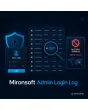
- every backend sign-in recorded with time, IP, browser and result
- alert email as soon as an admin signs in from an unknown IP
- IP block after a configurable number of failed attempts
- retention period with cron cleanup, filters and CSV export
Einmaliger Kauf · inkl. 12 Monate Updates · zzgl. MwSt.
Magento 2 admin login log: know who enters the backend and when
With the Magento 2 admin login log from Mironsoft your shop records every sign-in to the backend, successful or failed, with time, username, IP address and browser. When an admin signs in from an unknown IP, an alert email goes to the people in charge, and repeated failures lead to a block of that address. The evaluation is a regular Magento grid, and the module needs no third-party library.
Every sign-in recorded
Success and failure land in a dedicated table with time, username, IP and browser.
Alert on a new IP
An email tells you when an admin signs in for the first time from an address not seen before.
IP block
After a configurable number of failed attempts within a time window the address is blocked.
Trusted networks
Enter office or VPN addresses as trusted and the alerts stay quiet.
Retention period
A cron job deletes entries after the number of days you choose.
Filter and export
The grid filters by user, IP, result and period and exports to CSV.
Why a Magento 2 admin login log matters in daily shop operations
The backend is the most sensitive part of any shop: whoever gets in can change prices, read customer data and switch payment methods. That is why merchants search for a Magento 2 admin login log, for ways to log Magento 2 admin sign-ins or for a Magento 2 admin IP alert. Magento itself locks an account after several failed attempts, but it offers no clear list of who signed in, when and from where.
Without that list an attack often shows up only after something has been changed. With the Magento 2 admin login log you spot suspicious patterns early: many failures from one network, sign-ins in the middle of the night or an employee who suddenly connects from another country.
Log Magento 2 admin sign-ins: time, IP and browser
On every sign-in attempt to the backend the Magento 2 admin login log writes an entry. It holds the entered username, the IP address, the browser user agent, the time and the result. On a failure the password is of course never stored. Sign-ins with two-factor authentication or locked accounts appear as separate results, so the list shows what really happened.
- Success, failure and locked account as separate results
- No password in the database, only the username
- Browser identifier to tell devices apart
Magento 2 admin IP alert for an unknown address
The module remembers which addresses a user has signed in from so far. When a new address appears, it sends an alert email to the recipients you enter in the configuration. That helps with a switch to home office as much as with foreign access. Trusted addresses or network ranges can be excluded so that the office does not trigger alerts.
- Email to one or more addresses, template per store view
- Exclude trusted addresses and network ranges
- Threshold: warn only once a user already has known addresses
Block a Magento 2 admin IP after failed attempts
Repeated failures from the same address point to automated attacks. You decide how many failures within which time lead to a block and how long it lasts. The blocked address no longer reaches the backend sign-in. In the admin you see all active blocks and lift single ones by hand if an employee locked themselves out.
- Number of failures and time window configurable
- Block duration in minutes or permanent
- Manual lifting and manual blocking in the admin
Retention, filters and export in the admin
IP addresses are personal data, so the Magento 2 admin login log deletes entries by cron automatically after the number of days you set. In the grid you filter by user, address, result and period and export the result as CSV, for example for an audit or your data protection officer. Access is controlled through its own ACL resource, so only the roles that need it can see the list.
- Retention in days, cleanup by cron
- CSV export of the filtered grid
- Own ACL resource for access
Where the Magento 2 admin login log helps in operations
Four typical situations from the daily work of shop teams.
Spot an attack early
Many failed attempts in a short time from one network stand out in the Magento 2 admin login log at once, and the block takes effect before a password is guessed.
External service providers
Agencies and freelancers get their own accounts. The log shows when they were in the backend, and a new address triggers an alert.
Staff changes
After someone leaves you check whether the old account was still used before you deactivate it.
Audit and evidence
For internal reviews you export the sign-ins of a period as CSV and show who had access.
Magento 2 admin login log: without and with the module compared
What changes compared with standard Magento.
| Topic | Without module | With Mironsoft Admin Login Log |
|---|---|---|
| Overview | No list of all sign-ins | Grid with time, user, IP, browser, result |
| New IP | Goes unnoticed | Alert email to your team |
| Failed attempts | Lock only per account | Additional block per IP address |
| Privacy | No own retention period | Automatic deletion after days |
| Evidence | Search server logs | Filter and CSV export in the admin |
How we set up the Magento 2 admin login log for you
The process after your order.
Agreement
You decide who receives alerts, which networks are trusted and how long entries stay.
Installation
We install the Magento 2 admin login log and check that signing in to the backend works unchanged.
Thresholds
We set failures, time window and block duration to suit your team.
Test
We test successful and failed sign-ins, the alert email and lifting a block.
Handover
Your team gets a short introduction to the grid, block list and export.
Delimitation from the Mironsoft action log
The Mironsoft action log records what an admin changed in the backend, for example on products or settings. The Magento 2 admin login log answers the question that comes before: who signed in at all, from where and with what result? Both modules complement each other and can be used together.
The interface uses the standard grids of the Magento admin. Nothing runs in the frontend, so there is no extra load for Hyvä, Alpine.js or page output. Legal questions about storing IP addresses should be clarified with your data protection officer.
No download, personal setup instead
Admin Login Log is not listed here as a ready-made download file for self-installation. The purchase is a service commission: we get in touch after the purchase, install the module in your shop and agree on alerts, block rules and retention together with you.
Frequently asked questions
Everything about the log, IP alert, block and how the purchase works.
How can I log admin sign-ins in Magento 2?
How can I see who signed in to the Magento 2 admin?
How do I get an alert for a sign-in from a new IP?
How can I block an admin IP in Magento 2?
Are passwords stored in the log?
How long are the entries kept?
What if I locked myself out?
Does the Magento 2 admin login log work with two-factor authentication?
How does this differ from the action log?
Can I download and install the module myself?
Recently Viewed Products

Magento 2 Admin Login Log – Mironsoft