Magento 2 Accounting CSV Export with Account Mapping
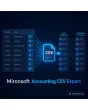
SKU: ACCOUNTINGCSVEXPORT1
- export invoices and credit memos as booking lines
- assign accounts by tax rate, country and payment method
- columns, delimiter and number format freely adjustable
- export via cron with marking and log
Einmaliger Kauf · inkl. 12 Monate Updates · zzgl. MwSt.
Magento 2 Accounting CSV Export: booking lines for any finance software
With the Mironsoft Magento 2 Accounting CSV Export you hand invoices and credit memos to your accounting as booking lines. You assign payment methods, tax rates and revenue to the accounts of your chart of accounts, design columns, delimiter and date format freely and export manually or on a schedule. The result is a CSV file that tax advisors and finance software read without rework. The DATEV format is left to a separate module.
Invoices and credit memos
Both document types are exported as booking lines, credit memos with a reversed sign.
Assign accounts
Revenue accounts by tax rate, country or customer group, debtor and collective accounts freely defined.
Payment methods and fees
One offset account per payment method, plus separate accounts for shipping, discounts and fees.
Design columns freely
Set order, column names, delimiter, decimal comma and date format yourself.
Export only new items
Documents already exported are marked and skipped in the next run.
Schedule and storage
Export via cron into a folder or by email to the tax advisor, with a log.
Why a Magento 2 Accounting CSV Export saves time in accounting
Many shops still transfer their revenue by hand: export the order list, rebuild it in a spreadsheet, assign tax rates, enter accounts. That costs hours every month and invites mistakes because credit memos, shipping costs and mixed tax rates get tangled quickly. The standard Magento export delivers orders, but no booking lines with accounts.
A Magento 2 Accounting CSV Export creates these lines automatically and according to your rules. Once set up, it delivers the same structure month after month, the one your accounting knows. The tax assessment stays with your tax advisor, the module delivers the data cleanly and traceably.
Magento 2 Accounting CSV Export: assign accounts, tax rates and payment methods
In the mapping table of the Magento 2 Accounting CSV Export you connect every combination of tax rate, country and customer group with a revenue account. For payment methods you store the offset account, for shipping costs, discounts and fees separate accounts. If a mapping is missing, the run does not abort but uses a collective account and reports the case in the log, so nothing is booked wrongly without notice.
- Revenue account by tax rate, country and customer group
- Offset account per payment method
- Collective account and notice for missing mapping
Decide column layout, delimiter and number format yourself
In the Magento 2 Accounting CSV Export you choose which fields appear as columns and in which order: document number, document date, account, offset account, amount, tax key, booking text and more. Delimiter, text qualifier, decimal comma or point, date format and character set you adjust to the target software. Several profiles allow different formats for the tax advisor and for internal analysis.
- Fields and order freely selectable
- Delimiter, decimal sign, date format, character set
- Several export profiles side by side
One document becomes several booking lines by tax rate
In the Magento 2 Accounting CSV Export a document with mixed tax rates yields one booking line per rate, plus lines for shipping, discount and fees. Credit memos appear with a negative sign or as a debit and credit swap, depending on the profile. The module settles rounding differences on the largest line so that the totals match the document. All amounts come from the stored documents, not from a recalculation.
- One line per tax rate, plus shipping and discount
- Credit memos with sign or debit/credit swap
- Rounding difference on the largest line
Export on a schedule, with marking and log
The Magento 2 Accounting CSV Export runs on a button click for a period or automatically via cron, for example on the first working day of the month. Documents already exported are marked, a repeated export requires a deliberate choice. The file lands in a folder or goes by email to the tax advisor. The log records period, document count and totals. Legal requirements such as GoBD are checked by the shop operator with the tax advisor.
- Period or cron run
- Marking of exported documents
- Storage in a folder or by email, with log
Where the Magento 2 Accounting CSV Export helps in daily work
Typical situations in which automated booking lines ease the work.
Month-end closing
With the Magento 2 Accounting CSV Export the file for the previous month is ready. Accounting imports it instead of rebuilding revenue from order lists.
Several countries and tax rates
Selling into several countries with different rates calls for different revenue accounts. The mapping table covers this once.
A system other than DATEV
Not every finance software reads a fixed format. With a free column layout the file adapts to your program.
Tax advisor changes
A new advisor wants a different structure. A second export profile delivers it without changing the existing process.
Magento 2 Accounting CSV Export: without and with the module
The difference to rebuilding in a spreadsheet.
| Topic | Without the module | With Mironsoft Accounting CSV Export |
|---|---|---|
| Effort | Hours per month by hand | File at the click of a button or via cron |
| Accounts | Entered manually per document | Rules by tax rate, country, payment method |
| Credit memos | Easily forgotten or signed wrongly | Own handling in the profile |
| Duplicate exports | Possible | Marking of exported documents |
| Format | Adapted in spreadsheets | Columns and number format freely adjustable |
How we set up the Magento 2 Accounting CSV Export for you
The process after your order.
Briefing
You send us your chart of accounts, the sample file of your finance software or the wishes of the tax advisor.
Installation
We install the module and build the mapping of tax rates, countries and payment methods for the Magento 2 Accounting CSV Export.
Export profile
We define columns, delimiter, number format and character set until the target software reads the file cleanly.
Test
We export test periods with credit memos, mixed tax rates and foreign sales and compare the totals.
Handover
Your team gets the schedule and an introduction to mapping, repetition and log.
Scope compared with the DATEV export and the ERP connection
The Mironsoft DATEV export produces files in the format of that software. The Magento 2 Accounting CSV Export, by contrast, is generic: you define columns, accounts and number format yourself and serve any finance software that reads CSV.
All modules can be combined, for example a DATEV profile for the tax advisor and a free CSV for internal analysis. The administration in the admin needs no additional JavaScript library.
No download, but a personal setup
The Magento 2 Accounting CSV Export is not listed here as a finished download file for self-installation. The purchase is a commission: we contact you after the purchase, install the module in your shop and agree accounts, format and schedule with you.
Frequently asked questions
Everything important about accounts, format, schedule and how the purchase works.
How can I export invoices as CSV for accounting in Magento 2?
Which documents are exported?
Can I assign accounts by tax rate and country?
What happens if an account mapping is missing?
How do I avoid duplicate exports?
Can the export run automatically?
Does the Magento 2 Accounting CSV Export work with Hyvä?
Does the module replace the tax advisor?
How does the module differ from the DATEV export?
Can I download and install the module myself?
Recently Viewed Products

Magento 2 Accounting CSV Export – Mironsoft