Custom Shipping Labels for Magento 2
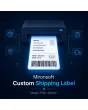
SKU: MCSL
- Custom label layout with logo, size, and address position
- Single or bulk printing directly from the order and shipment view
- Optional barcode/QR code for fast warehouse scanning
Einmaliger Kauf · inkl. 12 Monate Updates · zzgl. MwSt.
Shipping labels that match your shop
Instead of the rigid carrier default format, a custom label layout with logo, address, and optional barcode — single or in bulk.
Custom layout
Label width and height freely adjustable.
Return address
Optionally shown on the label as well.
Font & style
Font size and style (bold/italic/normal) per address.
Logo position
Your own image/logo with a freely chosen placement.
Address variables
Name, company, street, city, zip, region, country auto-filled.
Single print
Directly from the order or shipment view.
Bulk print
Multiple selected orders in a single run.
Custom button label
Print button caption freely editable.
Visibility per view
Print button shown/hidden per order/shipment view.
Barcode/QR code
Optional, for fast warehouse scanning.
Carrier templates
Starting layout matched to your shipping carrier.
Your label, not the generic carrier format
Instead of your carrier's rigid default format, you define size, font, logo position, and whether the return address is printed as well. Address fields are filled in automatically from the order data — first name, last name, company, street, city, zip, region, and country.
- Width, height, and font style freely configurable
- Own logo with a chosen position
- Return address optionally printed as well
One click for one order, one click for a hundred
The print button sits directly in the order and shipment view for single cases. During high order volume, select multiple orders in the grid instead and generate all labels as one print-ready PDF file.
- Single print directly from the order view
- Bulk print for any number of selected orders
- Print button shown or hidden per view
No download — personal setup instead
Custom Shipping Label is not listed here as a ready-made download file for self-installation. The purchase is a service commission: we get in touch with you after the purchase, align the label layout with your corporate design and your carrier, and set up the module accordingly in your shop.
Frequently asked questions
Everything important about layout, printing, and how the purchase works.
Does this replace my carrier's shipping labels?
Can I include my own logo?
How does bulk printing work exactly?
Is a barcode or QR code on the label possible?
Do I have to print the return address too?
Can I download and install the module myself?
Recently Viewed Products

Mironsoft Custom Shipping Label