How to load a default template as a starting point, work with variables, and activate your customized version in the right store view.
Every system email (order confirmation, invoice, shipment, credit memo, password reset, newsletter) is based on editable templates under Marketing > Communications > Email Templates.
Creating a new template
Click Add New Template. In the Load default template dropdown, pick the default template you want to customize (e.g. "Order Confirmation Template" for new orders) and click Load Template – the default template's HTML source appears in the editor as your starting point instead of you having to build one from scratch.

Template editor
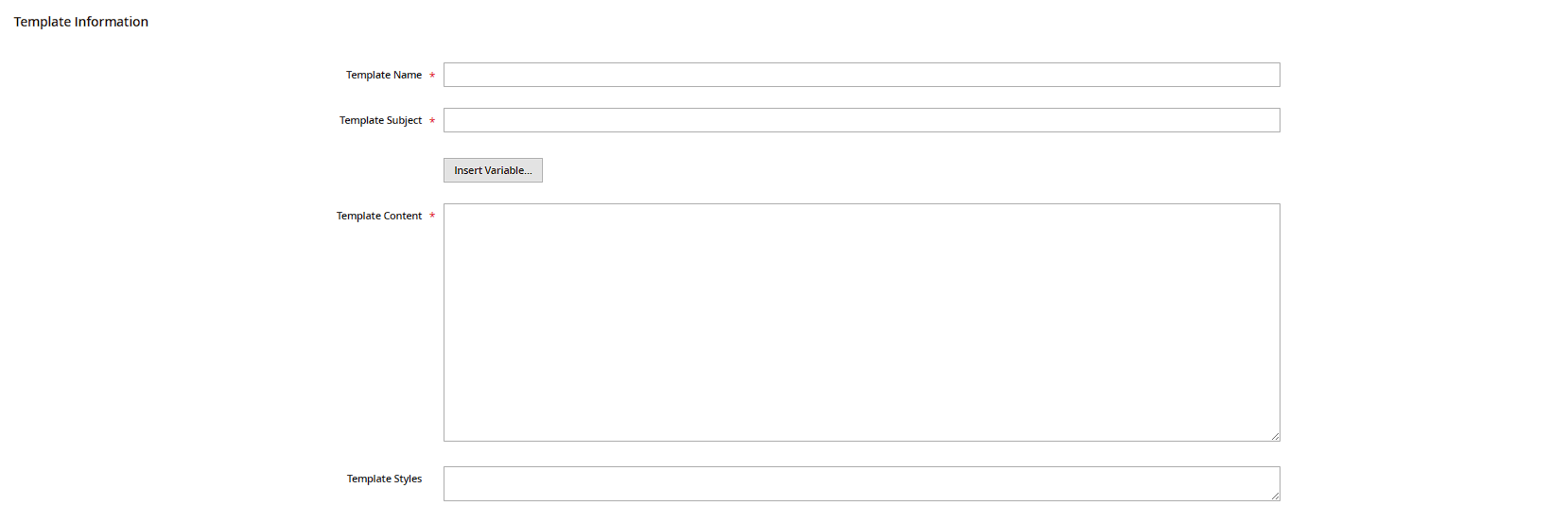
The editor has two levels: the visible HTML code in the large text field, plus two fields above it, Template Name (an internal name, shown only in the backend) and Template Subject (the actual subject line, which also supports variables). The Insert Variable button inserts dynamic placeholders at the cursor position, e.g. {{var order.increment_id}} for the order number or {{var customer.name}} for the customer's name – which variables are available depends on the underlying default template.
Preview before saving
The Preview Template button renders the email with sample data in a new tab – so you can spot layout issues (missing closing tags, broken tables) immediately, without triggering a test order first.
Activating your custom template
A saved custom template only takes effect once you select it in the corresponding dropdown under Stores > Configuration in the relevant section (e.g. Sales > Sales Emails for order emails, Customers > Customer Configuration for account emails) – separately per store view if you sell in multiple languages. Skip this step and the new template just sits there saved; the default template keeps getting sent.
Practical tip: never edit the core default template files directly in the filesystem – a Magento update will overwrite them. Going through Email Templates in the backend survives updates untouched.