Which products sell best, which barely sell at all, and where stock is running low.
You'll find product reports under Reports > Products. Particularly useful day to day:
- Ordered: which products were ordered most often within a given time period.
- Bestsellers: the top sellers, aggregated monthly by default – good for comparing seasonal trends across several months.
- Low Stock: products whose stock has fallen below a threshold you define – great for reordering in time.
- Viewed: which products got viewed the most, but possibly bought rarely (a hint at pricing or description issues, or even a checkout problem).
- Downloads: for downloadable products, how often a file was downloaded.
- Product Reviews: an overview of every submitted product review, grouped by product.
Configuring the low-stock threshold
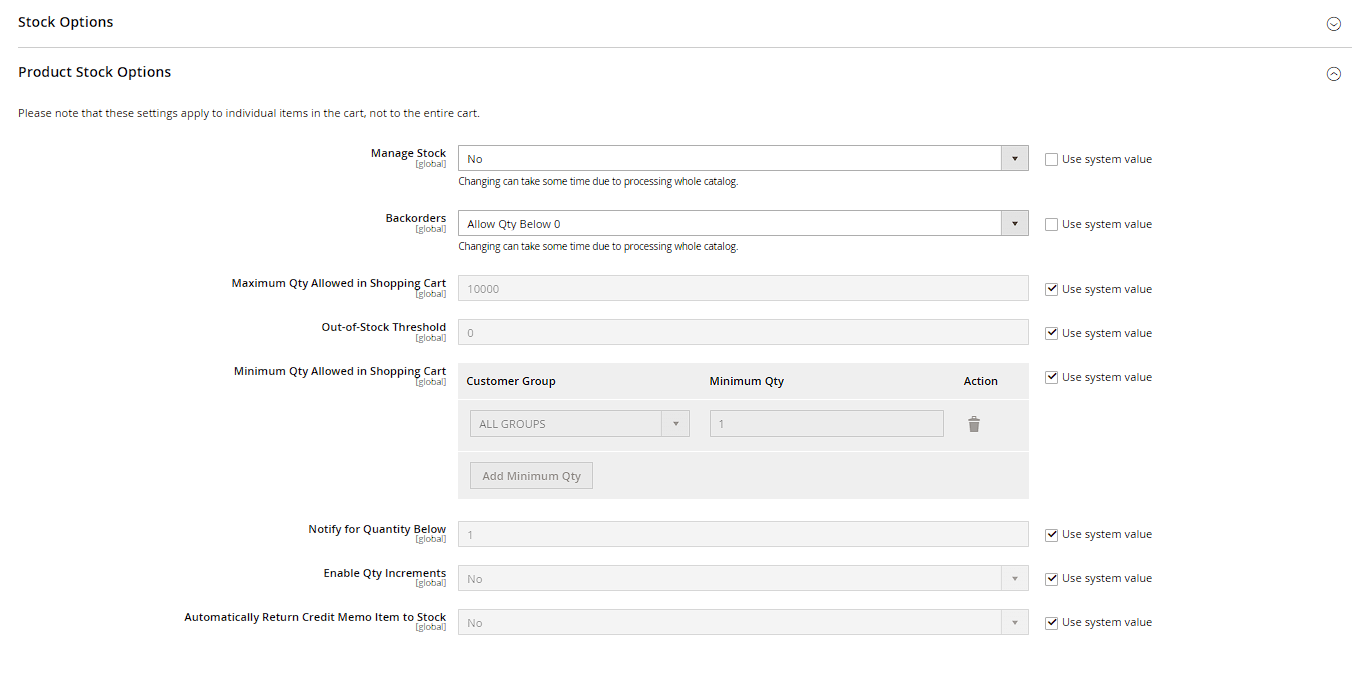
The Low Stock report can be configured with your own threshold (Stores > Configuration > Catalog > Inventory > Product Stock Options > Notify for Quantity Below) – products below that value then automatically show up in the report (and on the dashboard, see the "Understanding the Dashboard" chapter) and can be worked through systematically, instead of manually going through inventory.
Reading bestsellers correctly
The bestsellers report shows quantity sold, not revenue – so a cheap product sold in high volume can rank above an expensive product with few sales, even though the latter generated more revenue. For a revenue-based view, combine it with the "Orders" sales report broken down by product.
Using order status as a filter
For the Ordered and Bestsellers reports, you can additionally narrow results by Order Status (e.g. only "Complete" or "Processing") before clicking Refresh or Show Report. This prevents cancelled or still-open orders from skewing a product's sales figures.
Low stock per warehouse (Multi Source Inventory)
If you work with multiple warehouses (Multi Source Inventory), the Low Stock report doesn't just show global stock – it can be narrowed down via the Website field to individual sales channels and the sources behind them. This lets you see whether a product is running low overall or only at a specific location.
Moderating reviews directly from the report
The Product Reviews report shows the numbers but doesn't link directly to moderation – actually approving or rejecting individual reviews happens under Marketing > User Content > Reviews. Practical tip: regularly check whether products with many reviews actually show approved (not just submitted) reviews, since new reviews default to "Pending" and won't appear on the storefront without manual approval.