Hidden Admin Payment Method for Magento 2
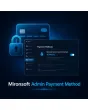
SKU: MAPM
- Hidden payment method, only selectable in the admin panel
- Automatic invoice & shipment optionally enabled
- Country restriction & grid filter in the admin order grid
Einmaliger Kauf · inkl. 12 Monate Updates · zzgl. MwSt.
A payment method only your team sees
Create orders in the admin panel (e.g. phone orders) with a payment method that never appears in the frontend checkout.
Hidden payment method
Never visible in the frontend checkout.
Admin-only selection
Only available when creating an order manually in the backend.
Auto-invoice
Invoice creation optionally automated on order placement.
Auto-shipment
Shipment creation optionally automated on order placement.
Grid filter
Orders placed with this payment method are filterable in the admin grid.
Store-view title
The payment method's title is configurable per store view.
Country restriction
Usage of the payment method can be limited to specific countries.
Customer account history
Visibility in the customer account is optionally enabled.
On/off switch
Enable or disable the payment method any time in the backend.
Hyvä compatible
Runs natively with the Hyvä checkout, no legacy JavaScript.
Multilingual
Store-view title configurable per language (differentiation).
Usage log
Who created which order with it and when (differentiation).
A payment method only for your team
If you regularly take orders by phone or email and enter them manually in the admin panel, you don't need to misuse one of your regular payment methods for that. The hidden admin payment method is only selectable in the backend and never appears in the normal checkout.
- Never selectable or visible in the frontend checkout
- Appears only in the payment selection when creating an order manually
- Country restriction prevents accidental use outside your market
Invoice and shipment, automatically
As soon as an order is created with the admin payment method, the module can optionally generate an invoice and shipment right away — without your team having to do these steps manually afterwards. In the admin order grid, every order placed this way can be filtered directly.
- Auto-invoice and auto-shipment can be enabled independently
- Grid filter shows every order with this payment method at a glance
- Complements existing automation like Auto Invoice & Shipment without replacing it
Not a download, but personal setup
Admin Payment Method is not listed here as a ready-made download file for self-installation. The purchase is a service commission: we will contact you after purchase and set up the payment method to match your order process personally in your shop.
Frequently Asked Questions
Everything about visibility, setup, and how the purchase works.
Do customers see this payment method at checkout?
What is this module useful for?
Can invoices and shipments be created automatically?
Is this a replacement for Auto Invoice & Shipment?
Can usage be restricted to certain countries?
Do customers see this payment method in their order history later?
Does the module work with Hyvä?
Can I download and install the module myself?
Recently Viewed Products

Mironsoft Admin Payment Method