Which Luma Remnants in a Hyvä Shop Are Really Necessary
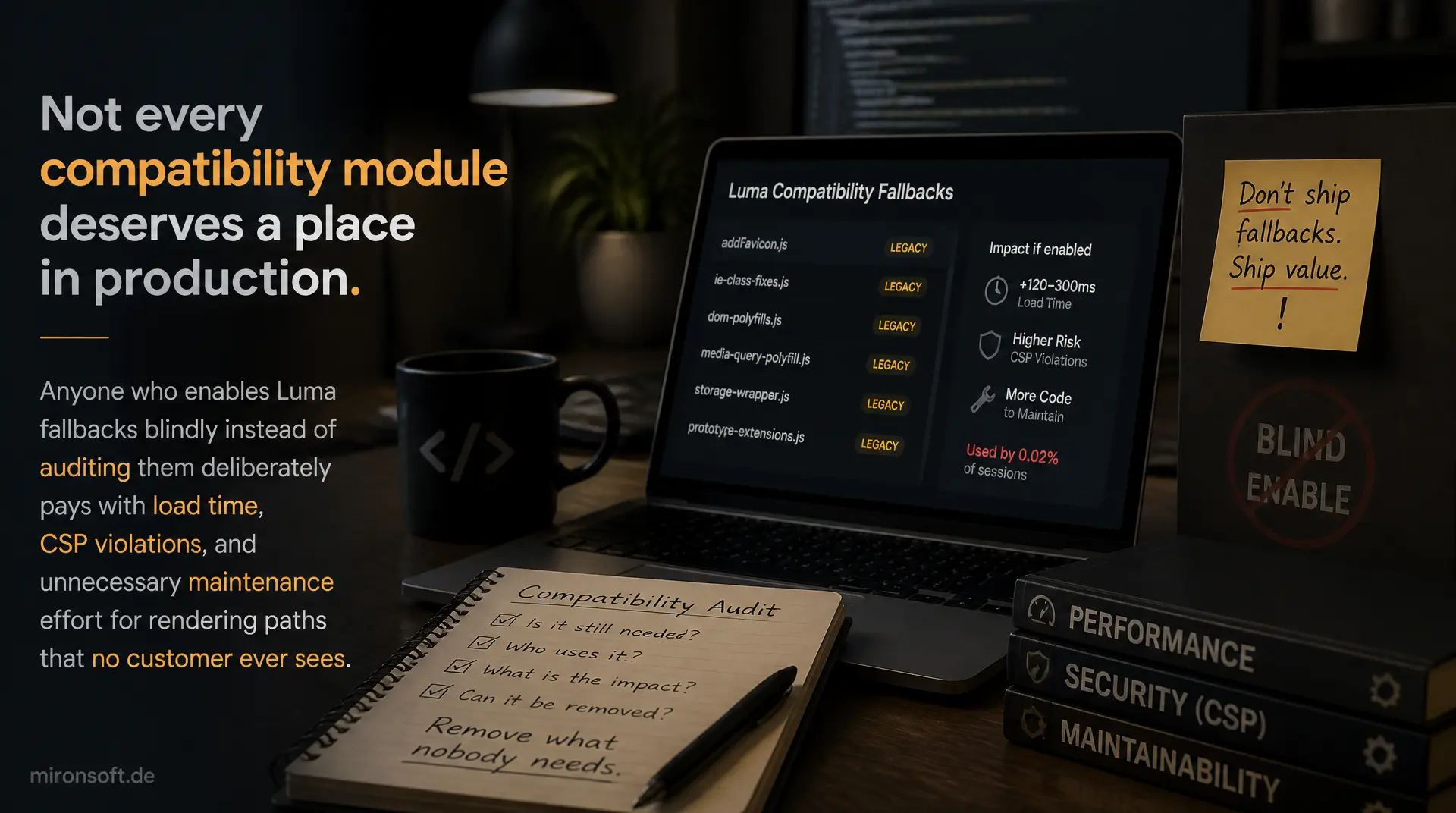
Not every compatibility module deserves a place in production. Anyone who enables Luma fallbacks blindly instead of auditing them deliberately pays with load time, CSP violations, and unnecessary maintenance effort for rendering paths that no customer ever sees.
Table of Contents
- 1. What Compatibility Modules Technically Do
- 2. Which Luma Remnants Stay Active in the Background
- 3. Decision Criterion: Auditing a Module
- 4. Iframe Isolation for Unavoidable Luma Fragments
- 5. Deliberately Disabling Unneeded Luma Assets
- 6. Keep the Compatibility Module or Port It Directly?
- 7. Testing: Detecting and Fixing CSP Violations
- 8. Practical Example: Auditing a Review Module
- 9. Comparison Table: Keep vs. Remove/Port
- 10. Summary
- 11. FAQ
1. What Compatibility Modules Technically Do
A compatibility module in Hyvä activates a fallback rendering path for third-party modules that have not yet been ported to native Hyvä templates. Instead of switching the entire frontend to Luma layout, Luma CSS, and RequireJS widgets, Hyvä loads the old Luma templates specifically for these modules, while the rest of the shop runs entirely on Tailwind and Alpine.js. This is a pragmatic compromise, not a design flaw.
The problem arises when compatibility modules are activated indiscriminately for entire groups of modules, instead of specifically for the modules that actually perform frontend rendering. Every additional compatibility module potentially pulls in RequireJS, jQuery widgets, and Luma CSS bundles, even if the associated third-party module only renders an admin grid or runs a cron job. Anyone who does not deliberately audit compatibility modules accumulates rendering paths over time that nobody needs anymore, yet every page carries along.
2. Which Luma Remnants Stay Active in the Background
In every Hyvä shop, some Luma areas structurally remain active, regardless of how consistently the frontend has been ported. The admin area runs entirely on Luma and UI components, but this does not affect frontend performance because it is never delivered to customers. What is relevant for compatibility modules are other remnants: third-party RequireJS mixins that hook into Luma components, the CSP report controller that still uses Luma routes, and certain payment iframes that necessarily bring their own JavaScript.
A typical compatibility module specifically registers in its di.xml which frontend areas the Luma fallback should apply to. This configuration is the first place an audit should start, because it reveals which areas the module actually claims.
<?xml version="1.0"?>
<!-- app/code/Vendor/Module/etc/di.xml -->
<!-- Example: compatibility module scoping the Luma fallback -->
<config xmlns:xsi="http://www.w3.org/2001/XMLSchema-instance"
        xsi:noNamespaceSchemaLocation="urn:magento:framework:ObjectManager/etc/config.xsd">

    <!-- Fallback is limited to the checkout payment step only -->
    <type name="Hyva\Compat\Model\FallbackResolver">
        <arguments>
            <argument name="scopedModules" xsi:type="array">
                <item name="Vendor_PaymentGateway" xsi:type="array">
                    <item name="handles" xsi:type="array">
                        <item name="checkout_index_index" xsi:type="string">checkout_index_index</item>
                    </item>
                    <item name="blocks" xsi:type="array">
                        <item name="payment.iframe" xsi:type="string">Vendor\PaymentGateway\Block\Iframe</item>
                    </item>
                </item>
            </argument>
        </arguments>
    </type>
</config>
This narrow scoping is the difference between a sensible and a wasteful compatibility module: it should always reference only the concrete layout handle and the concrete blocks that genuinely need a Luma fallback, instead of switching entire modules or routes to Luma across the board.
3. Decision Criterion: Auditing a Module
Before deciding whether a compatibility module needs to stay active at all, it is worth checking whether the underlying third-party module actually performs frontend rendering. Many modules register layout handles but only take effect in the admin area or in cron jobs. This can be clarified with a few targeted grep queries across view/frontend, layout, and requirejs-config.js, without having to read the entire module code.
The audit process runs in three steps: find layout handles in the frontend area, extract block names from them and compare them against the actual page structure, and finally check whether RequireJS dependencies are even being loaded. Only if all three questions return a clear "yes" does the module justify an active compatibility module.
#!/usr/bin/env bash
# audit-module.sh - check if a third-party module has real frontend rendering
set -euo pipefail

MODULE_PATH="app/code/Vendor/ReviewsModule"

echo "== Frontend layout handles =="
grep -rl "layout" "$MODULE_PATH/view/frontend/layout" 2>/dev/null || echo "none found"

echo "== Block classes referenced in frontend layout =="
grep -roE 'class="[A-Za-z0-9_\\\\]+"' "$MODULE_PATH/view/frontend/layout" 2>/dev/null | sort -u

echo "== RequireJS dependencies declared by this module =="
grep -rn "define(" "$MODULE_PATH/view/frontend/web/js" 2>/dev/null

echo "== Is the module referenced by requirejs-config.js anywhere? =="
grep -rn "Vendor_ReviewsModule" app/design/frontend/*/*/*/requirejs-config.js 2>/dev/null || echo "no explicit mixin found"

echo "== Templates that actually get rendered (phtml files) =="
find "$MODULE_PATH/view/frontend/templates" -name "*.phtml" 2>/dev/null
If this audit returns no frontend layout handles, no referenced block names, and no loadable RequireJS modules, the module effectively has no visible involvement in the customer frontend. In that case, the associated compatibility module is pure dead weight and can be disabled without changing anything about the shop's visible behavior.
4. Iframe Isolation for Unavoidable Luma Fragments
Some Luma fragments cannot be audited away because they simply remain genuinely required. Certain payment widgets ship their own JavaScript and their own CSS, controlled by the payment provider, that cannot be migrated to Tailwind or Alpine.js conventions. In such cases, a compatibility module is not actually the solution, just the transport mechanism that gets the fragment onto the page in the first place. The real isolation has to happen at the rendering level.
An iframe with a sandbox attribute set fully encapsulates the Luma fragment: its own CSS does not collide with the Hyvä Tailwind stylesheet, its own JavaScript runs in an isolated context, and it cannot violate global Alpine.js components or the CSP rules of the main page. For payment iframes, this is often the only practical solution, because the payment provider itself does not offer a Hyvä-compatible variant.
<!-- app/code/Vendor/PaymentGateway/view/frontend/templates/iframe.phtml -->
<?php
/** @var \Vendor\PaymentGateway\Block\Iframe $block */
?>
<div class="payment-iframe-wrapper rounded-xl overflow-hidden border border-gray-200">
    <!-- sandbox isolates legacy Luma JS/CSS from the Hyvä page context -->
    <iframe
        src="<?= $block->escapeUrl($block->getIframeUrl()) ?>"
        title="Payment widget"
        sandbox="allow-scripts allow-forms allow-same-origin"
        loading="lazy"
        class="w-full min-h-[420px] border-0"
        referrerpolicy="strict-origin">
    </iframe>
</div>
What matters is a restrictive choice of sandbox flags: allow-scripts and allow-forms are needed for most payment widgets, allow-same-origin only if the provider actually needs cookies or local storage in the same origin context. Every additional flag enlarges the attack surface, so it is best to start with the minimal combination and only extend it when there is a proven need.
5. Deliberately Disabling Unneeded Luma Assets
If an audit shows that a compatibility module technically exists but does not deliver any relevant assets, deliberately disabling it is worthwhile instead of a full uninstall. Two levers are most effective here: excluding it from the RequireJS bundle and removing legacy blocks via layout XML with remove="true". Both prevent Luma assets from ever reaching the delivered bundles, without touching the third-party module's code itself.
The RequireJS exclusion is especially effective, because it prevents a single unused Luma widget from bloating the entire bundle and generating additional HTTP requests. Layout XML removes, in turn, take blocks that are registered but not actually visible in the Hyvä checkout straight out of the rendering tree.
<!-- app/design/frontend/Mironsoft/default/requirejs-config.js counterpart in XML form -->
<!-- etc/frontend/di.xml or requirejs-config.js exclusion via bundle config -->
<?xml version="1.0"?>
<config xmlns:xsi="http://www.w3.org/2001/XMLSchema-instance"
        xsi:noNamespaceSchemaLocation="urn:magento:framework:ObjectManager/etc/config.xsd">

    <!-- Remove the unused Luma review widget block from the layout tree -->
    <!-- catalog_product_view.xml -->
    <referenceBlock name="product.info.review" remove="true" />

    <!-- Remove legacy Luma CSS reference that is no longer rendered -->
    <referenceContainer name="head.additional">
        <block class="Magento\Framework\View\Element\Template" remove="true"
               name="vendor.reviewmodule.legacy.styles" />
    </referenceContainer>
</config>
In addition, requirejs-config.js should contain an entry that explicitly excludes the third-party module's Luma widget from bundle generation, instead of merely ignoring it. This reliably prevents a future setup:static-content:deploy from pulling the asset back in because another compatibility module references it indirectly.
6. Keep the Compatibility Module or Port It Directly?
Not every situation where a Luma remnant appears calls for a full port to Hyvä. A compatibility module is the right choice when the affected third-party module changes rarely, renders only in a clearly bounded spot, and the vendor delivers regular updates that you do not want to keep in sync with your own Hyvä template. The maintenance burden stays with the vendor, not in your own theme.
A direct port pays off as soon as the module affects central frontend areas, is adapted frequently, or the compatibility module noticeably contributes to load time, for example through large RequireJS bundles or blocking Luma CSS. The full guide to porting Luma modules to Hyvä is a topic of its own; here, only the decision logic matters: if the remnant stays small, isolated, and rarely active, the compatibility module is the more pragmatic choice. If its impact on performance and maintenance grows, porting outweighs it.
7. Testing: Detecting and Fixing CSP Violations
Leftover Luma scripts are a frequent source of CSP violations in Hyvä shops, because they often contain inline handlers or directly embedded <script> blocks that Hyvä's Content Security Policy does not know about. The first step in testing is to systematically scan the browser console and the CSP report endpoint for violations originating from a specific compatibility module. Only once the source is clearly identified can you decide whether a registerInlineScript call needs to be added or whether the script should be removed entirely.
Every inline script block that comes from a compatibility module and is genuinely needed must be registered via $hyvaCsp->registerInlineScript(), so that Hyvä includes a matching hash or nonce in the CSP headers. Without this registration, the browser blocks the script completely in enforce mode, which often goes unnoticed in report-only environments until the policy is switched on for real.
<?php
/** @var \Hyva\Theme\ViewModel\HyvaCsp $hyvaCsp */
$hyvaCsp = $viewModels->require(\Hyva\Theme\ViewModel\HyvaCsp::class);
?>
<script>
// Inline script required by a legacy Luma fragment (compatibility module)
// Registering it via hyvaCsp avoids CSP violations in enforce mode
document.addEventListener('DOMContentLoaded', function () {
    var legacyWidget = document.querySelector('[data-luma-widget]');
    if (legacyWidget) {
        legacyWidget.dispatchEvent(new CustomEvent('luma:init'));
    }
});
</script>
<?= /* @noEscape */ $hyvaCsp->registerInlineScript() ?>
For systematic control, it is worth running the CSP in Content-Security-Policy-Report-Only mode first and filtering the incoming reports by domains and script hashes that trace back to a particular compatibility module. That way, before switching production to enforce, every affected script can be identified and either registered or removed without replacement.
8. Practical Example: Auditing a Review Module
A third-party review module came with an active compatibility module during an audit, one that had run unchanged since the original migration to Hyvä. The grep audit from section 3 showed: the module did register a layout handle for catalog_product_view, but the referenced block had already been overridden by a native Hyvä template in the theme. The module's RequireJS file was no longer included in any requirejs-config.js.
The result: the compatibility module was loading a 40 KB Luma CSS bundle per product page that was never rendered, because the associated block was no longer in the page tree at all. The decision was clear: remove it. The compatibility module was disabled, the layout XML entry with remove="true" was added, and the unused RequireJS bundle was excluded. Product page load time dropped measurably, without anything changing in the visible review area, which had long been running on a native Hyvä template anyway.
9. Comparison Table: Keep vs. Remove/Port
The choice between an active compatibility module, deliberately removing the Luma remnant, and a full port to Hyvä depends on several factors that are not always obvious at first glance. The following table summarizes the most important trade-off criteria.
| Aspect | Keep the compatibility module | Remove the Luma remnant / port directly |
|---|---|---|
| Performance impact | Low, if the fallback stays tightly scoped to one layout handle | Lowest, no extra Luma assets |
| CSP compliance | Requires consistent registerInlineScript for every fragment | Fully native, no inline exceptions needed |
| Maintenance effort | Low, the vendor keeps maintaining the module | Your own Hyvä template needs maintenance with every update |
| Risk | Rises with every additional, unaudited compatibility module | Calculable, one-time porting effort |
| Makes sense for | Rare changes, clearly bounded rendering, active vendor maintenance | Central frontend areas, frequent adjustments, high traffic volume |
No value in this table is absolute. A compatibility module with low performance impact can still pose a maintenance risk if the third-party vendor changes its Luma templates without notice. The audit from section 3 therefore remains the most reliable starting point for every case-by-case decision.
10. Summary
Compatibility modules solve a real problem: they let Hyvä shops keep running third-party modules without native templates, without dragging the entire shop back to Luma. The problem only arises when compatibility modules stay active unchecked, even though the underlying module no longer plays any relevant frontend role. A deliberate audit using grep commands across layout handles, block names, and RequireJS dependencies reliably shows which compatibility modules provide real value and which are just dead weight.
Unavoidable Luma fragments, such as certain payment iframes, can be cleanly isolated via sandbox attributes instead of being embedded unprotected into the Hyvä page. Assets that are not needed should be deliberately removed from RequireJS bundles and the layout tree. And every remaining inline script must be registered CSP-compliant via registerInlineScript before the policy is switched to enforce. Anyone who applies these four steps consistently keeps the number of active compatibility modules low and the shop's performance high.
Auditing Compatibility Modules in Hyvä: The Essentials at a Glance
Technical purpose
Compatibility modules activate Luma fallback rendering for modules without native Hyvä templates, scoped to concrete layout handles.
Audit instead of assumption
grep across layout handles, block names, and RequireJS deps shows whether a module performs frontend rendering at all.
Isolation instead of compromise
Cleanly separate unavoidable Luma fragments like payment iframes from the Hyvä context using sandbox attributes.
CSP compliance
Register every remaining inline script via registerInlineScript before the CSP switches from report-only to enforce.
11. FAQ: Compatibility Modules in Hyvä Shops
1What is a compatibility module in Hyvä?
2Does the admin area affect frontend performance?
3How do I find out if a module renders on the frontend?
4Why not just leave all compatibility modules active?
5How do I isolate unavoidable Luma fragments?
6Which sandbox flags for payment iframes?
7How do I remove unused Luma assets?
8When does a direct port pay off?
9How do I detect CSP violations from Luma scripts?
10What happens without registerInlineScript?
Mironsoft
Hyvä migration, compatibility audits, and CSP hardening for Magento 2
Too many compatibility modules in your shop?
We audit existing compatibility modules, separate genuine need from unnecessary Luma dead weight, and make sure unavoidable fragments are cleanly isolated and delivered CSP-compliant.
Compatibility audit
Systematically check layout handles, block names, and RequireJS deps per module
Iframe isolation
Cleanly separate unavoidable Luma fragments from the Hyvä context
CSP hardening
Consistently use registerInlineScript and cleanly evaluate report-only data